In everyday life, I save links quickly as I go. Finding them again later is another matter. Good search is important. But I also like having tags so I can spot connections and similar links more quickly. That is why I built a workflow for my self-hosted Linkding instance that automatically categorizes new bookmarks and existing ones without tags.
It brings together two browser extensions, the Linkding REST API, n8n, and a small model through Opper AI. The crucial part is not simply “AI creates tags,” but the classification system that determines how those tags are assigned.
Collecting and finding links in the browser
I use two extensions that perform different jobs:
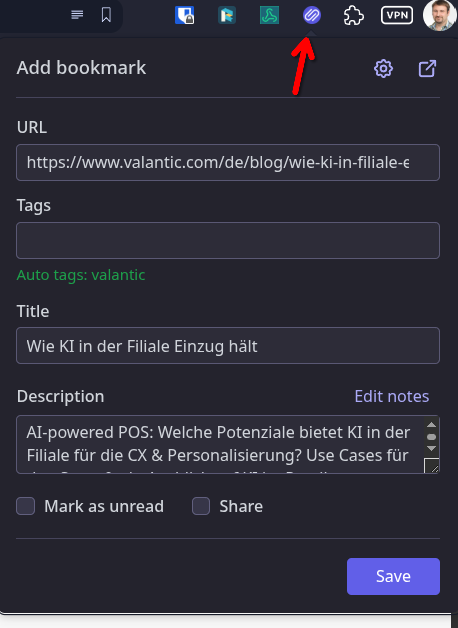
- LinkDing Extension (Chrome Store) saves a link in my Linkding instance. The extension also displays Linkding search results in the background on search pages such as Google. So when searching, I can see whether a link is already in my collection.
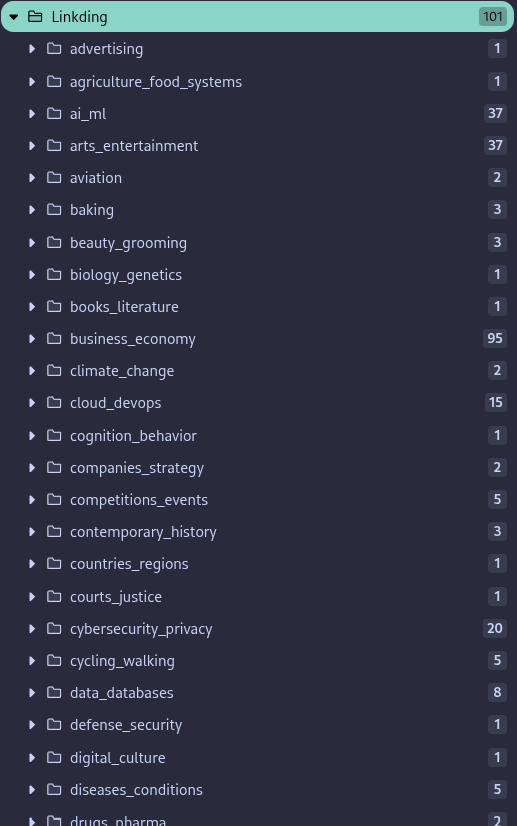
- LinkDing Bookmark Sync (Chrome Store) synchronizes my tags as folders in the browser and places the matching bookmarks beneath them. This lets me access saved links through the familiar folder structure too.
I run Linkding self-hosted. For login, I use SSO through Authentik. That keeps the collection under my control while still making it searchable through the web interface.
The n8n workflow handles untagged bookmarks
The automation runs in n8n. Through the Linkding REST interface, I retrieve bookmarks that do not yet have a tag. The workflow therefore does not reprocess the entire collection on every run, but focuses on the outstanding entries.
I pass the bookmark data to a small, separate n8n workflow. Its input parameter is called body and is simply a string. This keeps the component independent of the original workflow: it receives the information about a bookmark, classifies it, and ultimately produces a tag list.
For classification, I use Opper AI as a model router and the kev 4b model. The component calls the API twice. Classification takes place in two stages and is based on a classification system I developed together with Gemini. It is more a kind of worldview than a loose collection of individual topic words: the tags should place links into a structure that fits the way I organize knowledge and interests.
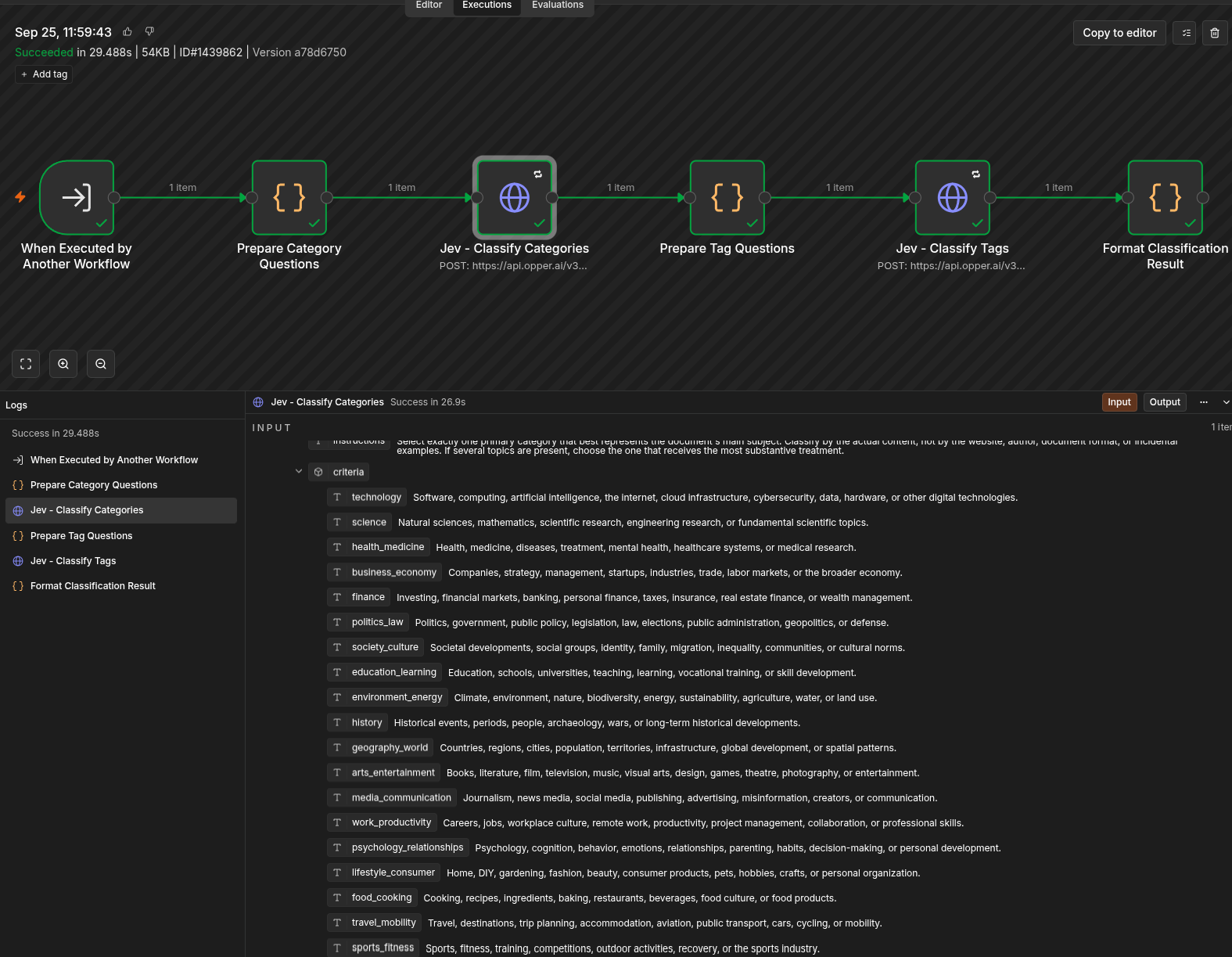
I deliberately do not describe these two steps as some magical “AI understands everything” feature. The model receives the bookmark information and the classification system’s instructions; it returns the tags that I use for tagging.
Why a small model is enough here
For this task, I do not need a model that argues at length or produces an elaborate text. It should quickly categorize a link according to a predefined taxonomy. This is a narrowly defined classification task, for which a fast System 1 model suits me better than a large model with elaborate reasoning.
The cost also supports this choice. On the plan I use for kev 4b, the charge is US$0.04 per one million input tokens; output tokens cost nothing. Because the workflow accesses the API twice, input is naturally the relevant cost factor. For the amount of text associated with a bookmark, that remains very inexpensive. This specific price refers to the plan I use and may change.
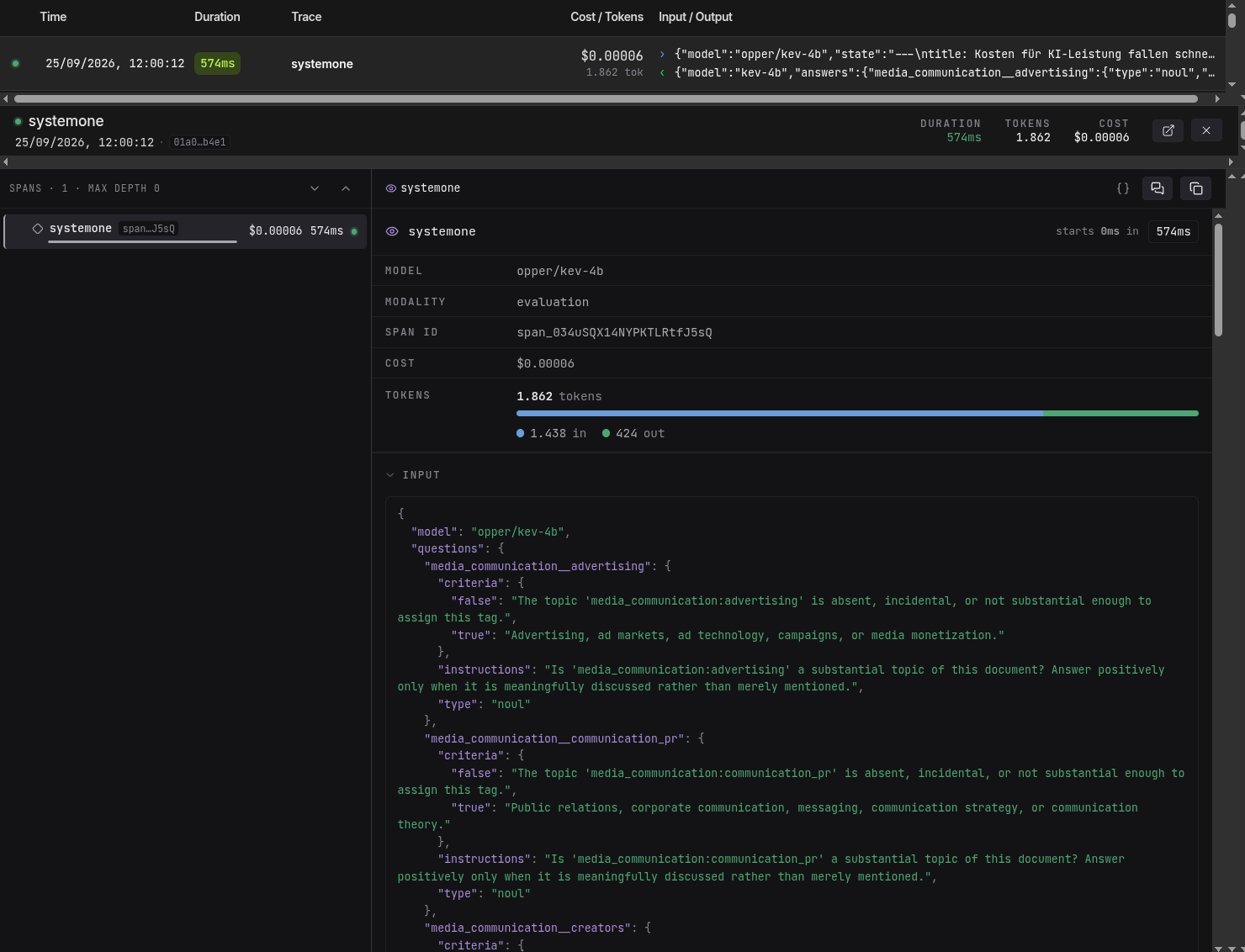
In practice, processing is also fast enough that automatic tagging does not become a task of its own. A link arrives in Linkding, the workflow classifies it in the background, and the tags are then available for search and synchronization.
The existing collection gets new tags too
The workflow was useful for more than just new bookmarks. I also used it to retag all my existing bookmarks once. That was important, because a good taxonomy only shows its value when it includes not just today’s links, but also the archive built up over the years.

Since then (okay, only since yesterday), tagging has become noticeably faster and more consistent for me. Having simply had all the tags reassigned, I can clearly see the difference compared with before. I do not have to rethink which tag I used for a similar link every time. And because the tags are subsequently visible as browser folders too, the same organization works in Linkding and in the browser.
What I need to keep in mind
Automatic tagging does not automatically make classification correct. If the taxonomy changes or a bookmark is ambiguous, a tag may be missing or inappropriate. The system therefore stands or falls with a clear, well-maintained tag structure. The two classification steps do not replace this work; they simply apply the structure more consistently.
The data path also deserves attention: Linkding is self-hosted, but the bookmark information I pass to the classification component is forwarded to Opper AI for model processing. Self-hosting alone therefore does not mean that every processing step stays local. For private or confidential links, I need to consider what data I send to the router and the selected model.
Conclusion
For me, this workflow is a good example of where a small model can make more sense than the largest possible one: the task is clearly bounded, the tag structure is defined by me, and the result should be available quickly and cheaply.
With Linkding as a self-hosted archive, the two browser extensions for collecting and accessing links, and n8n for automation, this has become a process that organizes new and existing bookmarks more consistently. The biggest effort was not the two API calls, but developing a classification system that actually works for my collection.
I also use Readeck to collect material for articles or as a “read it later” tool. It (deliberately) comes without AI tagging. I have integrated the same tagging logic there too. But that is a topic for a separate blog article.