
For a long time, I have kept trying different ways of organizing my bookmarks. It has been a back-and-forth over the years. Most recently, I simply managed my bookmarks in the browser. Unfortunately, synchronizing bookmarks and other settings between browsers has never been free of problems or limitations. Another downside is that you are more or less tied to one browser.
Recently, I came across Linkding. I did not really want to manage my bookmarks in an external tool. Somehow, though, I have ended up using it anyway, and I have to say I love it so far. Why? Because it simply works well, and it is hard to beat for simplicity. And the name is just great for German speakers. Let it sink in for a moment...
Linkding / Technology
Linkding is an open-source bookmark management tool written in Python that uses Django as its framework. Unlike many other bookmark management tools that are integrated directly into the browser, Linkding runs as a standalone server application. This means your bookmarks are securely stored and easy to manage without being automatically synchronized with your browser.
What makes Linkding special is its simple user interface, which lets you quickly find your way around the application even without technical knowledge. It uses an SQLite database by default, but also offers the option of switching to PostgresDB. That is a real plus for anyone looking for a more powerful solution, and it was a welcome option in my case.
I have published my Docker setup here: Linkding Docker Setup
Tagging and filtering made easy
Compared with other tools such as Linkwarden (which I also find very attractive), which uses categories, Linkding relies on a simple, straightforward tagging system. You can easily add tags and use them to filter your bookmarks. The intuitive sidebar lets you filter by tags and ensures you quickly find exactly what you are looking for. Once you have filtered by a tag, the sidebar only shows the relevant tags, refining the filtering options further.
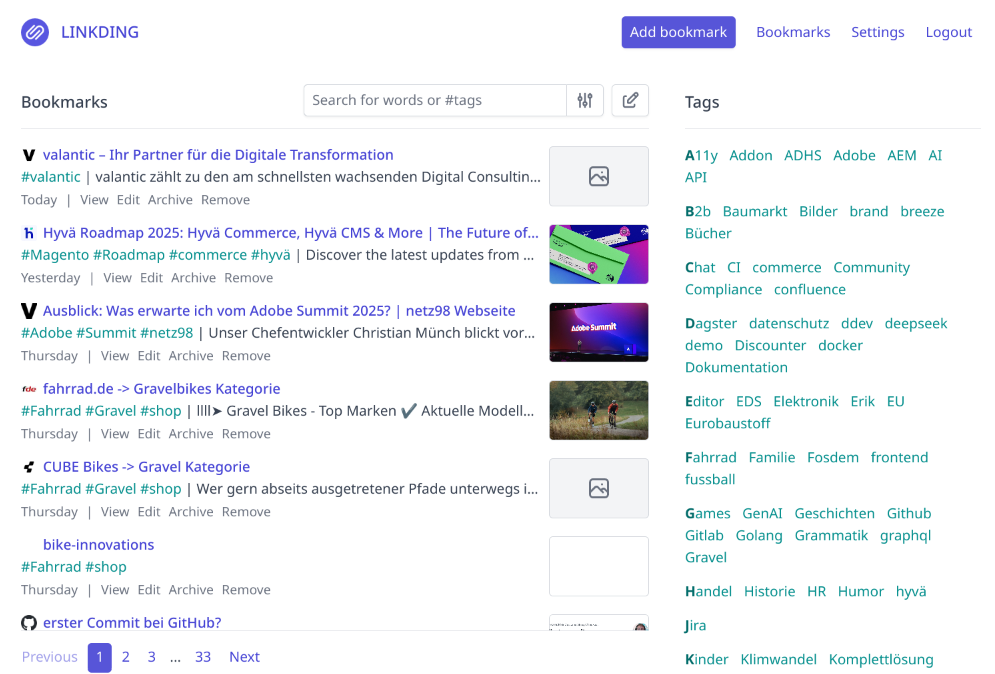
Linkding is not just intended for individuals—it supports multiple users and allows bookmarks to be shared. This is especially useful if you work in a team or want to exchange information with colleagues.
Integration and extensions
Another great Linkding feature is its support for a REST API. This means there are numerous third-party applications that can communicate with Linkding. In my FreshRSS instance, for example, I have registered Linkding as a Share Service. That lets me save interesting articles directly to Linkding with a single click, significantly simplifying my workflow.
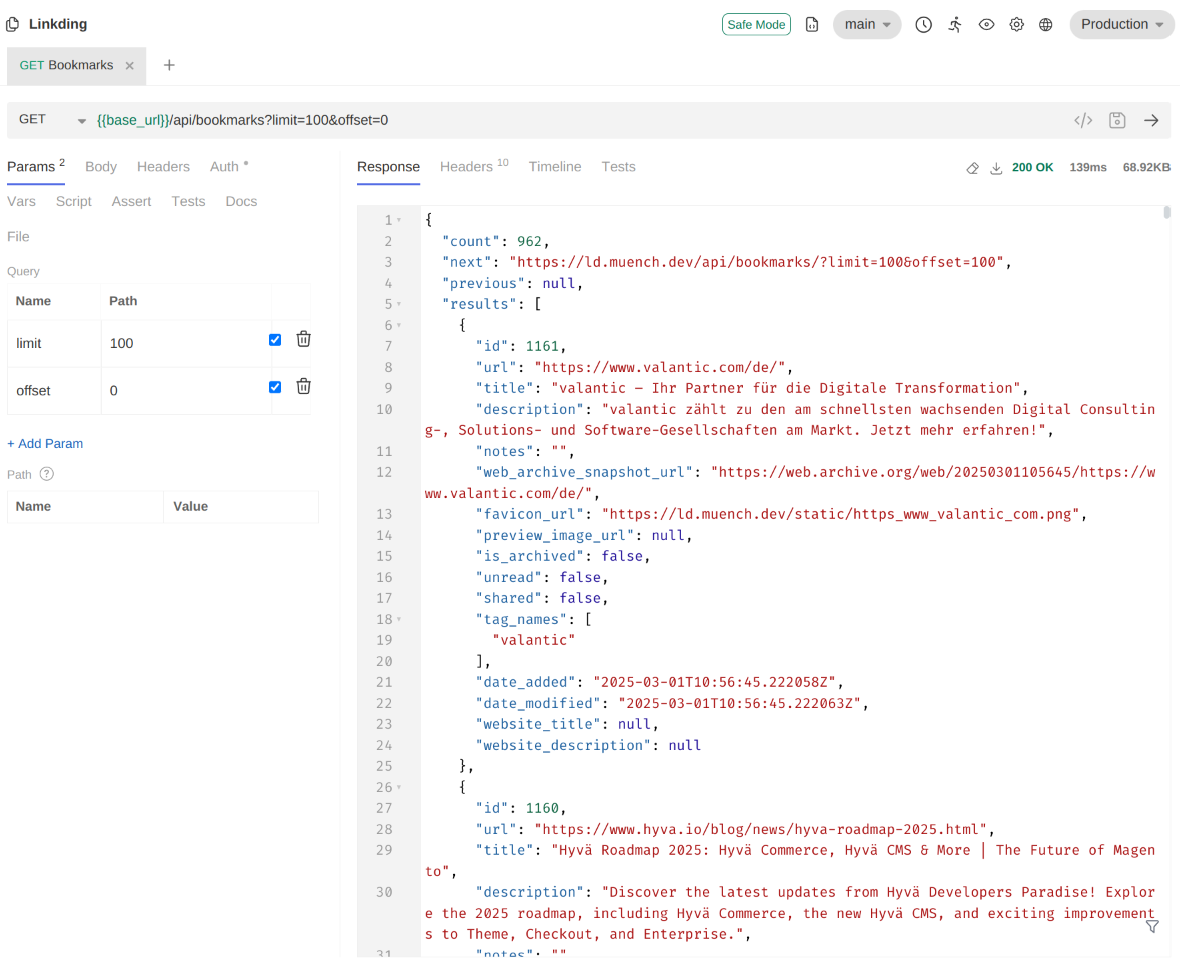
Of course, you can also import and export your bookmarks, using the popular Netscape Bookmark HTML format. This keeps the transition to Linkding seamless for anyone wanting to migrate from other applications.
There are various extensions for popular browsers. You can find more information here: https://linkding.link/browser-extension/
There is also a simple bookmarklet that works in any browser. The bookmarklet can be saved directly from the logged-in user's Linkding settings (the "Integration" tab).
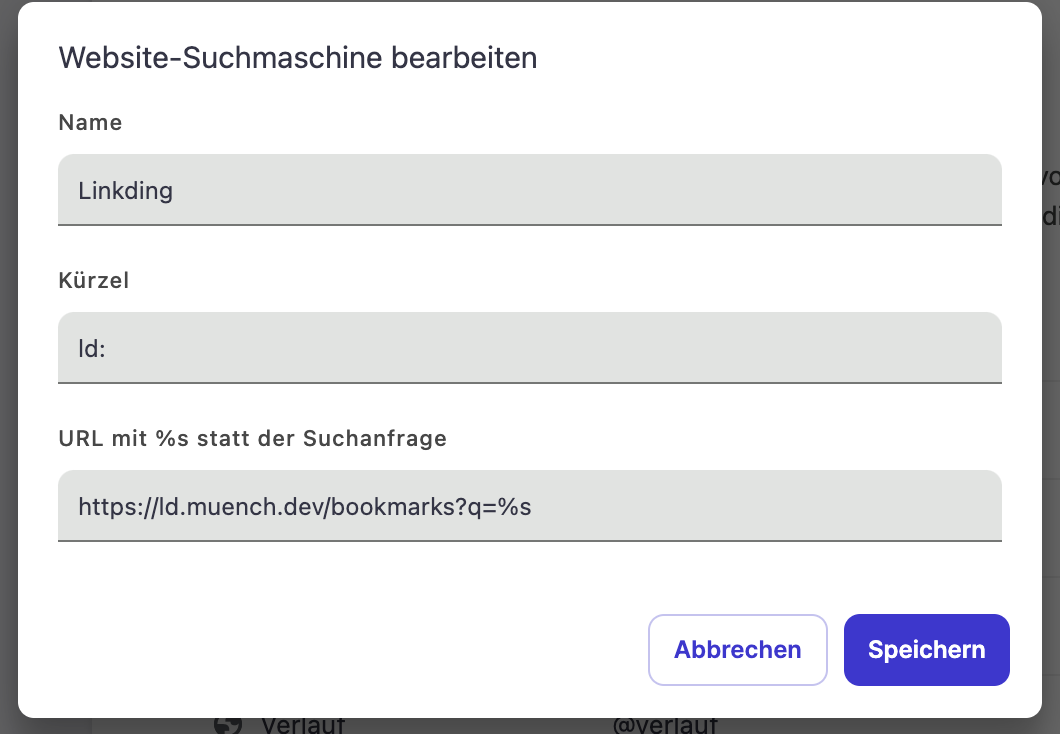
I have also added Linkding as a search engine in my browser, so I can quickly find my bookmarks directly from the browser.
Offline version / Archive
Linkding can also save an offline version of a website, either manually or automatically.
Sometimes, though, pages are behind a login, and the Linkding server trying to load the page in the background cannot technically access the content. Or cookie banners simply get in the way.
In that case, you can create an offline version using the singlefile browser extension and then upload it to Linkding (or to archive.org).
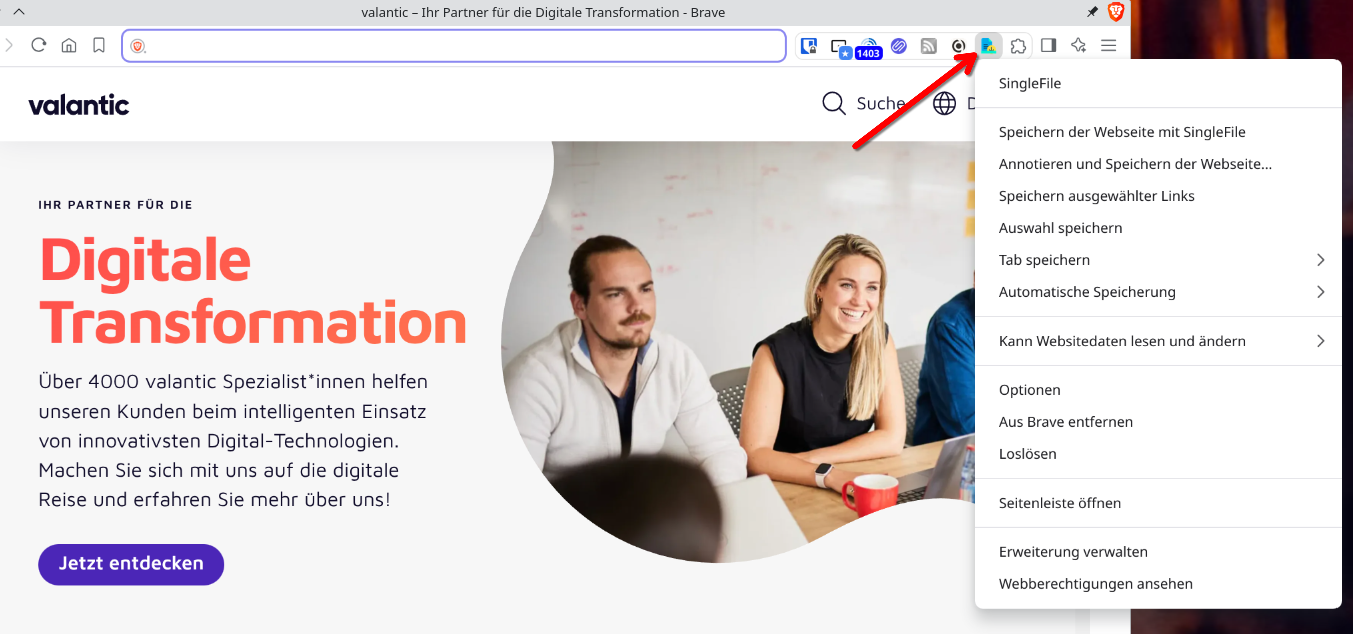
You can then use the archive feature through a bookmark's "View" link.
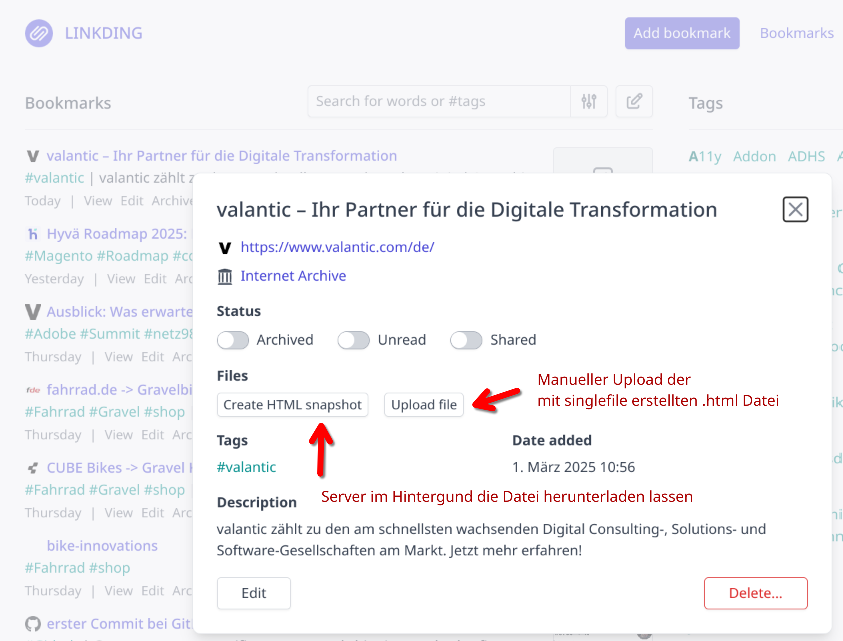
If you use Docker for your setup and want to use the archive feature, you should use the Plus Docker image. It already includes a preinstalled Chrome browser responsible for downloading. This runs headlessly, so you never see the browser itself. This is necessary to render websites correctly, since many websites today are more than just simple HTML pages.
Conclusion
I would not have expected Linkding to impress me this much. It is so simple and fast to work with. It is accessible across all platforms and also easy to integrate into the browser.
If you put more emphasis on a really pretty UI, you might want to look at other tools such as Linkwarden. For me, Linkding seems to be exactly the "thing."