I have already written about the Trilium tool a few times and talked about it at conferences too.
What I am still missing is better diagram embedding.
For this, I created a GitHub issue1 a while ago.
But the topic is not quite that simple.
Trilium now offers the ability to embed diagrams via Mermaid2.
That is a great new feature. For more complex diagrams, though, it is not usable for me because creating the diagrams in the text syntax takes too long.
In version 0.52, Trilium will additionally support excalidraw through a new node type. This is also great for creating simple diagrams or drawings. For complicated diagrams, such as network diagrams, it is simply too rudimentary for me.
Today, I had the idea of trying the Open Note externally feature. This makes it possible to open a note directly in an external editor.
A note in Trilium can also be a file, which is then stored in the internal sqlite database.
The idea I had now was to register custom file extensions in my Linux environment, which would then be handled directly by the Draw.IO client (Diagrams.net) installed on my computer.
The file extensions I wanted to register were *.drawio.png and *.drawio.svg.
Registering a MIME type
On Linux, MIME types can be created directly in the ~/.config/mimeapps.list file.
This file handles user overrides.
For installed packages, however, overrides should (IMHO) be made through individual files under ~/.local/share/mime/packages.
For this reason, I created the file ~/.local/share/mime/packages/drawio.xml with the following contents:
<?xml version="1.0" encoding="UTF-8"?>
<mime-info xmlns="http://www.freedesktop.org/standards/shared-mime-info">
    <mime-type type="application/vnd.jgraph.mxfile">
        <comment>Drawio Diagram</comment>
        <glob pattern="*.drawio" case-sensitive="true"/>
        <glob pattern="*.drawio.svg" case-sensitive="true"/>
        <glob pattern="*.drawio.png" case-sensitive="true"/>
    </mime-type>
</mime-info>
Draw.io already defines the MIME type application/vnd.jgraph.mxfile this way.
At least on my Arch Linux with the drawio-desktop AUR package installed.
After creating the file, the local MIME database needs to be updated.
update-mime-database ~/.local/share/mime
That should be it now.
If the xdg-utils3 are installed, you can now check whether the MIME type is recognized correctly.
To do this, create a file in Draw.io and save it, for example, as test.drawio.svg.
xdg-mime query filetype test.drawio.svg
If everything is correct, the output should be application/vnd.jgraph.mxfile.
Testing in Trilium
In Trilium, we simply import the file we created into an existing note.
If the file extension is .svg, Trilium should display the file directly as an image.
Now we open the file using Open note externally from the menu.
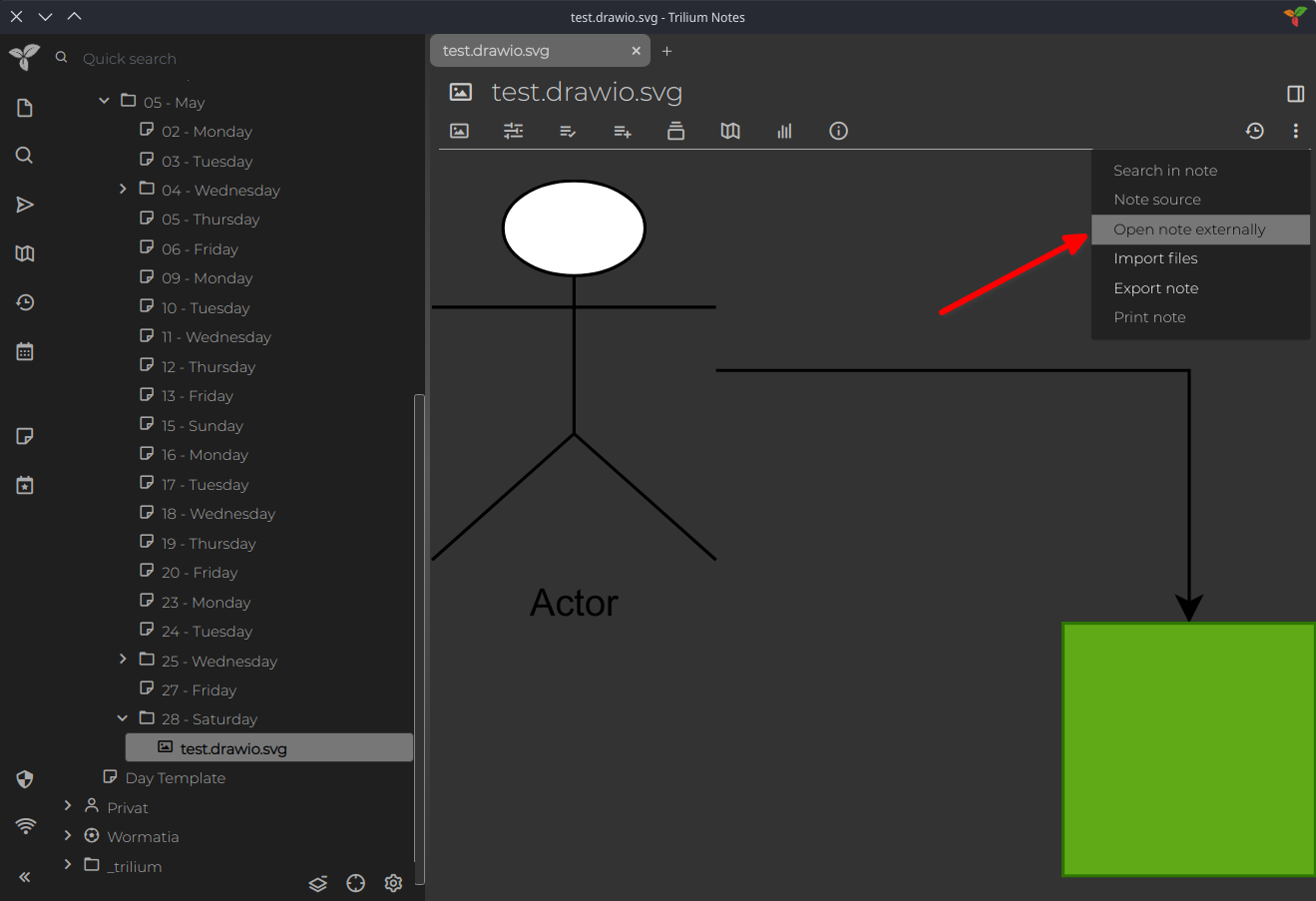
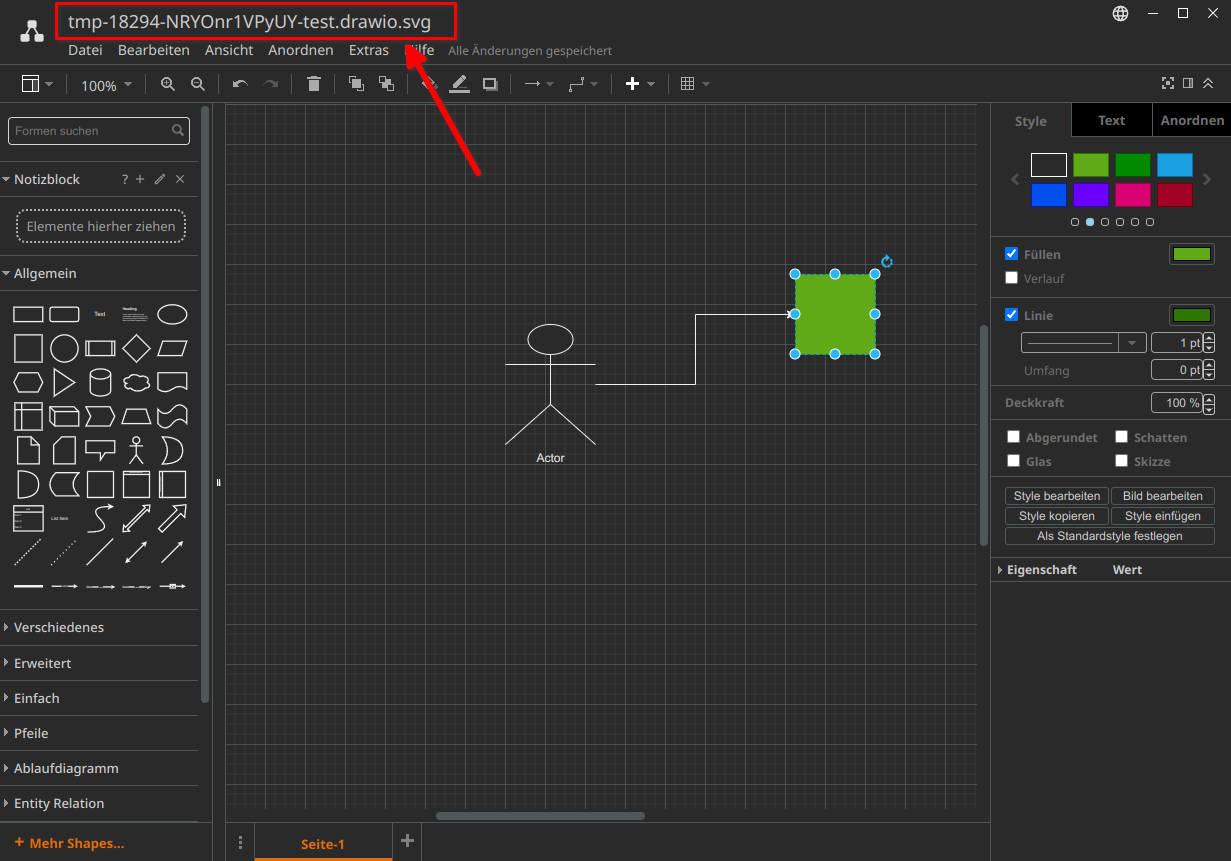
The file should then open in the external editor.
Trilium places the file in the temporary directory and now checks whether the file has been modified externally.
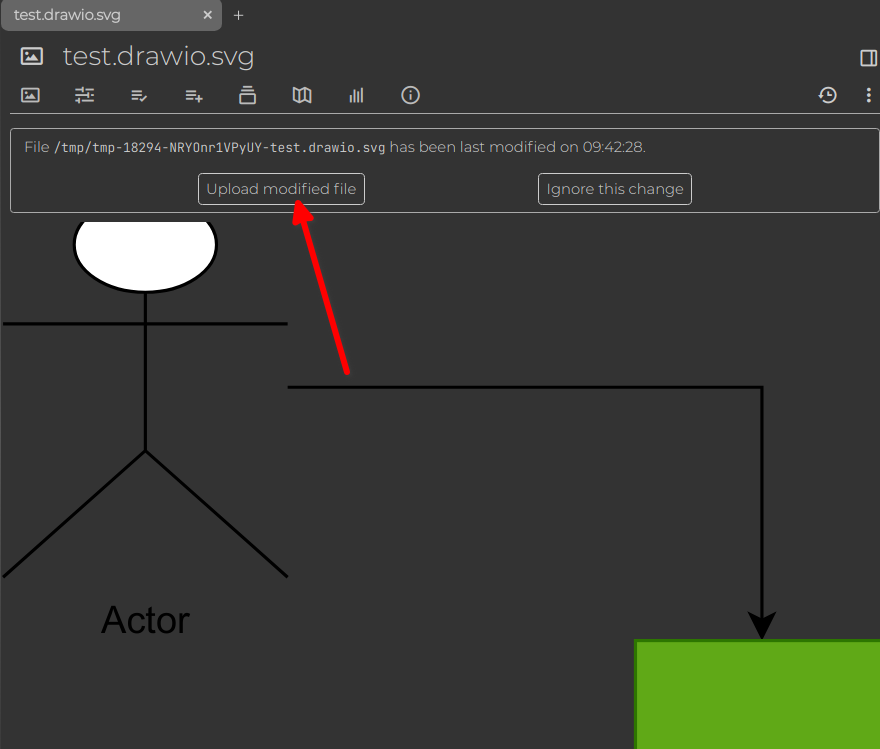
As soon as you modify the file in Draw.IO and save it, Trilium should see the change, and you can then update the file in Trilium's sqlite database.
To do this, click Upload modified file in Trilium.