
As AI agents and the Model Context Protocol (MCP) become more widespread, the complexity of managing and orchestrating different MCP servers is also growing—a task that can quickly become challenging. This is exactly where MetaMCP comes in: a powerful open-source tool that acts as a reverse proxy or gateway. It enables the aggregation, management, and selective exposure of multiple MCP servers through a unified interface. In this post, I show how I use MetaMCP to simplify and optimize my AI infrastructure.
Unified Access Instead of Server Chaos
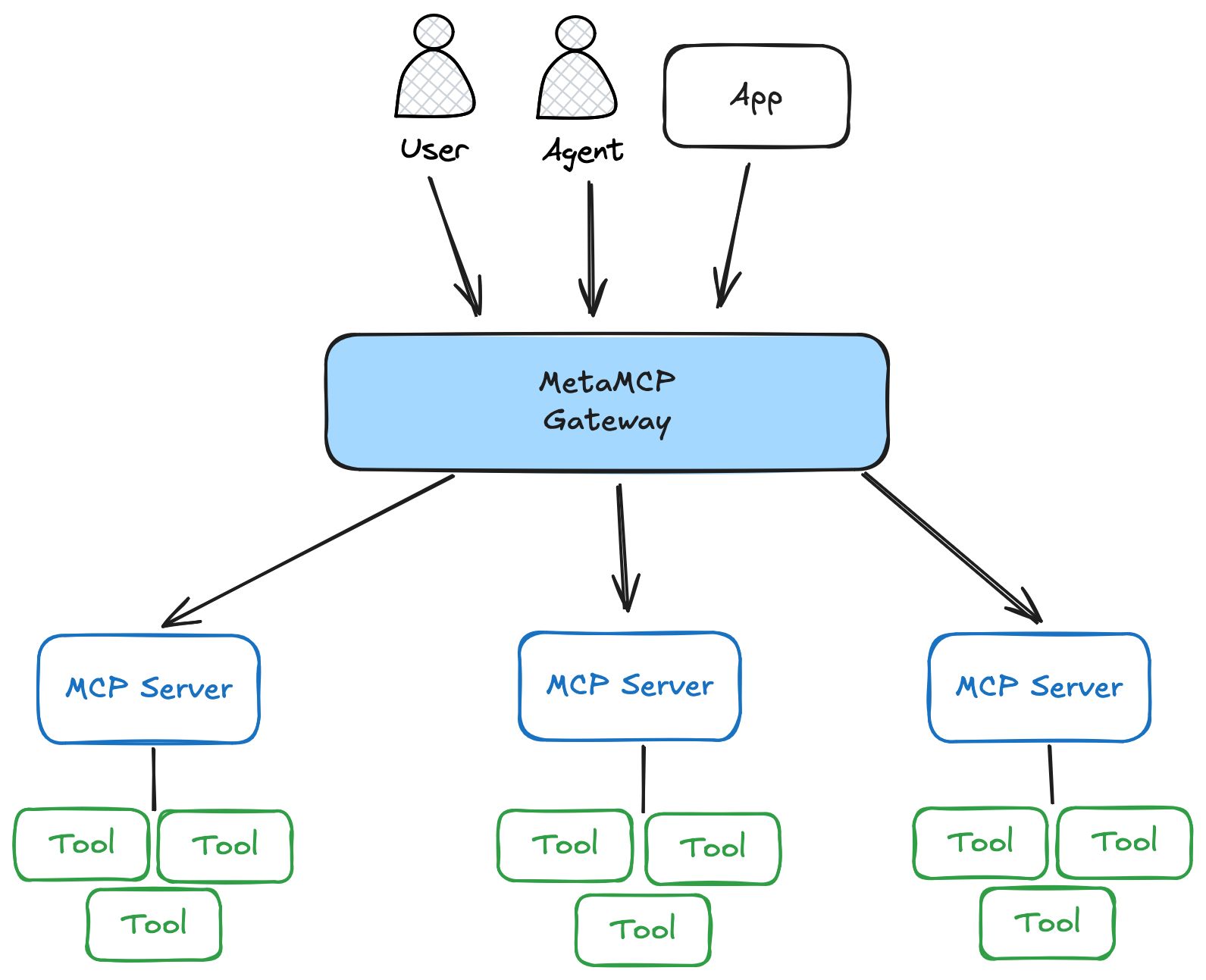
A central advantage of MetaMCP is its ability to bundle tools from different, often distributed MCP servers and provide them through a shared endpoint. In my everyday work, I access MCP servers implemented in different ways—some are written in code in the traditional way, while others were created using low-code tools such as n8n. Instead of connecting every application to every server individually, I bring the frequently used tools together with MetaMCP. This not only reduces configuration effort but also provides a modular and maintainable architecture.
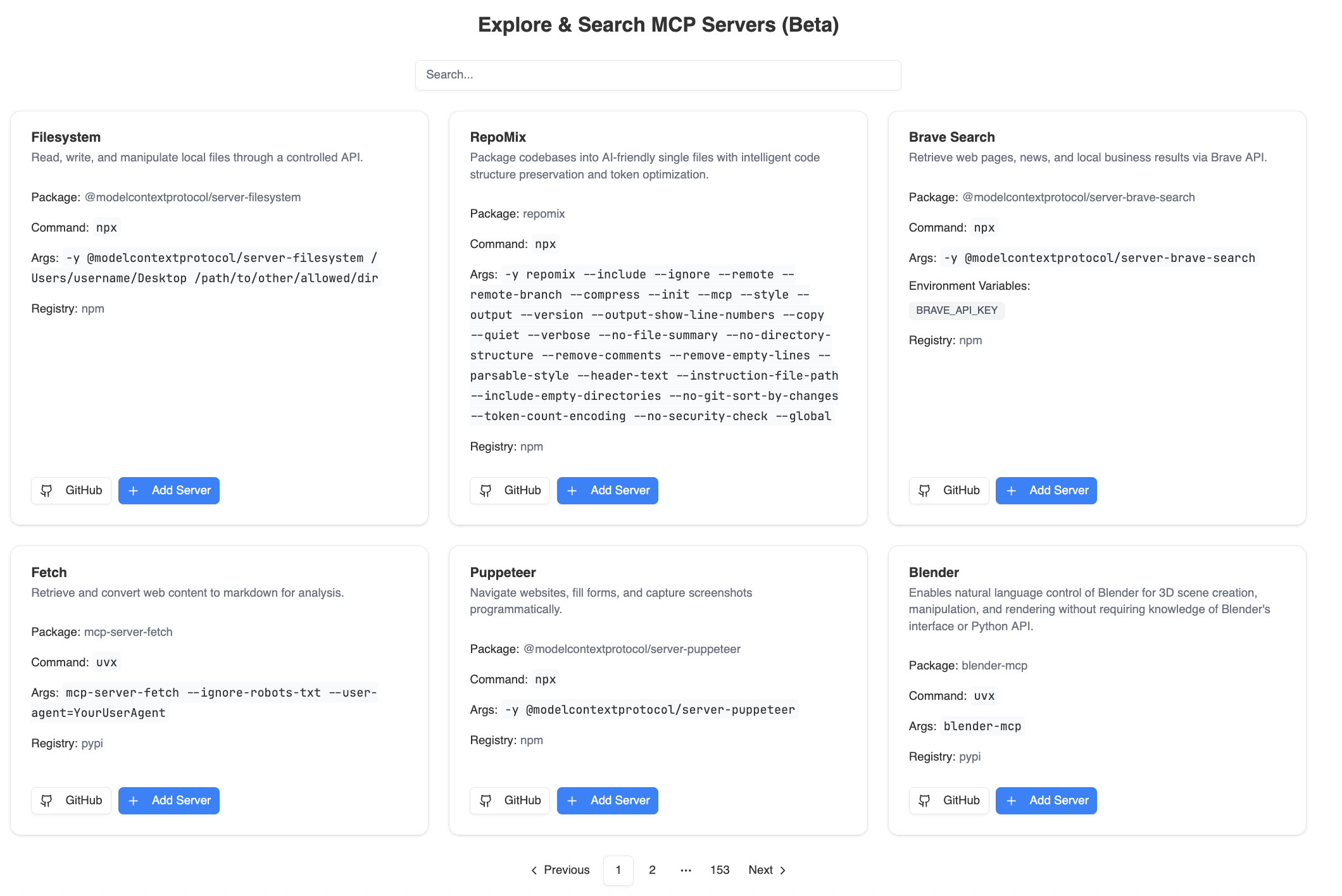
Integrating new or existing servers is straightforward: Thanks to a built-in catalog of known MCP servers and the ability to connect external servers by URL, extending the infrastructure is quickly done.
Tool "Cherry-Picking" and Provisioning
MetaMCP can do more than just aggregate. It allows you to selectively choose individual tools from different servers and combine them into a new, specific endpoint. I use this functionality, for example, when onboarding new developers—a planned use case I am currently testing: Instead of granting them access to all internal servers, I provide exactly the tools relevant to their current tasks through MetaMCP. This lets new team members get started with focus and without unnecessary complexity.
Systematic Security
Another central feature is granular access control through bearer authentication tokens. I can define exactly which applications or users may access which tool collections. For publicly accessible use cases, individual MCP servers can also be marked as "public." This protects sensitive information on the one hand and allows flexible usage scenarios on the other—for example, public demos or freely accessible AI tools—while ensuring a clear separation of responsibilities and roles within the infrastructure.
Concept: Structuring Through Namespaces
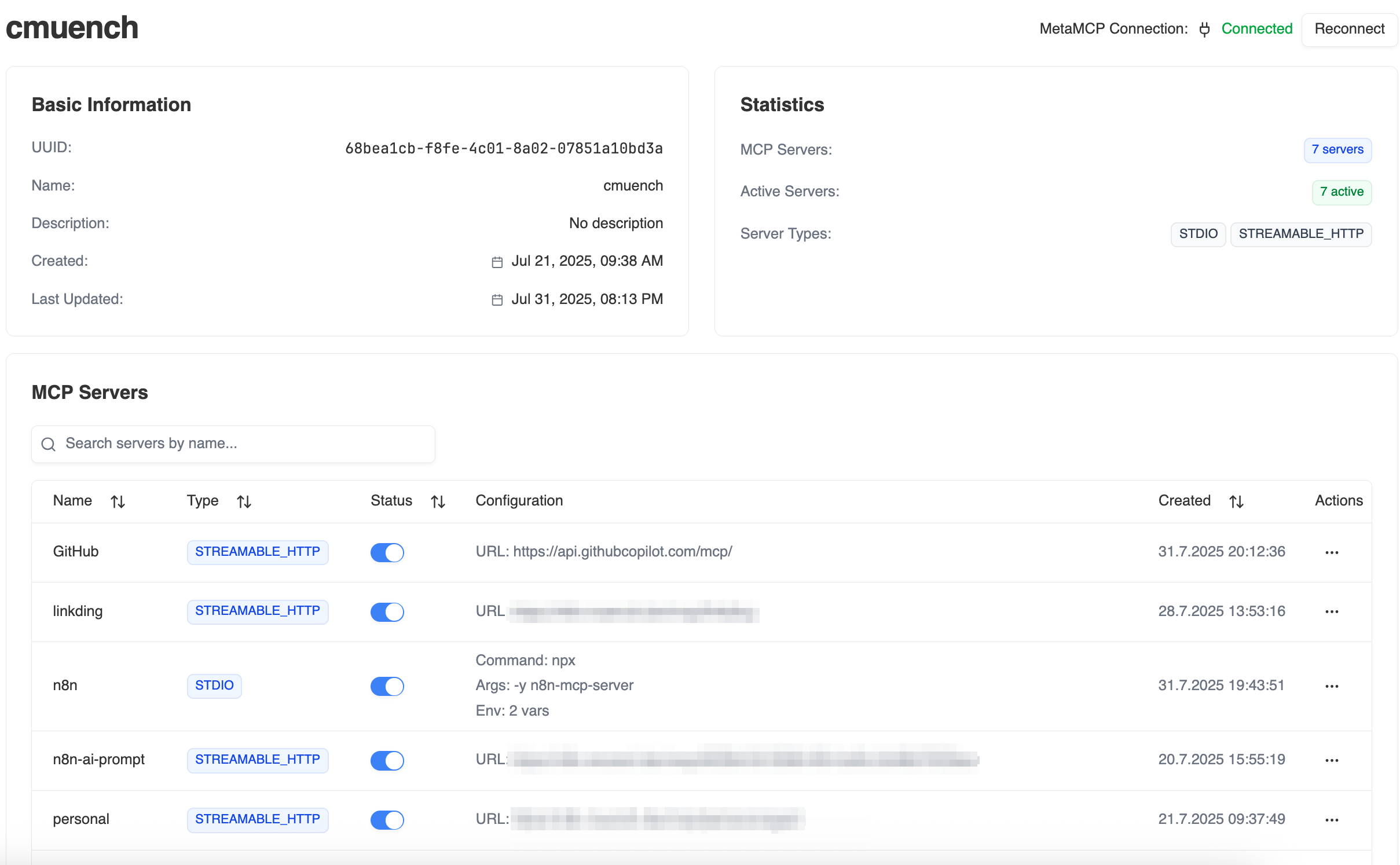
A central concept in MetaMCP is so-called namespaces. These allow tools to be organized into logically grouped units. Tools related by topic or function can then be managed together—for example, all developer tools, analytics tools, or dedicated agents for specific departments. Each namespace can optionally be published as a standalone MCP server. This creates a clear structure, simplifies maintenance, and enables targeted provisioning according to the use case.
Technical Highlights for Developers
MetaMCP also has plenty to offer under the hood. Particularly noteworthy is support for different MCP transport protocols, such as SSE (Server-Sent Events) and Streamable HTTP. MetaMCP acts as a protocol bridge here, allowing clients to work with servers that communicate in different ways through a unified endpoint.
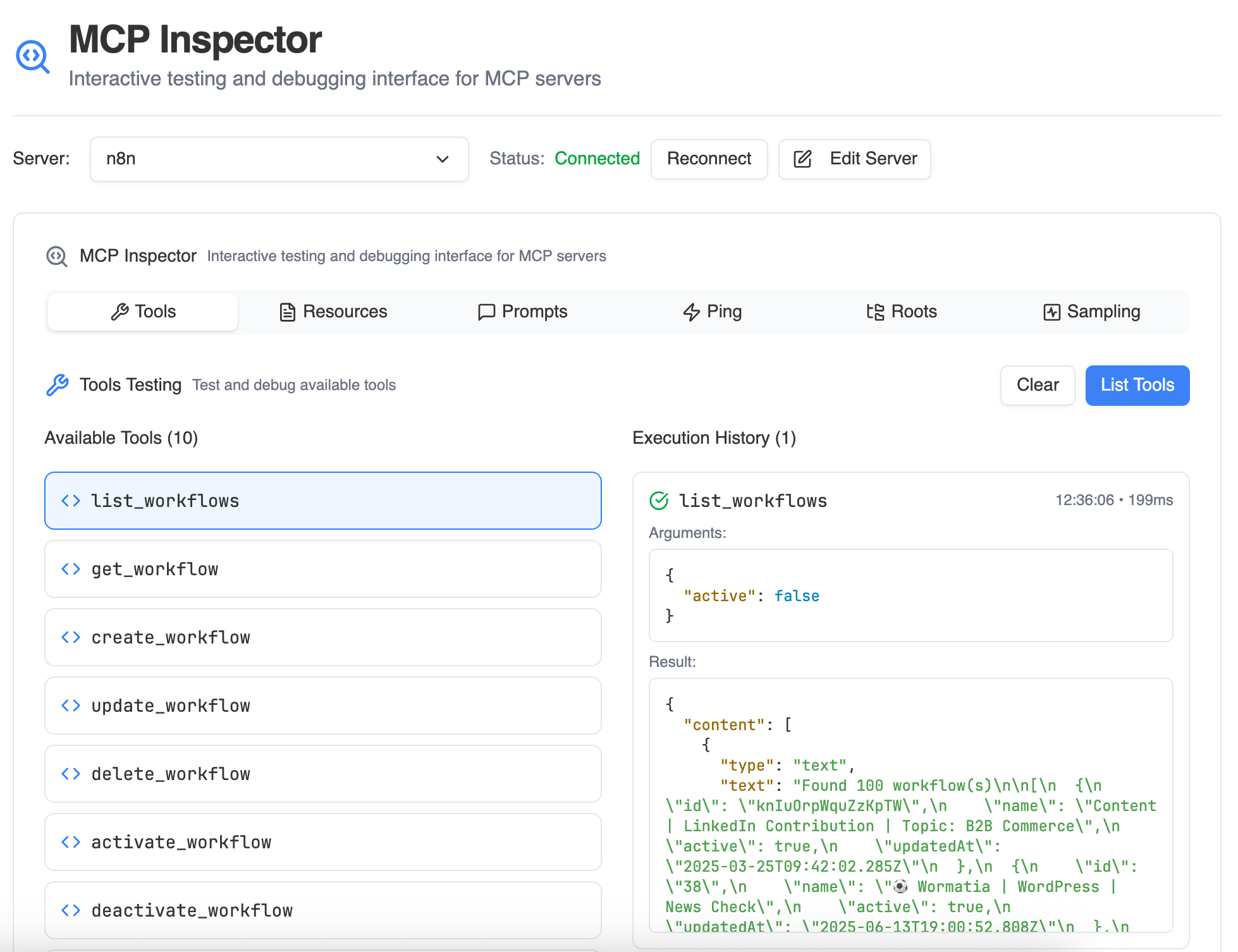
A built-in inspector tool also makes testing and debugging easier. Similar to the official MCP Inspector, tools can be inspected directly in the MetaMCP interface, requests tested, and responses analyzed—a real accelerator for development and troubleshooting processes.
Ready for Teams and Businesses?
Although I currently use MetaMCP mainly for my own infrastructure, it is already prepared for production use in teams. Features such as OpenID Connect (OIDC) for single sign-on (SSO) make it possible to centrally control access and manage shared MCP resources.
What I have ignored so far in my evaluation is scaling. This should definitely be considered for larger installations. Perhaps that will be something for a follow-up article.
Drawbacks of the Solution
For all its functionality, MetaMCP also brings some challenges. As with many gateway solutions, the central endpoint represents a potential single point of failure: If MetaMCP goes down, all bundled tools become unreachable—even if the MCP servers behind it continue to function. In addition, the extra layer introduces some latency, since every request is routed through MetaMCP before reaching the actual target server. To make performance aspects like these transparent, MetaMCP provides a built-in monitoring tool that visualizes response times and general performance data of the connected MCP servers.
Conclusion
MetaMCP has proved to be a real Swiss Army knife in my work: powerful, flexible, and easy to use. The ability to aggregate tools, provide them selectively, secure them, and manage them efficiently makes MetaMCP a building block of my MCP infrastructure—provided you are aware of its central role and the associated risks. For me, however, the benefits have outweighed the drawbacks so far.
Links:
- https://metamcp.com/
- https://github.com/metatool-ai/metamcp