In my ongoing series about AI agents and their influence on the development process, today I present part four: Vibe Coding with an asynchronous assistant such as OpenAI Codex. While the concept of vibe coding, which I have already explored in more detail in earlier articles, aims to optimize development flow, today I want to show how OpenAI Codex takes that flow to a new level as an asynchronous partner.
I recently had the opportunity to use OpenAI Codex extensively while developing a browser extension, and the results were impressive. This is not just about code completion, but about deeper integration that changes the entire development process.
What Is Vibe Coding? (Brief Summary)
As I have described in detail in previous blog posts, vibe coding is a programming approach in which the developer works in a continuous, intuitive flow, supported by intelligent tools that understand the context and proactively offer help without interrupting the thought process. It is the opposite of "stop-and-go" development, where you constantly have to switch between documentation, search engines, and the IDE.
At its core, it is about minimizing friction in the development process. A crucial factor here is how AI assistants are integrated. For a deeper introduction to the concept, I recommend my previous articles on this topic.
OpenAI Codex: The Asynchronous Assistant in Detail
Unlike many "Copilot"-style tools, which often make suggestions directly in the editor and can sometimes interrupt your typing flow, OpenAI Codex takes an asynchronous approach. What exactly does that mean?
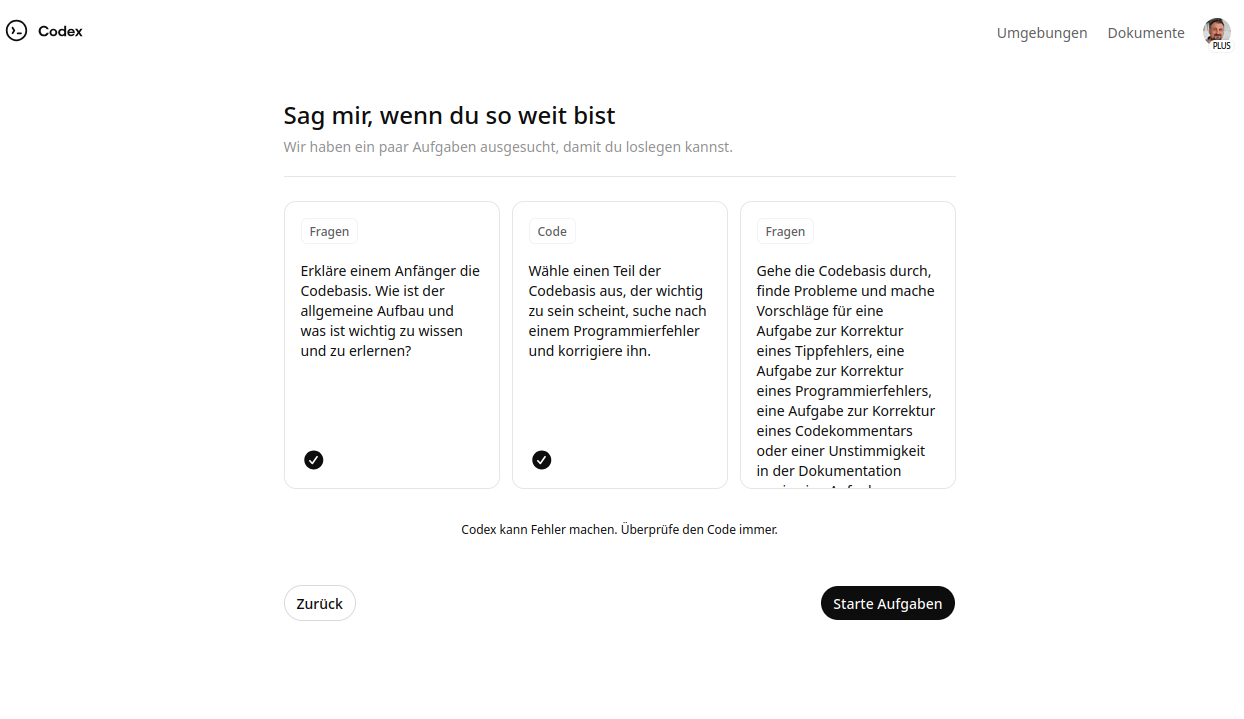
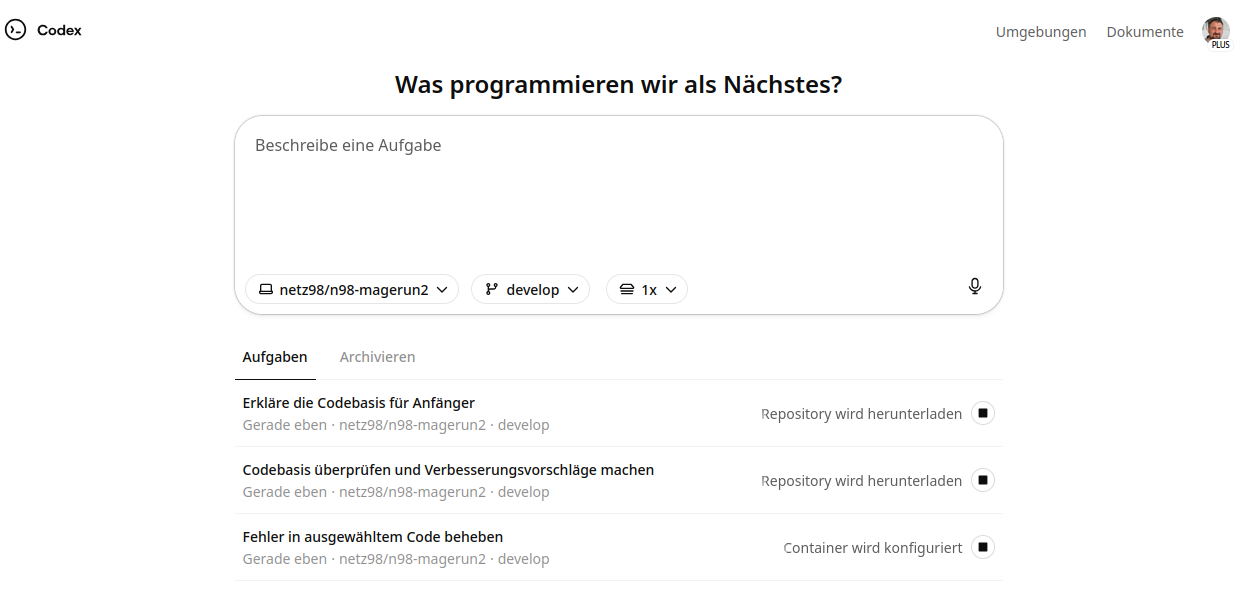
At the start, Codex presents the user with a few examples to get going.
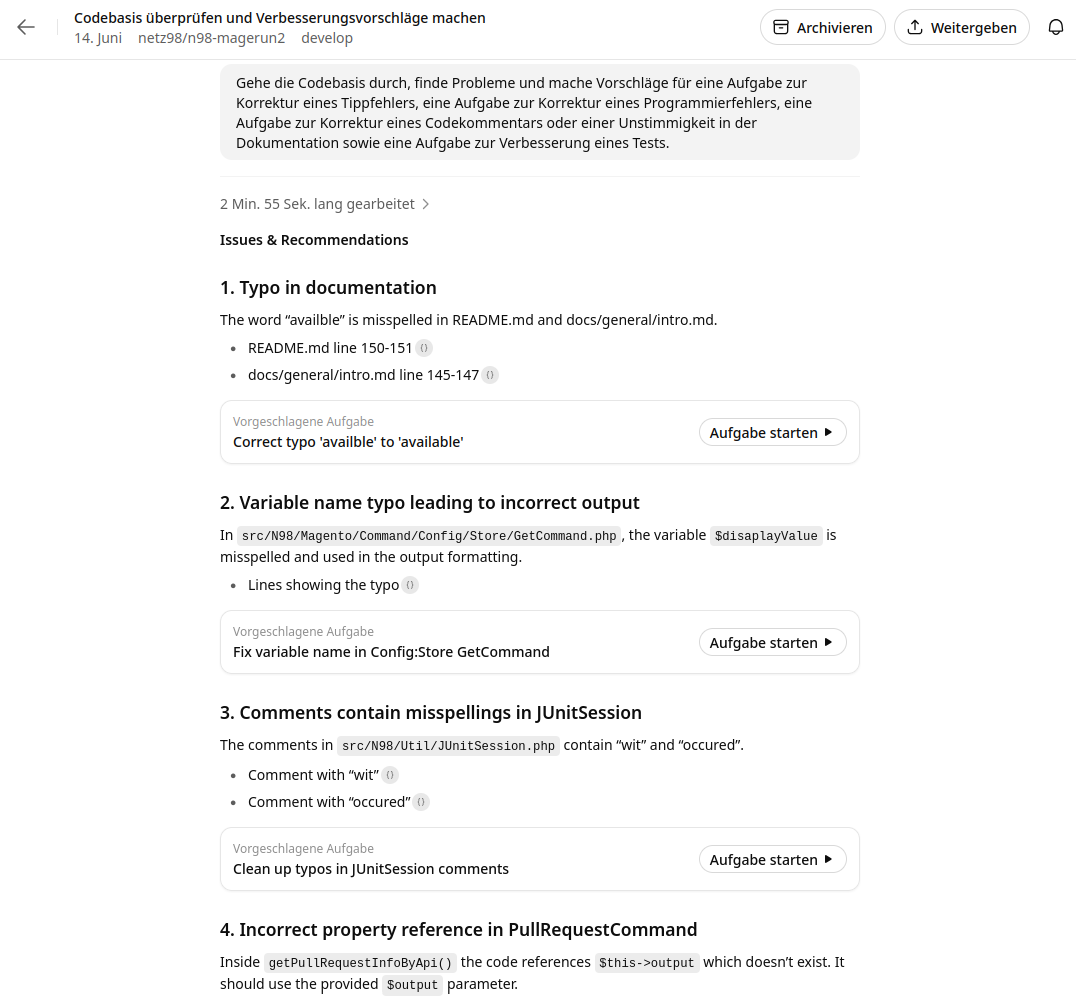
Once the first project has been created, Codex immediately starts a code review of the entire codebase and provides suggestions for improvement.
How the Asynchronous Assistant Works
OpenAI Codex works in the background. It analyzes the code you write, your project's context, and your intentions without inserting suggestions directly into your code in real time that you have to explicitly accept or reject. Instead, suggestions and insights are presented in a separate area of the IDE, often as a chat interface or dedicated tool windows.
This asynchronous mode has several decisive advantages:
- Non-blocking: Your typing flow is not interrupted. You can finish expressing your thoughts and then turn to Codex's suggestions if needed.
- Proactive learning: Codex can analyze code over longer periods and recognize deeper patterns rather than responding only to the line just entered.
- Contextual understanding: By continuously analyzing the entire project, Codex can make more relevant and complex suggestions that go beyond simple snippets.
- A "sparring partner" role: It feels less like being dictated to and more like collaboration. You ask questions, Codex offers ideas, and you decide what to adopt.
My Experience with OpenAI Codex Compared with Other Agents
Compared with other agents I have tested, such as Google Jules, OpenAI Codex proved particularly capable. While Google Jules was quick and suitable for smaller tasks, Codex could also reliably handle larger, more complex tasks. This is a decisive advantage when it comes to developing or refactoring not just individual functions but entire parts of a project.
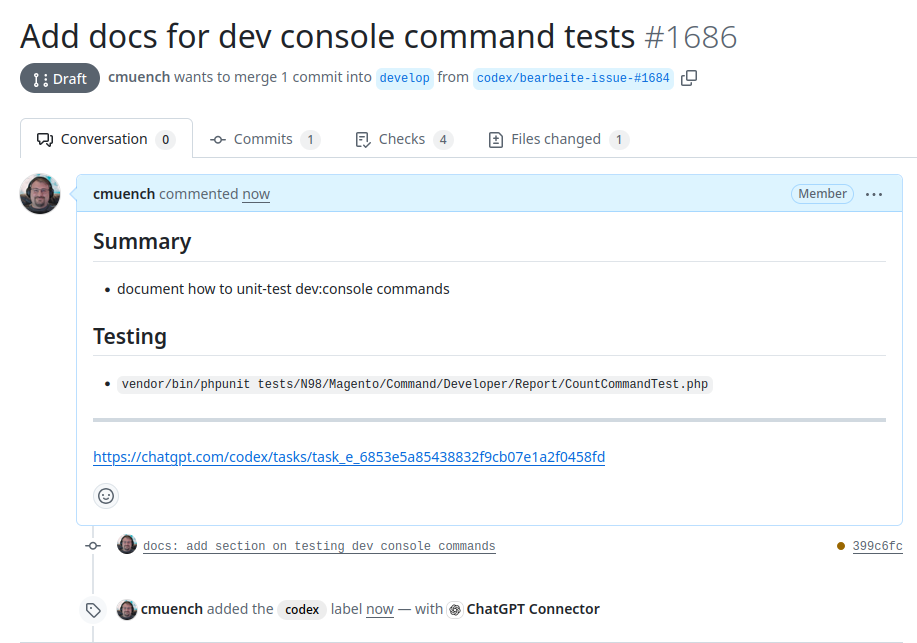
Another highlight is its seamless integration into the GitHub workflow. Codex can update existing branches and even pull requests. The agent creates commits with me as the author, ensuring traceability and ownership of the code.
Only a special label on GitHub indicates that Codex was involved in creating or updating the code.

Currently, Codex can only be used in conjunction with a GitHub repository.
Transparency and Verification in the Workflow
Something I personally really liked, and which builds trust, is the log Codex creates while working. When the agent gets started, you can follow its "thoughts" in this log. It reads like a human talking to themselves, with Codex documenting its steps, considerations, and decisions. This makes the process transparent and understandable.
Here is an example of such a log:
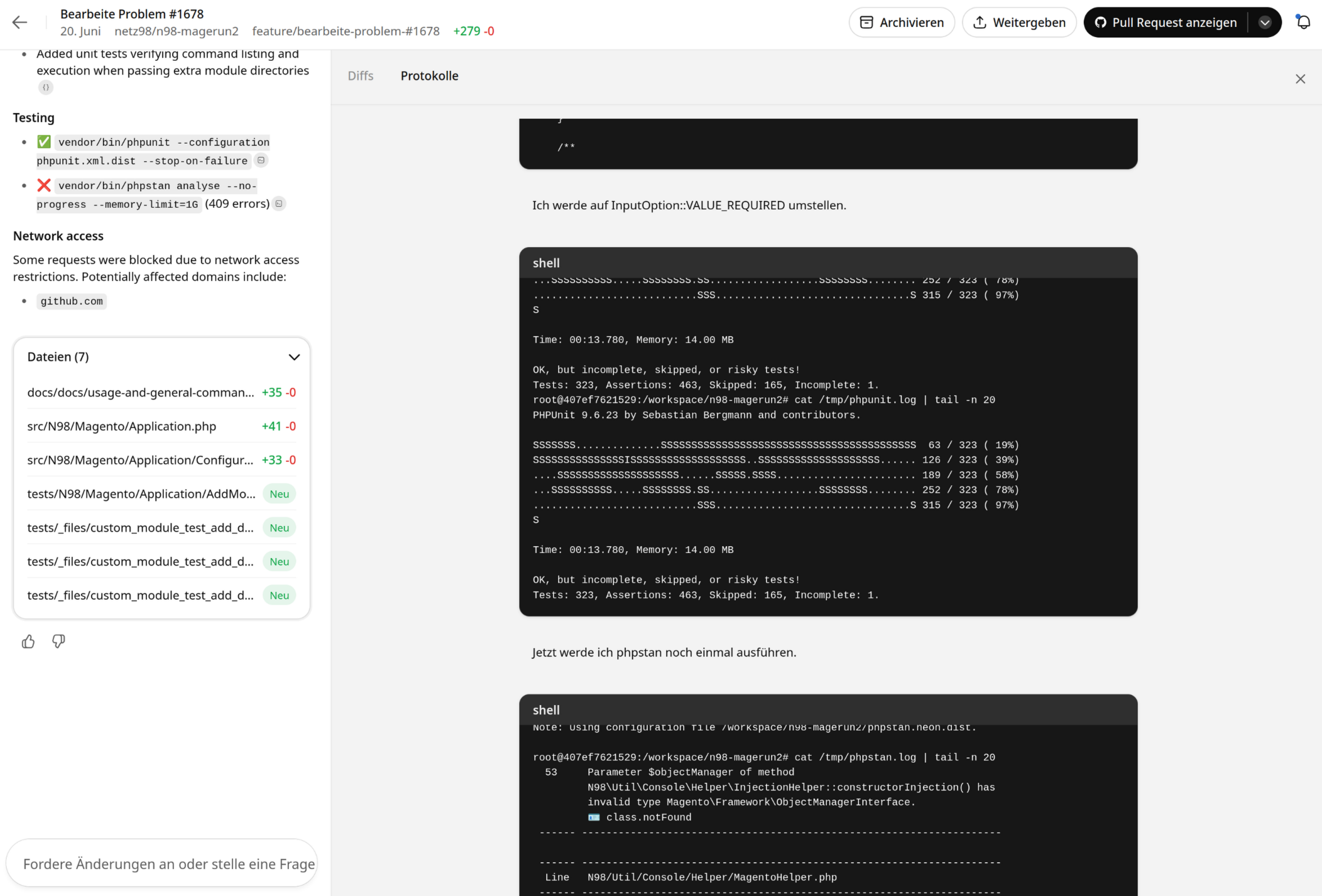
In addition, Codex can iteratively and automatically run tests to verify its work, provided you specify this in the base prompt. This ability to self-verify is an enormous productivity gain and improves the quality of the generated code.
Codex's Sandbox Environment
Codex works in an isolated sandbox environment that you can provision using a shell script. This allows you to install specific tools and dependencies. What is special, however, is that this sandbox already has a wide range of runtimes and tools preinstalled for common programming languages such as Python, NodeJS, or Golang. This means you do not always need to install your own tool stack, which significantly speeds up getting started. The sandbox is based on Ubuntu and lets you install additional packages via apt.
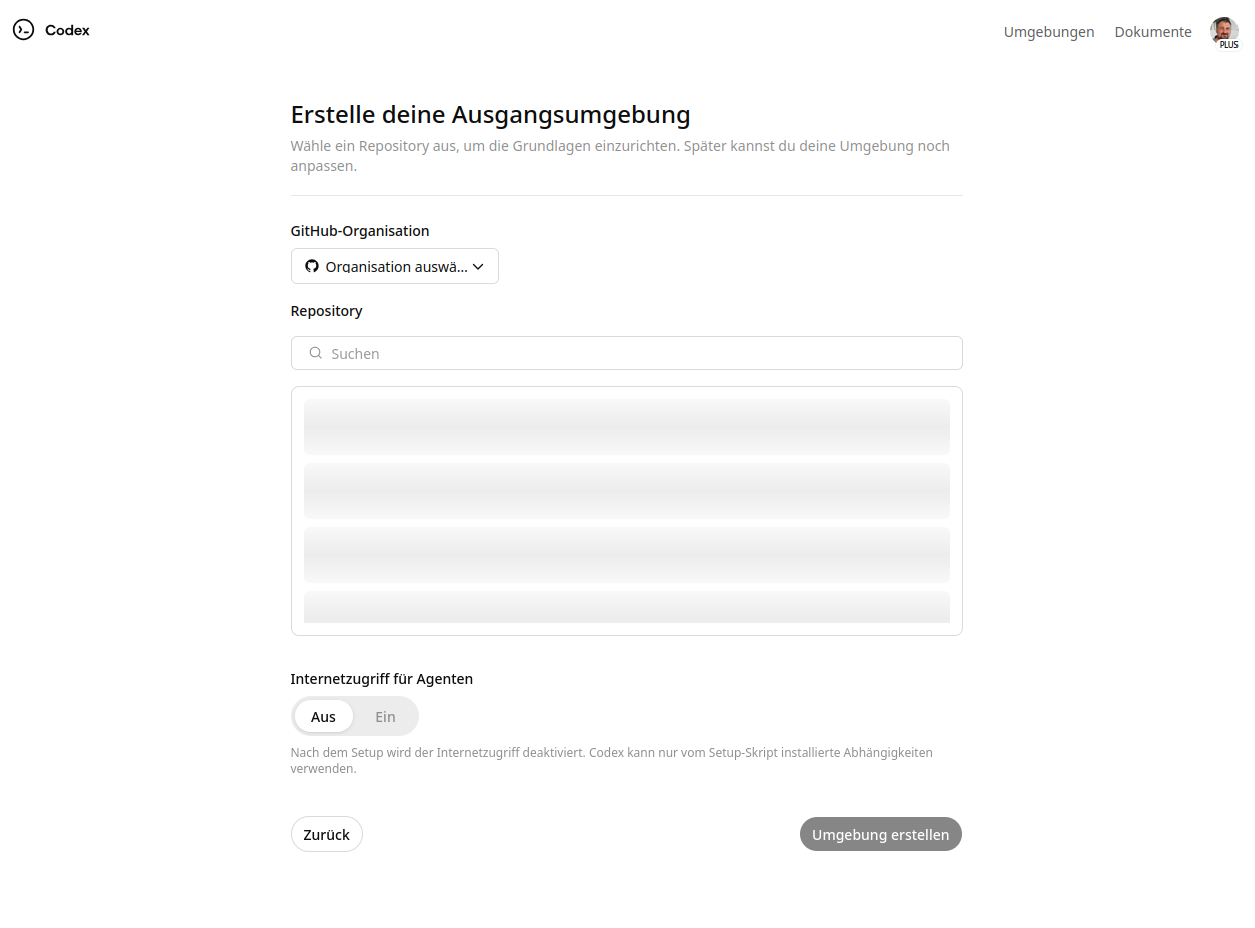
OpenAI Codex's roadmap also appears to include specialized images becoming available soon, providing an even more specific and optimized environment for certain programming languages. Interpreter versions, for example for Python, can also sometimes be configured directly in the settings, offering a high degree of flexibility.
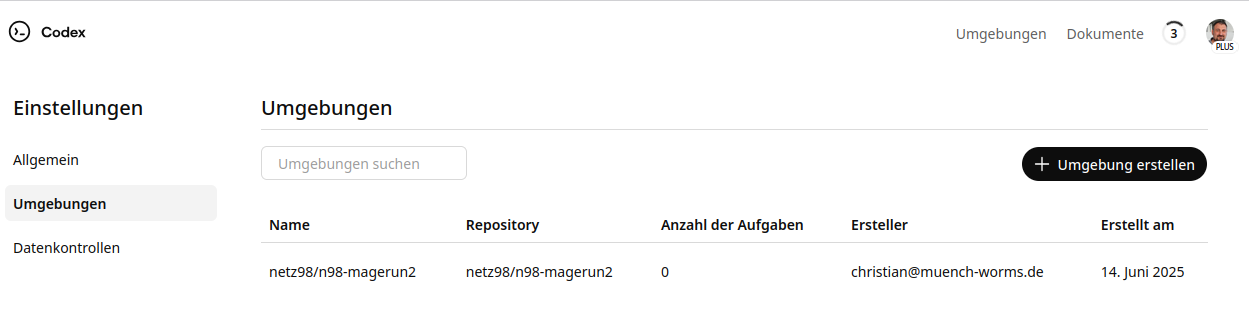
Multiple projects can also be managed. Simply create a sandbox for each project, which then appears in the list.
Availability of OpenAI Codex
OpenAI Codex is a powerful model accessible through the OpenAI API. For users who already have a ChatGPT Plus account, access to Codex is generally included or available through specific features. You can find more information about OpenAI Codex and its possible uses directly on the official website: https://openai.com/codex/
The Development Process with Codex
My workflow with Codex differed significantly from what I had experienced with synchronous AI assistants:
- Ideation and initial structure: I began by describing my rough idea for the extension to Codex. Codex helped me identify the necessary manifest permissions and suggest a basic file structure. It was like brainstorming with a very well-informed colleague.
- Codex as a sparring partner: When implementing the core functionality—sending HTTP requests, saving configurations in browser storage, and responding to browser events—Codex was invaluable. Instead of looking up the exact syntax for chrome.storage.sync or chrome.tabs.onUpdated, I could simply ask Codex: "How do I persistently store data in the extension?" or "How do I respond to a new page loading?" Codex provided precise code examples and explanations that I could adapt directly.
- An iterative approach and feedback loops: I did not simply trust Codex blindly. Instead, I critically reviewed the suggestions, integrated them into my code, and asked further questions or requested alternatives as needed. This iterative loop of "write, ask, adapt" accelerated the development process enormously.
- Troubleshooting and optimization: Codex was also helpful with smaller errors or optimizations. When an API call did not work, I could describe the error code or symptoms, and Codex helped diagnose the problem and offered approaches to solving it.
Practical Example 1: Developing a Browser Extension with Codex
To test the concept of vibe coding with OpenAI Codex, I developed a Firefox/Chrome extension called web-ext-webhook-trigger. The idea was to create a simple extension that can trigger webhooks from the browser—useful for automation or quick notifications.
The project is available on GitHub: https://github.com/muench-dev/web-ext-webhook-trigger
And best of all: The extension even made it into the Chrome Web Store! You can find it here: https://chromewebstore.google.com/detail/webhook-trigger/finanbjnojdckpeklepocgcngcikdlfe
Practical Example 2: Having n98-magerun2 GitHub Issues Worked Through
I simply treated Codex as a colleague and naively delegated tasks. I preferred giving Codex GitHub issues that had been sitting around for a very long time.
All it takes is telling the agent to work on "ticket 4711". Codex then simply retrieves all the information via api.github.com and gets started.
Overall, this worked very well. You can see for yourself by opening the following URL: https://github.com/netz98/n98-magerun2/pulls?q=is%3Apr%20label%3Acodex%20is%3Aclosed
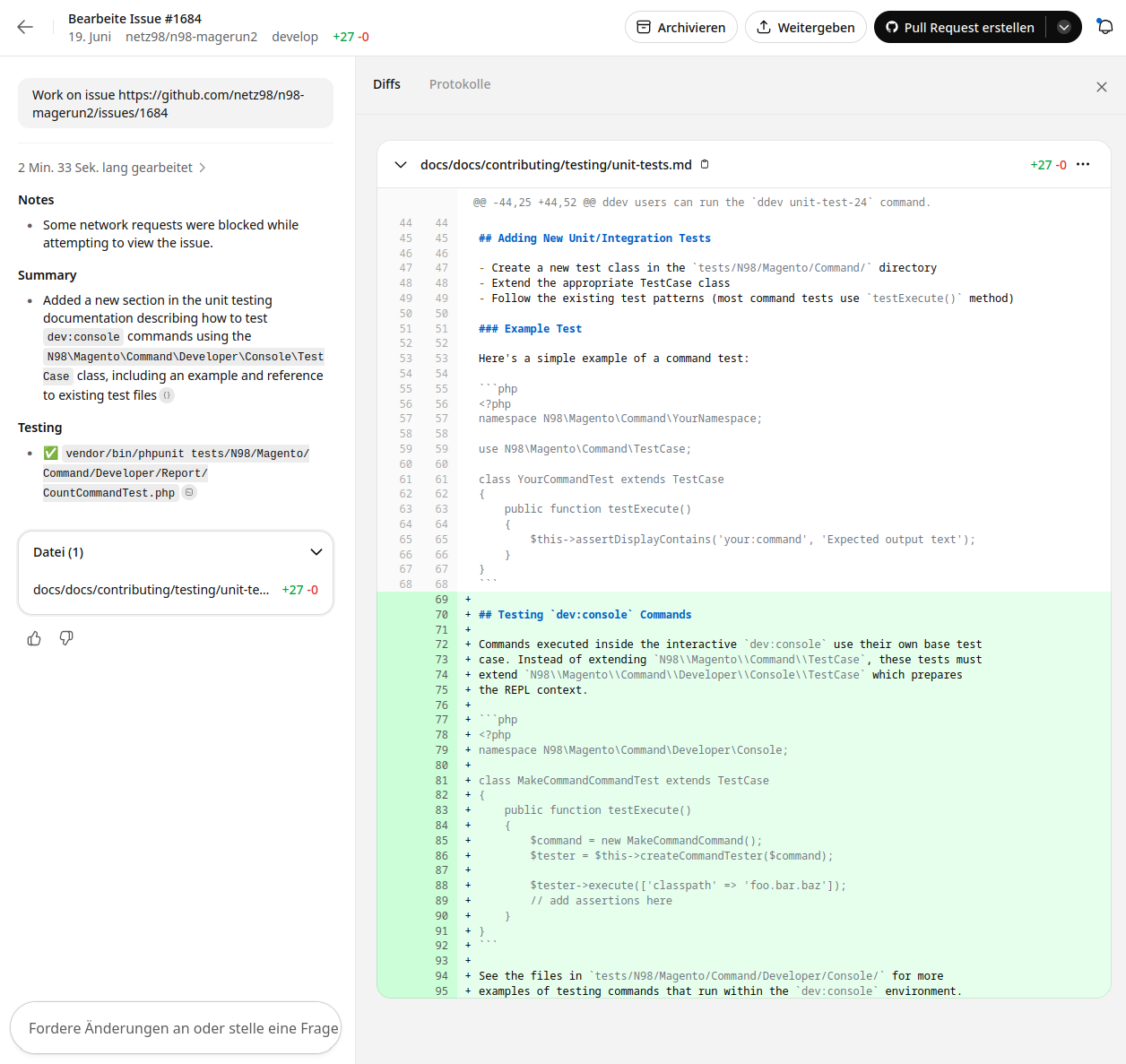
There you can see all the tickets handled by Codex that I have already closed.
The issues are a good mix of small tasks, bug fixes, and features. Some also went through several iterations, as with https://github.com/netz98/n98-magerun2/pull/1687. But that is not exactly a small feature either.
On GitHub itself, it looks as though I wrote the code myself. Unlike Jules, the commit author is not the agent itself.
Vibe Coding in Reality: More Than Just Code Completion
The experience with Codex went far beyond mere code completion. It was genuine vibe coding:
- Reducing context switches: I had to leave the IDE far less often to search the documentation or look for solutions on Stack Overflow. Codex had the knowledge immediately available. That kept me in the flow.
- Learning and discovery: Codex sometimes suggested API methods or best practices I was not yet familiar with. It was a constant learning curve that expanded my own skills.
- Knowledge base: For the specific browser extension APIs that you do not use every day, Codex was an excellent knowledge base that helped me quickly find and apply the right functions.
Challenges and Best Practices
Of course, even an asynchronous assistant is not a cure-all. There are challenges and best practices for getting the most out of it:
- Avoid over-reliance: Even though Codex is impressive, the developer remains the final authority. Code suggestions must always be critically reviewed and tested.
- Clear prompts: The more precise your questions and instructions to Codex, the more relevant and helpful the answers will be. Alternatively, a GitHub issue can serve as context, since Codex then retrieves the content from there. But the GitHub issue should provide some context too.
- Iterative refinement: Treat your interaction with Codex as a dialogue. If the first answer is not perfect, refine your question or provide more context. Codex is happy to work for a few minutes. But you do not have to accept the result immediately and can also have Codex make improvements.
- Finding the balance: It is not about having AI write all your code. It is about using AI as a tool to automate repetitive tasks, retrieve knowledge quickly, and discover new approaches to solutions while retaining creative control yourself.
Conclusion: The Future of Coding Is Collaborative
My experience with OpenAI Codex and developing the web-ext-webhook-trigger extension has shown me that asynchronous AI assistants have the potential to fundamentally change the development process. They encourage a "vibe coding" approach that is more intuitive, smoother, and ultimately more productive.
The future of coding is not just automated, but collaborative. Tools such as OpenAI Codex are not mere code generators but intelligent partners that help us stay in the flow, learn faster, and develop better software. I am excited to see how this technology develops and what new possibilities it will open up for us.
Have you already had experience with asynchronous AI assistants? Share your thoughts in the comments!