Does paperwork still take up a lot of space in your home? Then digital document management (DMS) could be a real relief for you. Invoices, contracts, manuals, or personal records—archiving all of these neatly in digital form saves time, space, and hassle. For self-hosters, Paperless NGX is a particularly powerful open-source solution that can be flexibly adapted to individual requirements. In this post, I show how I have been using Paperless NGX in everyday life for several years, which automations I have implemented, and why I am convinced by this system.
What Is Paperless NGX?
Paperless NGX is a modern, active fork of the original Paperless project and provides a comprehensive platform for digitizing, organizing, and archiving documents. The application includes a web-based user interface, automatic text recognition (OCR), machine-learning-based classification, and a REST API. This makes it ideal for self-hosters who want to build a powerful DMS under their own control.
My Everyday Setup
Automating Incoming Documents
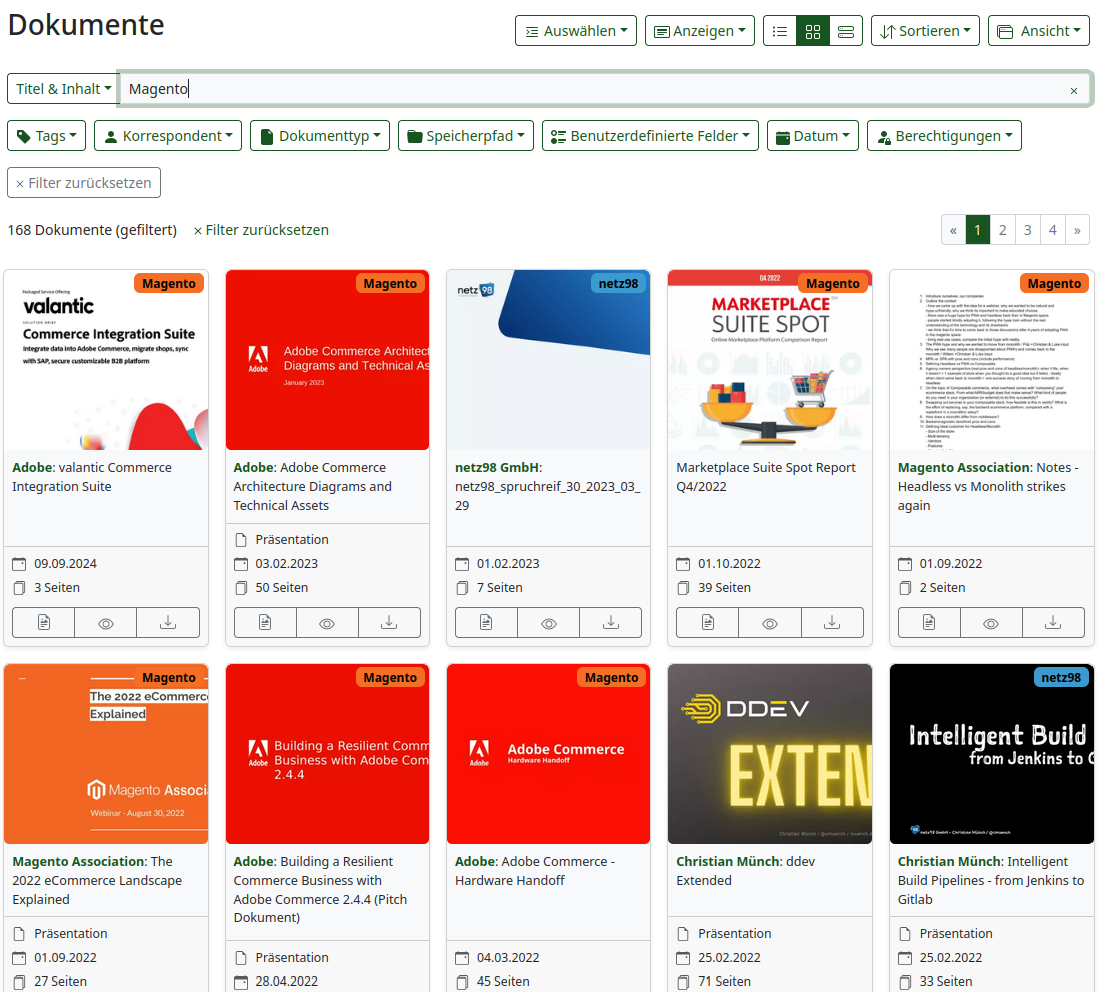
A central part of my workflow is automated document intake. I use both a multifunction printer with a sheet-fed scanner and a flatbed scanner. Both devices send their scans via SMB to a so-called hot folder on my server. Paperless NGX continuously monitors this folder. As soon as new documents are detected, processing starts automatically:
- OCR text recognition is performed
- PDF files are analyzed and stored
- Metadata such as the date, document type, or sender is extracted
The result: Within a few minutes of scanning, the documents can be found, are classified, and are searchable in the system.
Intelligent Classification Thanks to Machine Learning
I find the automatic classification using machine learning particularly impressive. Paperless NGX learns from my corrections and improves its recognition over time:
- Invoices are correctly recognized as such
- Senders are identified and assigned
- Documents are assigned appropriate tags or correspondents
The accuracy is now so high that I rarely need to intervene manually. This works especially well for recurring documents such as electricity bills, insurance documents, or bank notifications.
Email Integration
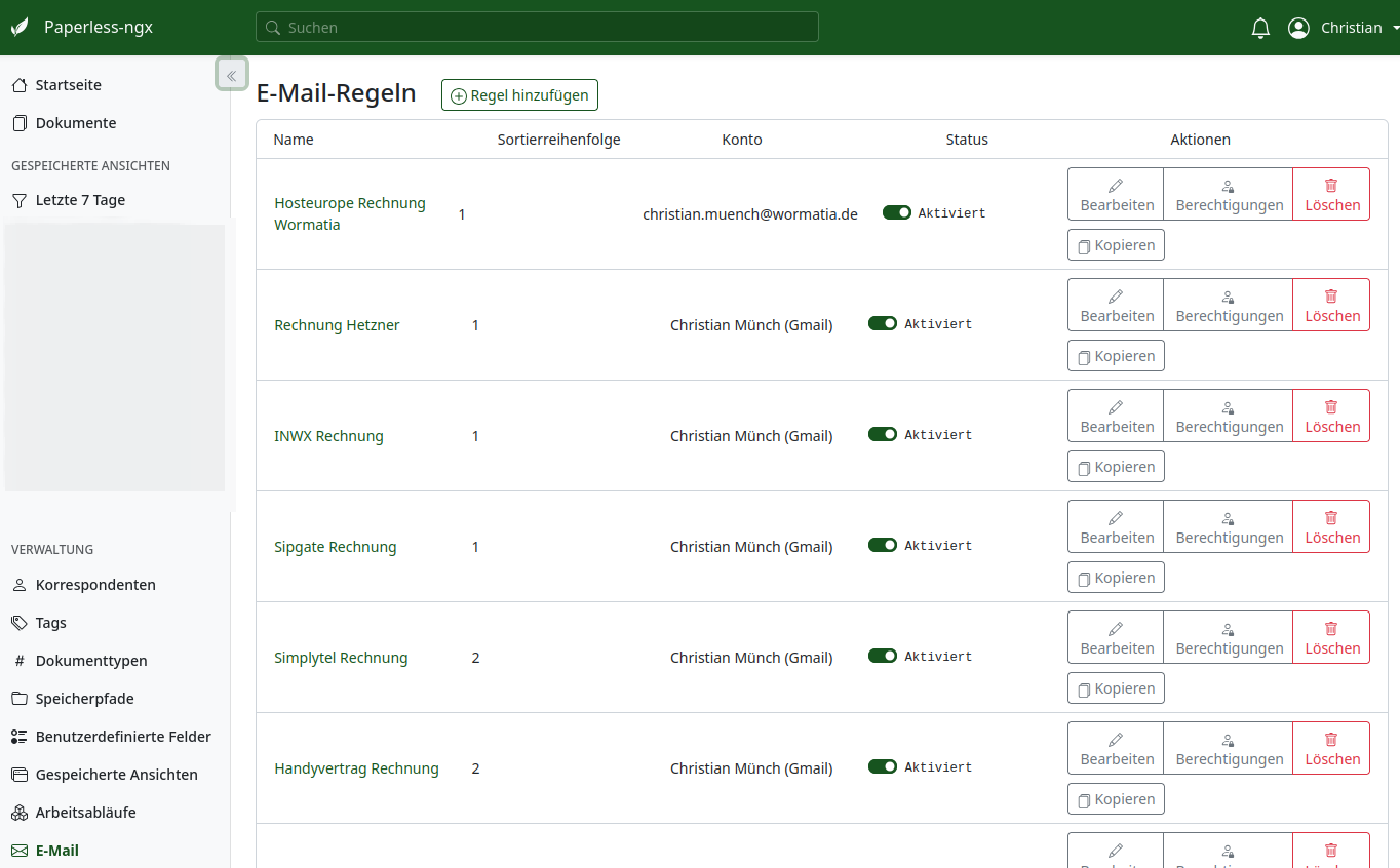
In addition to the scanning workflow, I also have emails processed. A script checks my email accounts for incoming messages with attachments. When certain rules apply (e.g., the sender or subject contains "Rechnung"), the PDF is extracted and placed in the hot folder. This means purely digital invoices also end up in the DMS automatically.
Access Anywhere: Mobile, Secure, Fast
Mobile Access via an App
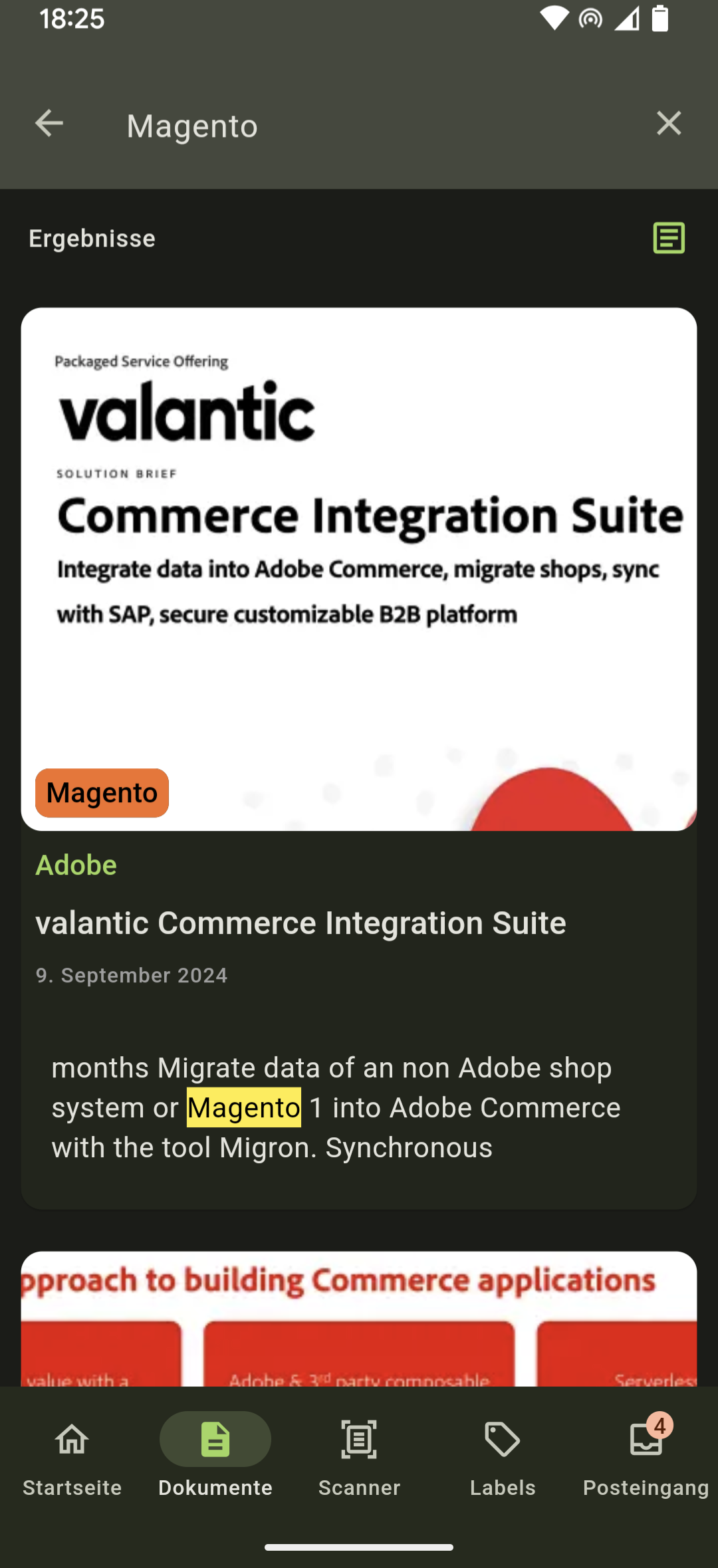
The Paperless NGX web interface is responsive and also works well on mobile devices. I additionally use a dedicated app to view or search documents while on the go. This is extremely helpful during appointments with tradespeople or conversations with insurance companies.
Security Through a VPN
Security is a central concern for me. My Paperless NGX system is not publicly accessible. Access is exclusively through a VPN that connects my devices to my home network. This effectively isolates the system without sacrificing convenience.
Extensibility Through APIs and Automation
The Paperless NGX API in Action
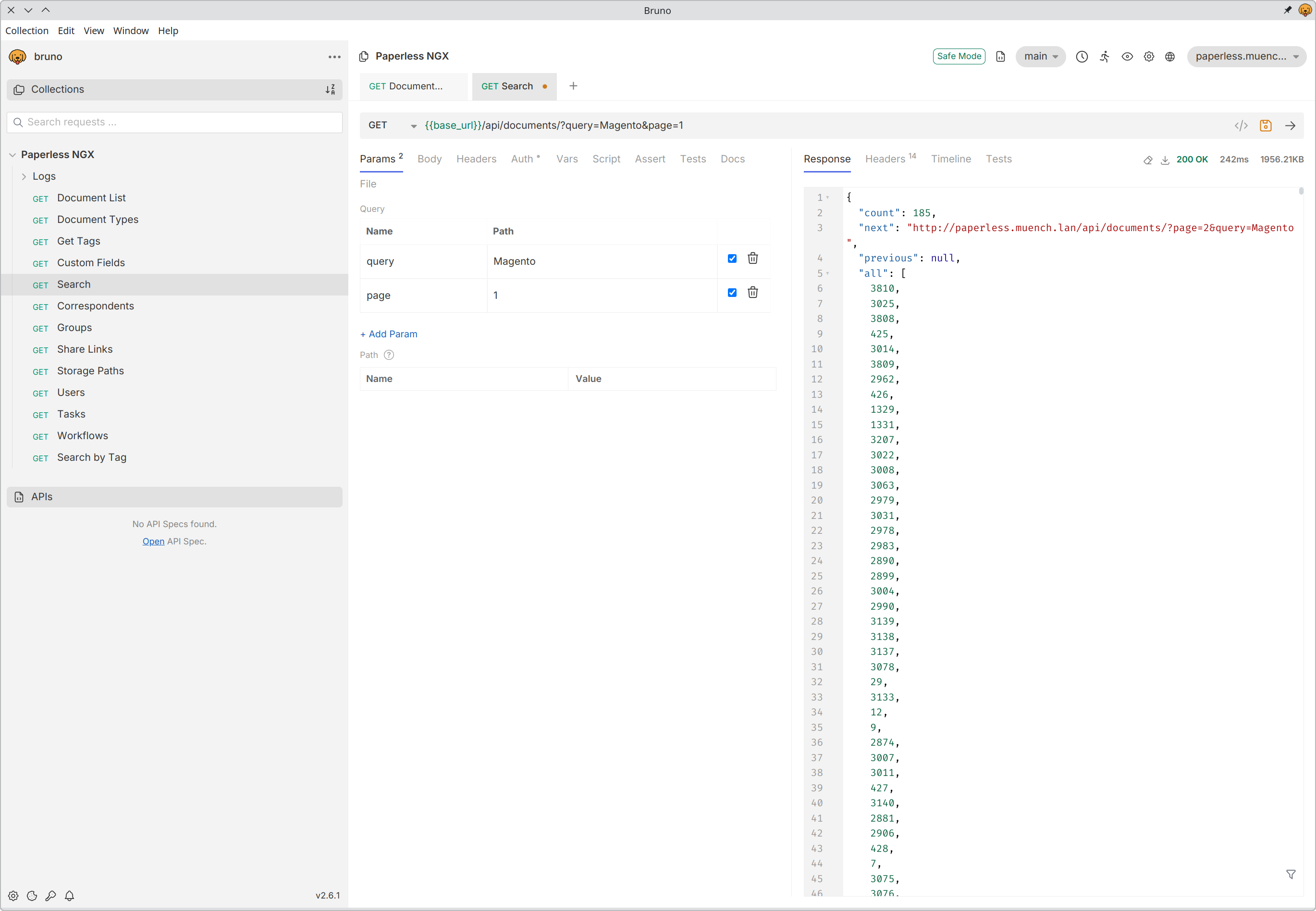
Another highlight is the extensive API that Paperless NGX provides. Among other things, I use it to supply my private AI agent with documents. It can automatically analyze, summarize, or further process documents. Generating reminders or to-dos from their contents would also be conceivable.
The API enables many other scenarios, such as integration into Home Assistant, automatic tagging of documents based on external data, or creating customized reports. Paperless NGX can also be integrated very quickly into low-code tools such as n8n through the REST API.
Installation & Operation in Docker and LXC
Paperless NGX is very easy to run via Docker. I use it in an LXC container on my Proxmox host. The combination of containerization and Docker makes the setup portable, low-maintenance, and stable. Updates are applied quickly, and thanks to the separate data volume, my documents remain untouched.
In my Docker setup, I run Paperless itself as a service.
For the hot folder, I additionally start a small Samba server. I have configured the SMB server as a drive in my scanner and document scanner. This means all scans land directly in the LXC container and can be processed directly by Paperless.
Here is my Docker setup:
services:
  broker:
    image: docker.io/library/redis:7
    restart: unless-stopped
    volumes:
      - redisdata:/data
    logging:
      driver: "journald"

  paperless:
    image: ghcr.io/paperless-ngx/paperless-ngx:latest
    restart: unless-stopped
    user: paperless
    depends_on:
      - broker
    healthcheck:
      test: ["CMD", "curl", "-fs", "-S", "--max-time", "2",  "http://localhost:8000"]
      interval: 30s
      timeout: 10s
      retries: 5
    expose:
      - 8000
    volumes:
      - ./volumes/data:/usr/src/paperless/data
      - ./volumes/media:/usr/src/paperless/media
      - ./volumes/export:/usr/src/paperless/export
      - ./samba-shares/paperless-consume/:/usr/src/paperless/consume:rw
    env_file: paperless.env
    logging:
      driver: "journald"

  webserver:
    image: nginx:alpine
    restart: unless-stopped
    ports:
      - "80:80"
      - "443:443"
    volumes:
      - ./nginx.conf:/etc/nginx/nginx.conf
      - /etc/letsencrypt:/etc/letsencrypt:ro
    logging:
      driver: "journald"

  # ---------------------------------------------
  # SAMBA
  # ---------------------------------------------
  #
  # https://hub.docker.com/r/elswork/samba
  #
  samba:
    image: elswork/samba
    container_name: samba
    restart: always
    ports:
      - "139:139/tcp"
      - "445:445/tcp"
    volumes:
      - ./samba-shares:/samba-shares:rw
    environment:
      - TZ=Europe/Berlin
    command: >
      -u "1000:1000:paperless:paperless:paperless"
      -s "paperless-consume:/samba-shares/paperless-consume:rw:paperless"
    logging:
      driver: "journald"

volumes:
  redisdata:
Conclusion
After several years of use, I can say that Paperless NGX is the ideal solution for self-hosted digital document management for me. It is flexible, fast, privacy-friendly, and extremely useful in everyday life. Automatic classification, email integration, and app access make it a real everyday helper. Anyone looking for a DMS that is easy to self-host and extend should definitely give Paperless NGX a try.