
Automated tests before deployment are standard—but what happens after the code goes into production? This is exactly where post-deployment tests come in. They check whether the service really is online as expected and responds correctly to real requests.
In this article, I'll show you how I integrated Bruno, an open-source API testing tool, into my Forgejo Actions workflow to test my FastAPI application immediately after deployment.
What is Bruno?
Bruno is a lightweight tool for writing and running API tests in a local, file-based environment. It stores test cases in plain text in a Git repository—ideal for CI/CD processes.
I've written a separate blog post here about Bruno and what you can do with it.
The CI/CD workflow
Here's a brief overview of my workflow, implemented with Forgejo Actions (compatible with GitHub Actions):
- Checkout & testing with
pytest - Docker build & deployment on tag pushes
- Post-deployment tests with Bruno as soon as the app is live
Integrating Bruno into the post-deployment job
After the test-and-deploy job completes successfully, a second job, post-deploy, starts automatically. It uses Bruno to run a previously defined test collection against the production API.
Here is the relevant excerpt from the workflow:
jobs:
  test-and-deploy:
  	runs-on: ubuntu-latest
      steps:
         # ....

  post-deploy:
    runs-on: ubuntu-latest
    needs: test-and-deploy
    if: success() && github.event_name == 'push' && startsWith(github.ref, 'refs/tags/')
    steps:
      - name: Checkout code
        uses: actions/checkout@v4

      - name: Bruno CLI runner
        id: bru-cli
        uses: krummbar/bruno-run-action@main
        with:
          path: ./bruno-collection
          env: production
          env-vars: |-
            api_key='${{ "secrets.PRODUCTION_API_KEY" }}'
Store the API key in Forgejo's project settings as a secret. Of course, you can do the same if you use Github.
Important! The env-vars variable for the action refers not to operating system environment variables, but to the Bruno environment!
In this example, I use the krummbar/bruno-run-action action. If you want to use something of your own, you'll need to install the bru CLI tool through npm.
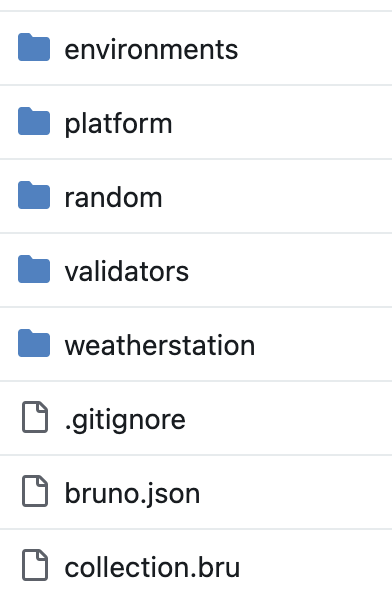
Bruno setup in the repository
In your repository, you need:
- A folder such as
bruno-collectionorcollection.bru - A suitable environment configuration (
production) with variables such asbase_urlandapi_key - Test suites targeting real endpoints—for example,
GET /health,POST /login, etc.
The advantage: Bruno uses simple JSON or .bru files that you can version, review, and run locally.
What does a test like this look like in Bruno?
In Bruno, you can write elaborate tests that check different logic.
There is also the option to create very simple checks using Asserts.
A few asserts were enough for my post-deployment tests. They check for the HTTP status code I expect and also test a few return values from the response body.
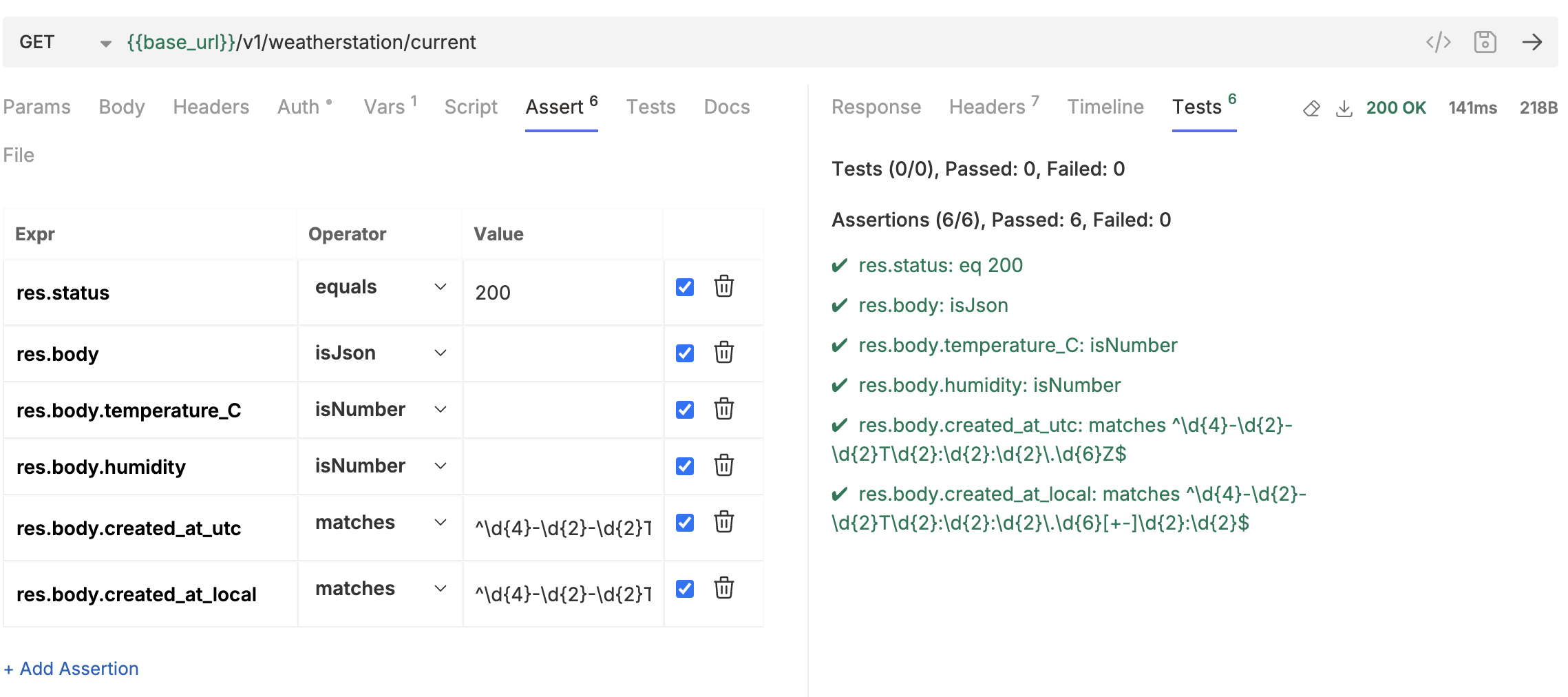
It's best to create a "dev" environment in Bruno as well. Then you can first run the tests against the local development version.
You then run the post-deployment checks against a second environment.
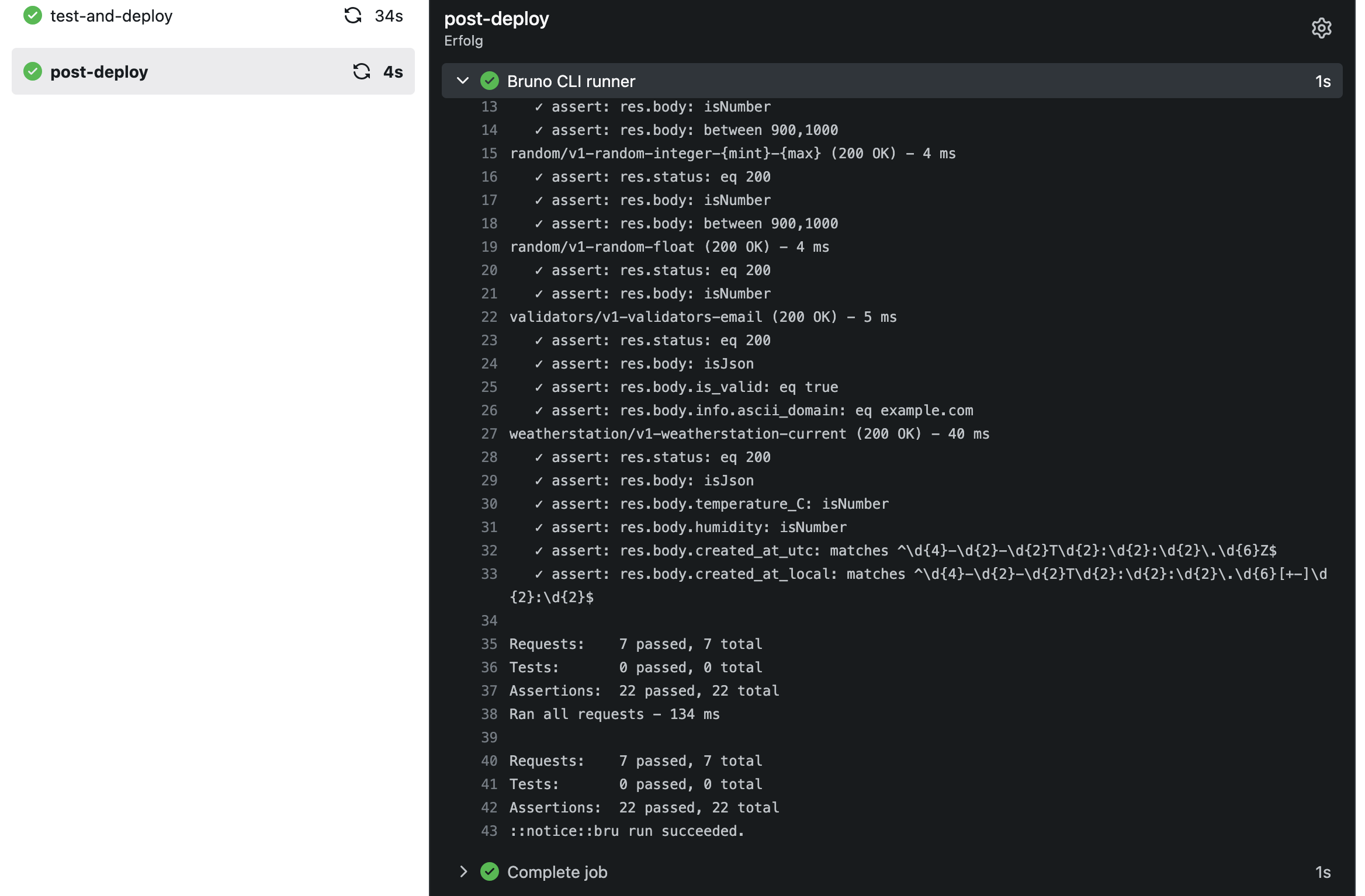
A post-deployment test in action
This is what a simple post-deployment test looks like in my Forgejo instance.
On one or two occasions, it has already detected that the application was broken even though the tests before deployment were successful. Something can always go wrong.
Advantages of this solution
- Fast feedback loop: Does the live service actually work?
- Transparent test cases: Clearly readable and versionable
- Zero setup: No additional test server needed—the live endpoint is the stage
Conclusion
Post-deployment tests with Bruno are a simple but effective way to ensure your API's stability after rollout. Integration into GitHub or Forgejo Actions is straightforward and fits seamlessly into existing CI/CD processes.
So if you want to ensure that your deployment isn't just a "green build" but is also truly functional in production—give Bruno a try.