
Python is popular, but its packaging ecosystem has caused frustration for years: pip, venv, virtualenv, pipx, pyenv—the interaction between these tools is often far from intuitive. This is where uv comes in: a lightning-fast package manager written in Rust that combines many of these tools into a single tool. Developed by Astral, uv aims to modernize package management from the ground up.
What is uv?
uv is an all-in-one tool for the Python ecosystem. It combines:
- Package installation (as a drop-in replacement for
pip) - Creation and management of virtual environments (like
venv) - Support for Python versions and automatic installation (comparable to
pyenv) - Workspaces for monorepo-like projects
The whole thing is written in Rust, making it extremely performant.
The problems with traditional tools
A traditional setup might look like this:
pyenvto install a Python versionvenvorvirtualenvto create environmentspipfor package installationpip-toolsorpoetryto lock dependenciespipxfor isolated CLI tools
This ecosystem is powerful, but fragmented. uv bundles it all into a single tool. That means:
- Less complexity
- Faster installations
- Simpler configuration
Installation
Installation couldn't be simpler:
MacOS and Linux
curl -LsSf https://astral.sh/uv/install.sh | sh
Windows
powershell -ExecutionPolicy ByPass -c "irm https://astral.sh/uv/install.ps1 | iex"
Alternatively:
pip install uv
Performance: Rust makes the difference
Using Rust as the implementation language makes uv significantly faster than pip. Installations, dependency resolution, and creation of virtual environments are noticeably quicker. Benchmarks show speeds up to 10 times faster than traditional Python tools.
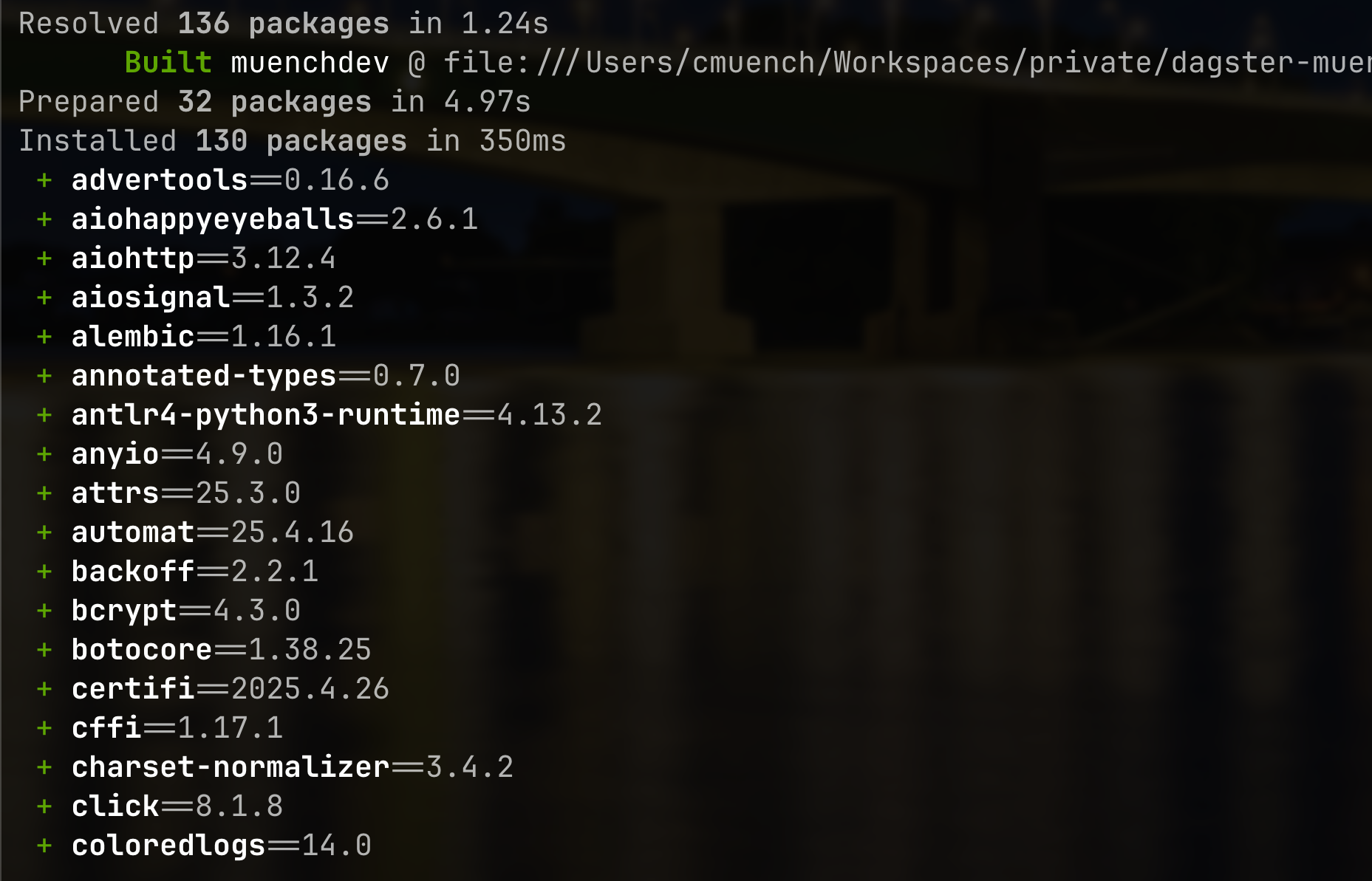
In addition, uv uses aggressive caching strategies and parallel downloads to further speed up the installation process.
All-in-one: More than just pip
uv goes far beyond the capabilities of pip:
1. Package management with lockfiles
Similar to poetry or pip-tools, uv provides support for lockfiles to guarantee reproducible builds.
2. Virtual environments
Virtual environments are created and managed directly in the .venv directory. No more need for python -m venv or virtualenv.
3. Python installation
If a required Python version isn't available, uv can install it automatically—similar to pyenv, but integrated.
4. Isolating CLI tools (pipx replacement)
CLI tools can also be installed and used in isolation with uv, without "polluting" the system.
Example: installing and using ruff, a popular linter for Python:
uv venv --name tools
uv add ruff

# oder als Pip-Ersatz (ohne .lock Datei)
# uv pip install ruff

.venv/bin/ruff check src/
Alternatively, you can integrate ruff in a dedicated workspace or through project configuration and invoke it through uv run:
uv run ruff check src/
This lets you install and use tools independently of the system and reproducibly—without any global dependencies.
The help output gives a good overview of uv's functionality:
An extremely fast Python package manager.

Usage: uv [OPTIONS] <COMMAND>

Commands:
  run      Run a command or script
  init     Create a new project
  add      Add dependencies to the project
  remove   Remove dependencies from the project
  sync     Update the project's environment
  lock     Update the project's lockfile
  export   Export the project's lockfile to an alternate format
  tree     Display the project's dependency tree
  tool     Run and install commands provided by Python packages
  python   Manage Python versions and installations
  pip      Manage Python packages with a pip-compatible interface
  venv     Create a virtual environment
  build    Build Python packages into source distributions and wheels
  publish  Upload distributions to an index
  cache    Manage uv's cache
  self     Manage the uv executable
  version  Display uv's version
  help     Display documentation for a command
Workspace support
uv supports workspaces, similar to those familiar from yarn or pnpm in the JavaScript world. These let you manage multiple subprojects with their own dependencies but a shared configuration—ideal for monolithic repositories or microservices.
A typical setup:
[workspace]
members = ["core", "api", "cli"]
Workspaces simplify dependency management and promote consistent environments within large projects.
Practical examples
Setting up a simple project
uv venv
uv add requests

# oder als Pip-Ersatz (ohne .lock Datei)
# uv pip install requests

uv run script.py
Creating a new project with a workspace
uv init --workspace
This creates a basic structure with uv.toml and .venv, ready to be expanded.
Conclusion
uv is a real game changer for the Python ecosystem. Combining high performance, clear user guidance, and comprehensive functionality, it offers a modern alternative to the established, often fragmented tools. For developers and DevOps professionals who regularly work with Python, uv is worth a look—perhaps it's the tool we've all been waiting for.