In my last post, "Vibe Coding" with the GitHub Copilot Agent, I explored interactive collaboration with Copilot directly in the IDE. This synchronous way of working is extremely powerful, but the GitHub Copilot Agent can do more. There is a second, equally powerful facet: asynchronous agents that independently and autonomously complete tasks in the background. Instead of guiding the agent through a dialogue, we assign it a GitHub issue and leave the entire implementation to it.
The Asynchronous Copilot in Action
The concept is immediately obvious to developers involved in automation: You create a detailed GitHub issue describing a problem or a new feature and assign it to the agent via @github-copilot. From that moment on, it works asynchronously on a solution as a full-fledged team member.
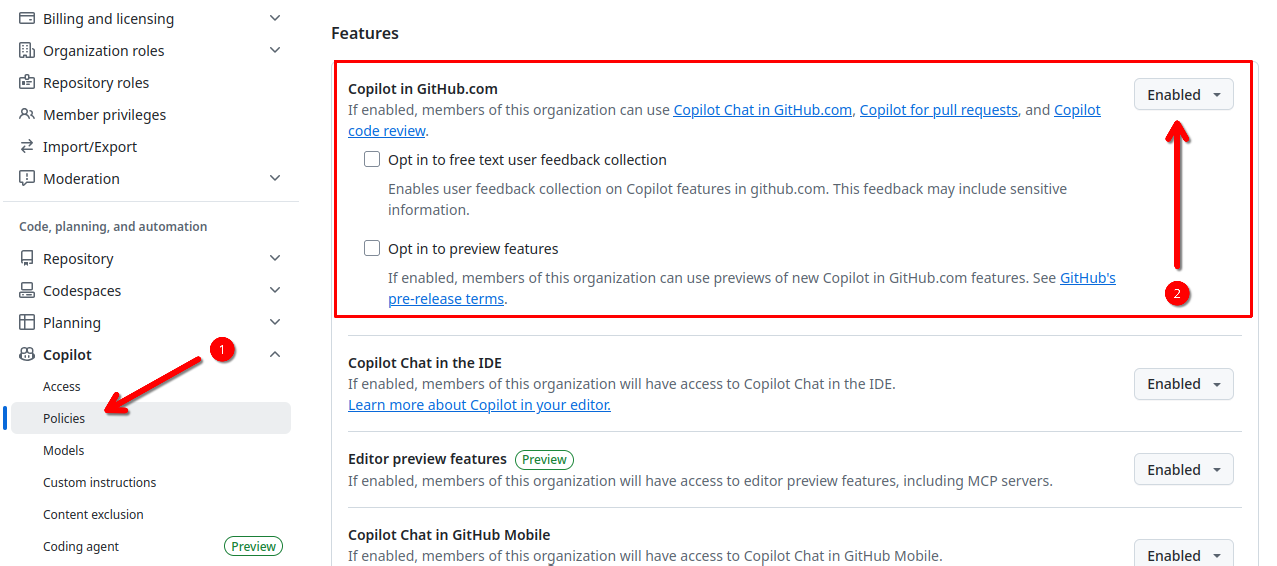
For my tests, I applied this scenario in the open-source project n98-magerun2. A prerequisite was granting the agent the necessary permissions in the organization settings to work on tickets and create pull requests for review.
The Process in Detail
As soon as the task is assigned, one Premium Request is consumed and the agent begins its work. You are notified and can then turn to other tasks. This is the core of the asynchronous approach: The developer is not blocked but can continue working in parallel.
The agent's work is completely transparent. Through a link, you can watch a live session at any time that logs progress in real time. You see every command executed, every code change, and every decision the agent makes. This lets you trace exactly how it arrives at the final solution, which it provides as a pull request.
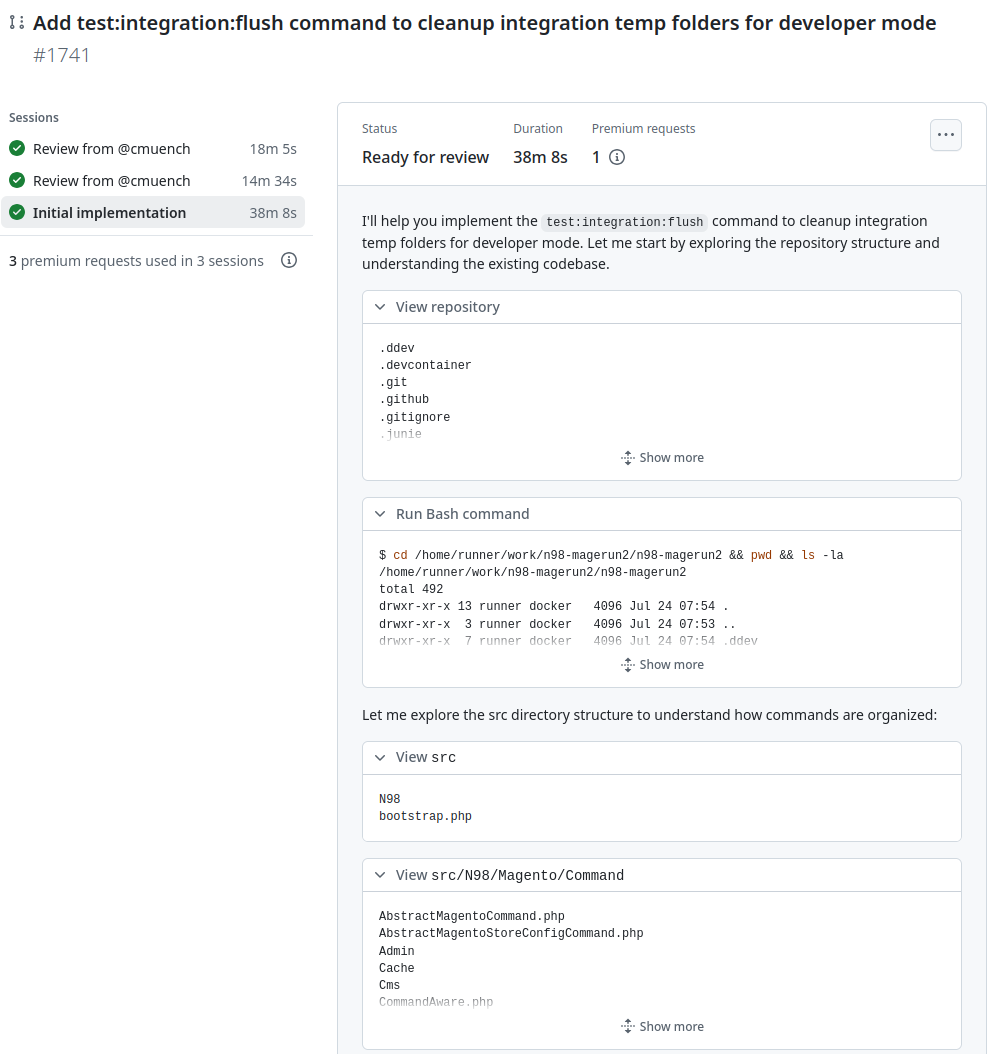
This is what the finished result looks like on GitHub:
The Agent as a Code Reviewer
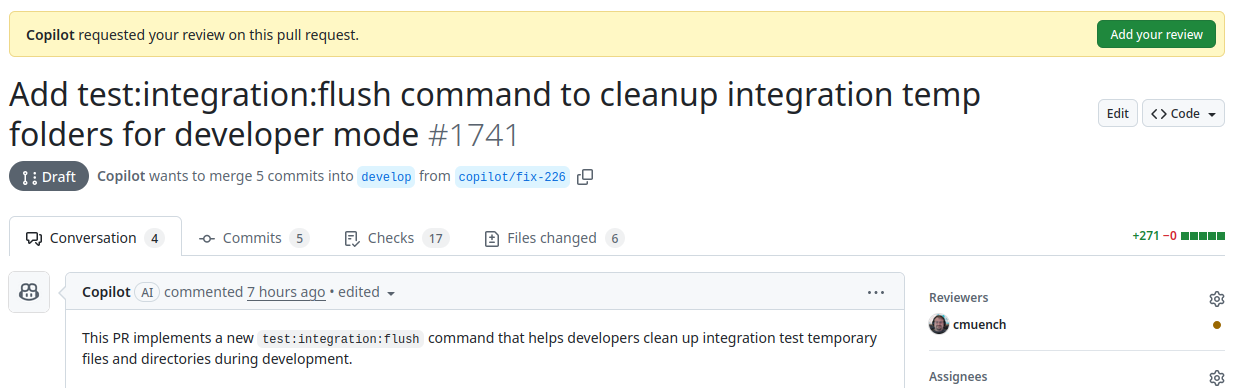
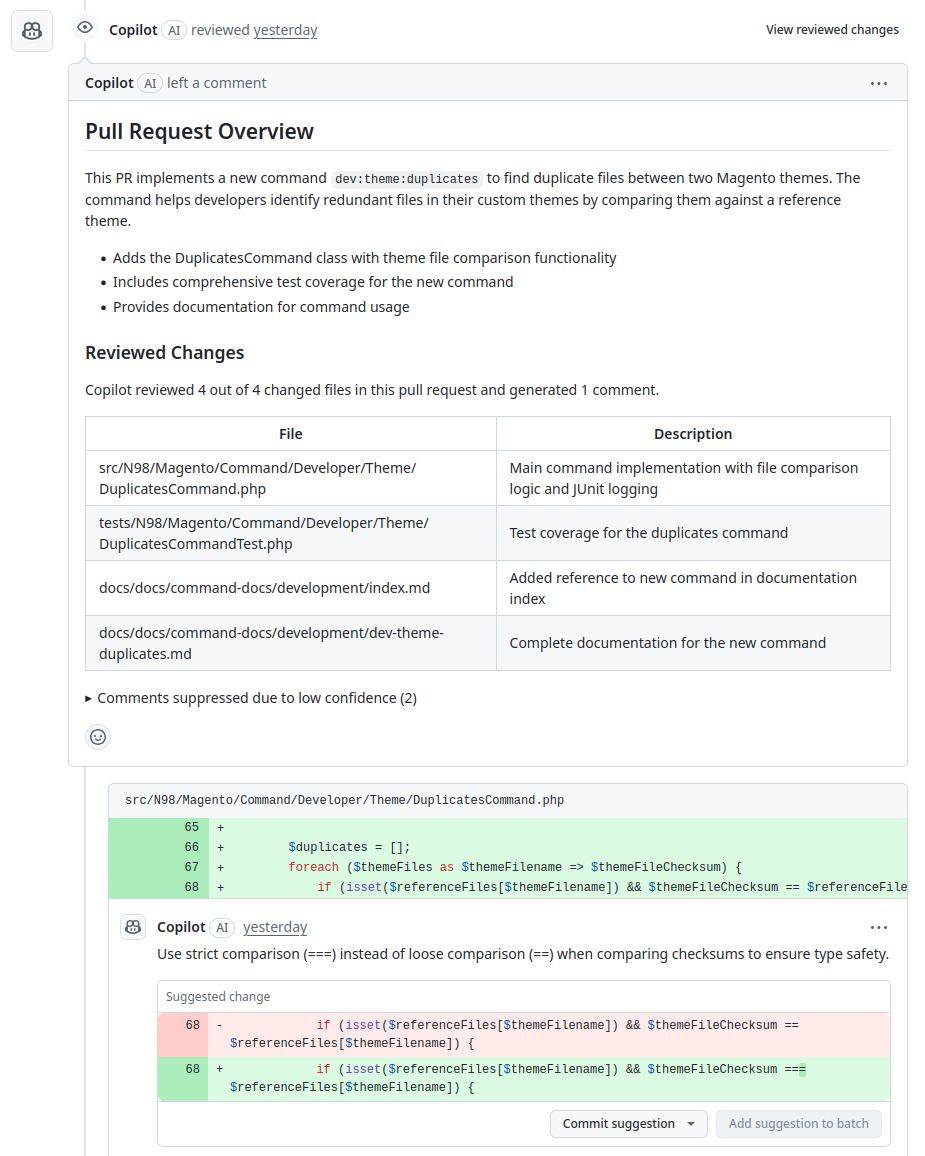
In addition to autonomously handling issues, the GitHub Copilot Agent can take on another time-consuming task: code reviews. Instead of asking a human colleague for a review, you can simply assign the agent to a pull request as a reviewer.
The process could hardly be simpler: You add the agent to a pull request's reviewer list, just like a human employee. As with handling issues, the agent also works asynchronously here. After a while, it analyzes the changes made and posts its result directly as a review in the pull request. It can point out potential errors, suggest improvements, and help keep code quality consistently high.
Where Does the Agent Work?
A fundamental difference from local IDE use is the execution environment. Locally, Copilot accesses my exact development environment. An asynchronous agent, on the other hand, starts in a standardized, clean sandbox on GitHub. This first needs to be configured for the project's specific requirements.
This is where the strength of integration with GitHub Actions comes into play. A configuration file at .github/workflows/copilot-setup-steps.yml defines the steps necessary to prepare the sandbox.
This file has the same structure as GitHub Actions, allowing enormous reusability. Anyone already using a CI/CD pipeline can simply copy and adapt the setup steps defined there.
Typical steps in this file include:
- Installing system dependencies
- Setting up the appropriate language version (e.g., PHP, Node.js)
- Installing project dependencies (e.g., via Composer or npm)
- Running build or initialization scripts
An example for n98-magerun2 might look like this:
steps:
  - name: Checkout code
    uses: actions/checkout@v4

  - name: Set up PHP
    uses: shivammathur/setup-php@v2
    with:
      php-version: '8.2'
      extensions: mbstring, xml, ctype, json, openssl
      coverage: none

  - name: Install Composer dependencies
    run: composer install --prefer-dist --no-progress
If other things are still missing, such as a Magento test environment, these can also be installed through the same file (at the time of this blog post, I have not yet set up this environment for n98-magerun2).
Conclusion
The GitHub Copilot Agent's ability to act as an asynchronous development assistant is a huge step forward. It enables developers to delegate clearly defined tasks and routine work to an AI and focus on more complex problems themselves. The close integration with the GitHub Actions ecosystem makes configuration efficient and consistent. In my view, this could also become a developer's normal activity. You simply delegate your work to many agents, which then get to work. Once the agents are finished, all that remains is to request any improvements. Only in rare cases do you still write code yourself as a human. How many agents work in parallel depends on the technical resources and the human ability to deal with so many "colleagues" at once. Presumably, this would no longer really be "vibe coding" and could also become stressful. We will see what the future brings for us.
My first tests show that the agent is a valuable addition to the development process. For now, I am relatively satisfied with the agents' work. It is important that we also provide the agents with the right environment and, as always, good context.