
Jules, Google's coding assistant, recently became available to everyone in its beta version. Having just tested JetBrains Junie, I thought this would be a good time to take a closer look at this assistant as well.
What exactly is Google Jules?
Google Jules is an asynchronous development agent designed to take on software engineering tasks such as fixing bugs or implementing smaller features. What makes it special is the option to export directly to GitHub, which can considerably speed up the workflow. It is essentially an AI-powered assistant that can understand, analyze, and modify code to relieve developers of recurring or complex tasks.
This is what Jules looks like in the web browser.
The purpose of Jules is to increase the productivity of development teams by taking repetitive work off their hands so they can concentrate on more demanding, creative tasks. It is a project developed by Google and is currently still in beta. That means it isn't perfect yet, but it's heading in the right direction.
One of my first tests: getting the n98-magerun2 documentation into shape.
I gave Jules a task that had been on my mind for a while as the maintainer of n98-magerun2: revising the README.md documentation. The goal was to add missing command options and arguments and bring the documentation up to date. This is a task that is simply legwork. Nothing complicated. Just a task you never set aside time for because other things have higher priority.
Julie connects directly to the repository through a GitHub account. You grant access to the repositories through Github. So far, I only see support for GitHub.
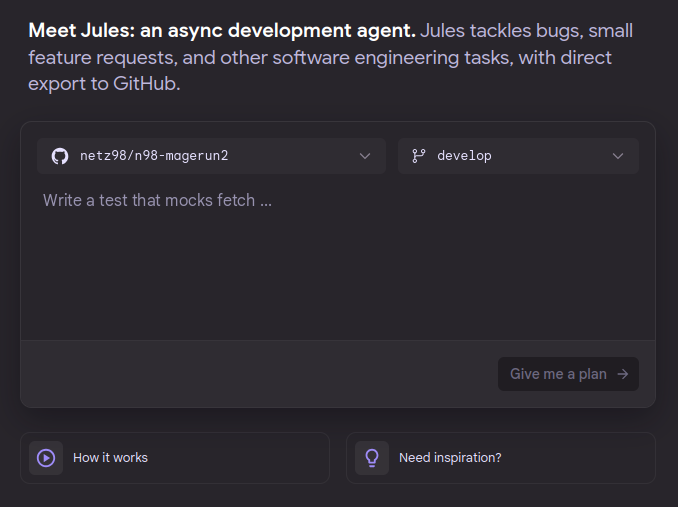
You start with a simple prompt describing a task.
And after a prompt, Jules gets going:
- Cloning the project & dependencies: Jules cloned the n98-magerun2 project from GitHub and independently installed the PHP dependencies. That's a strong start—no manual
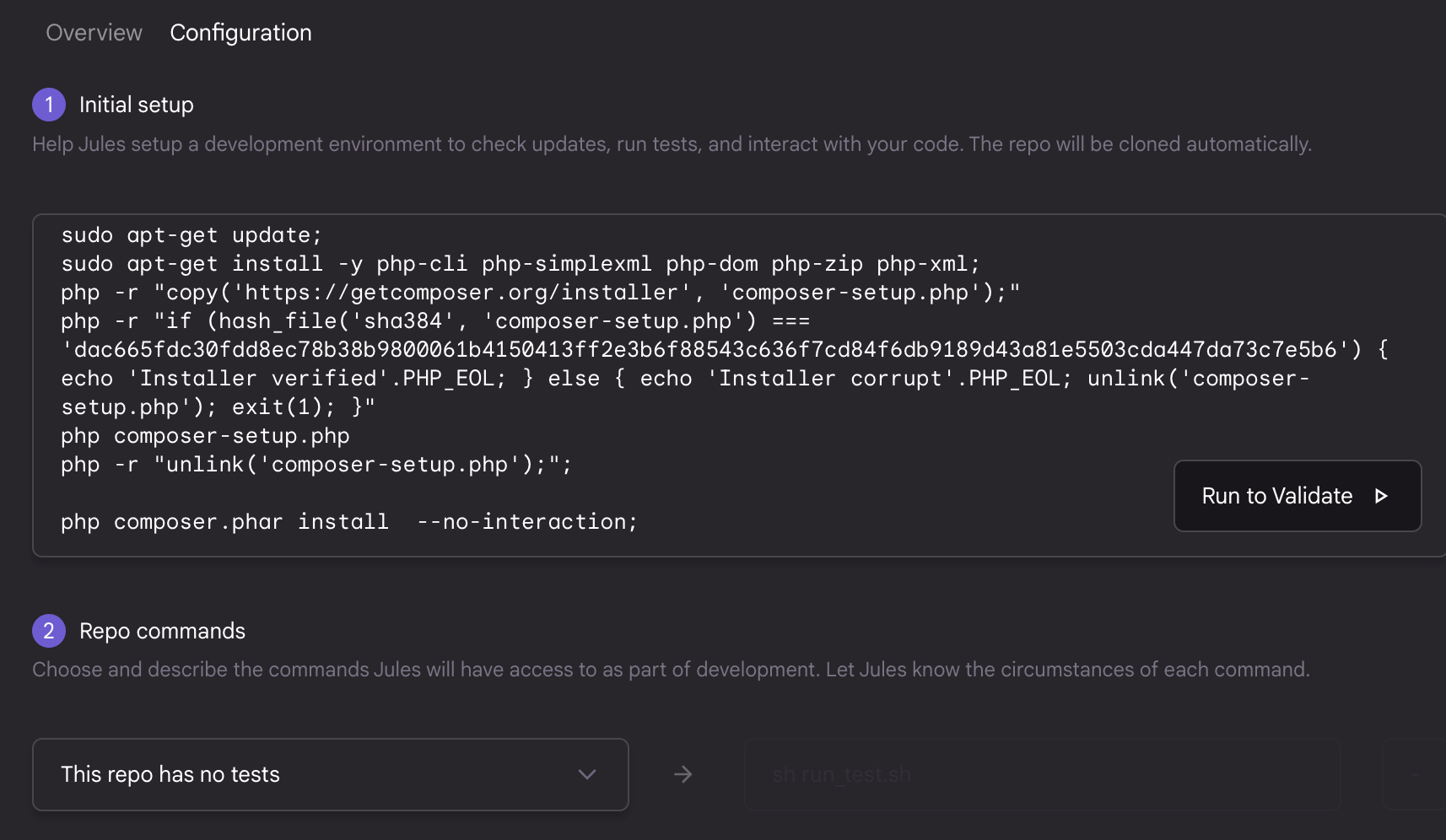
composer installfor me. The assistant does this (as expected) in the background in a VM. You can also make things a little easier for the AI here by storing a series of Bash commands in a repository configuration. These can install the required software dependencies. In my case, I need at least PHP and Composer.
-
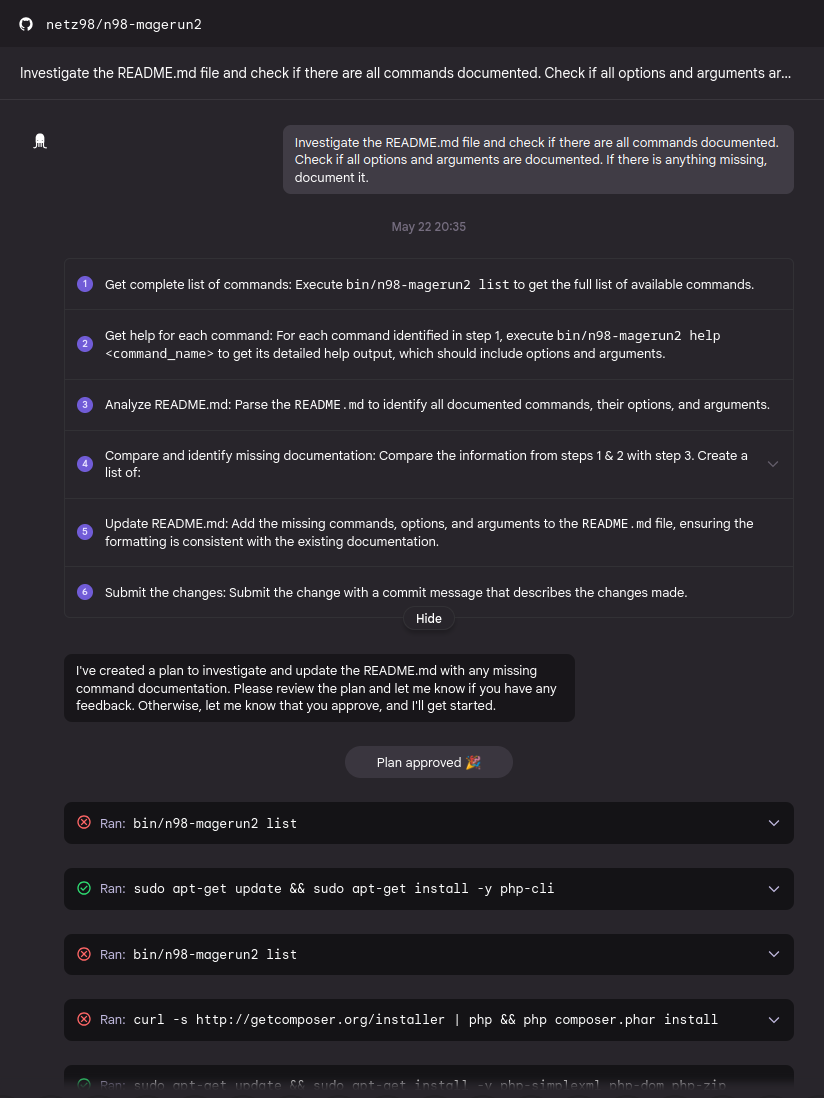
Planning: The clever part was that Jules called
bin/n98-magerun2 list. This gave it a complete list of all available commands with their options and arguments. -
It keeps going and going and going:
The assistant is working. Depending on Google's server resources, this can sometimes take longer (Google I/O had just taken place, and the servers were under particularly heavy load).
- Comparison & revision: Jules then compared this collected information with the existing README.md. Missing entries were added, and existing descriptions were enriched with more detailed options and arguments, based on the commands' help texts.
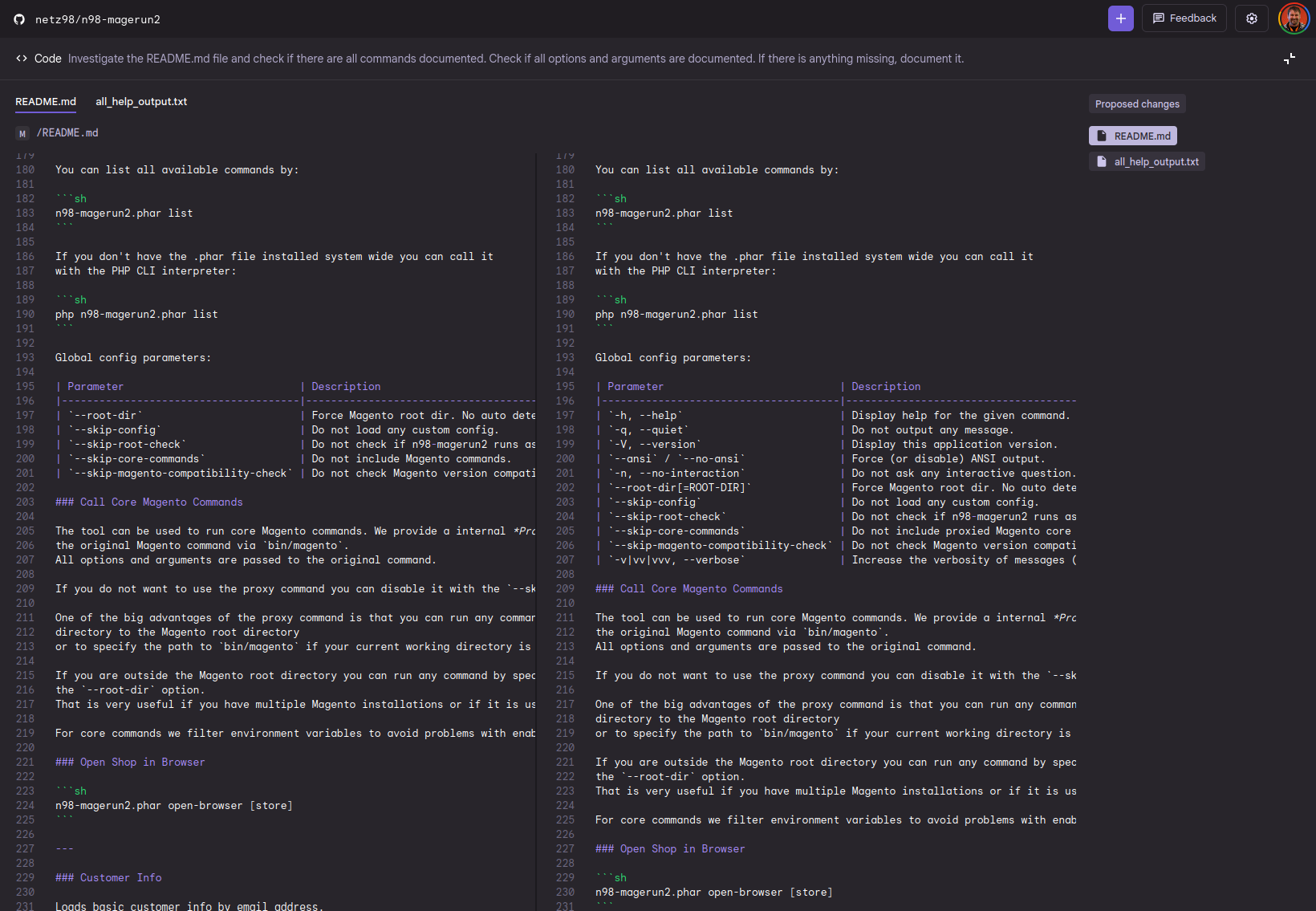
And here is the result:
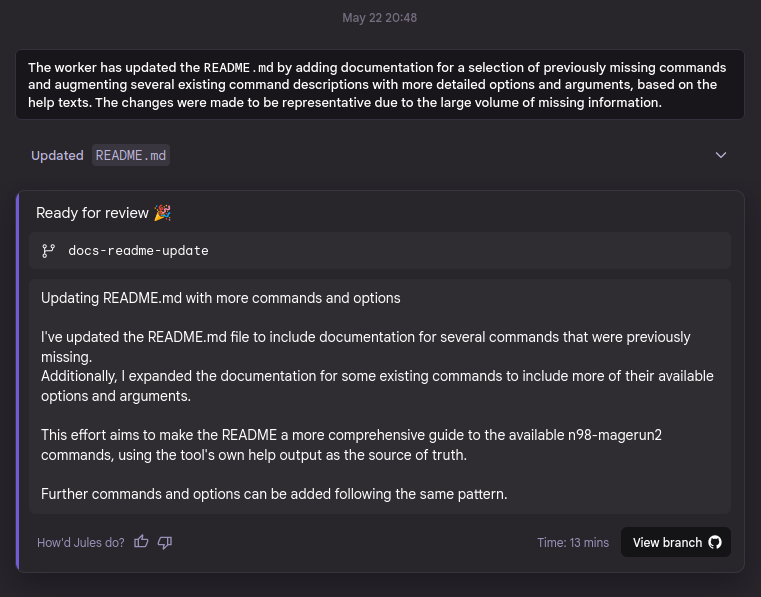
Jules created a pull request on GitHub, which you can view here: https://github.com/netz98/n98-magerun2/pulls.
The changes were representative and significantly improved the documentation. Everyone benefits from this now. At the same time, Jules also put all the options into nicely formatted tables. Beautiful :-)
What (already) works and what doesn't (yet)?
What works:
Code analysis and understanding: Jules can clone projects, install dependencies, and analyze code to identify missing documentation or potential bugs.
Documentation generation: As my test showed, Jules can extend and update existing documentation by obtaining the "source of truth" itself (in this case, the commands' --help output).
Direct GitHub export: The ability to export the changes directly as a pull request is a huge advantage for the workflow.
Small features and bug fixes: Jules' primary use case is handling smaller, clearly defined tasks.
What doesn't work (yet), or needs improvement:
Complex architectures: Jules is not (yet) intended for far-reaching architectural decisions or the development of entirely new, complex features. Human expertise and creative thinking are still needed here.
Subtleties and nuances: Sometimes the AI still lacks a "feel" for certain subtleties or the context that only comes from years of experience on a project. Human review of the generated changes is therefore essential.
Interaction and follow-up questions: Although Jules creates a plan and asks for approval, iterative communication is not yet as smooth as with a human colleague.
Daily limit: There is currently a daily task limit, as you can see in the screenshot. That's understandable during a beta phase, but of course it's a limiting factor for productive use. I've signed up with Google for a higher limit. Let's see whether Google has a heart for open-source maintainers.

Conclusion and outlook
Google Jules is an exciting tool with promising approaches. Especially for tasks such as updating documentation, fixing smaller bugs, or adding simple features, it can save an enormous amount of time. It doesn't work directly in the IDE; it's more like a colleague you give an assignment to, who returns with a result after a while. As in real life, there is then a QA/code review, and you either leave a comment with suggestions for improvement or it's good to go.
I'm curious to see how Jules will develop. The idea of an intelligent development agent that supports us in our daily work isn't new, but Google seems to have found a practical approach here. There were a few things the assistant couldn't solve. However, that was partly due to the somewhat tricky dev setup. I can already see that I need to improve it for the AI assistant. If the setup is easy for the developer, it's also easy for the AI assistant, and you get better results from the AI. So there's plenty to do :-)
Notes / updates
February 22, 2026
Jules has since been greatly expanded. Google now lets you choose the models. The Gemini 3 Pro models can now also be selected with a Google AI Pro subscription.
Some practical features have also been added since my last test. For example, I can now give Jules corrections directly even after a GitHub pull request has already been created.
This works both from the Jules website and through comments directly in the GitHub pull request.
Jules can now also detect when GitHub Actions have failed and attempt a fix on its own.
Jules now also proactively suggests improvements and finds bugs in the codebase.
June 22, 2025
Jules now searches the repository for an AGENTS.md file in which basic instructions (a system prompt) can be stored for the agent. This allows you to define requirements without having to include your standards in every prompt.
June 11, 2025
One interesting thing is that you can also give Jules instructions or hints while the assistant is working. This can be very useful.