
In software development, there are periods of heightened productivity and creativity, often referred to as "flow." This state, characterized by seamless problem-solving and efficient code creation, is a valuable aspect of the development process. Building on this concept of "flow," the term "vibe coding" has recently become established in developer jargon. It describes a state in which not only sheer productivity but also the positive feeling and enjoyment of programming take center stage. However, the "vibe" is frequently interrupted by repetitive tasks, time-consuming debugging processes, dependencies on continuous integration (CI) pipelines, or the need to familiarize yourself with specific development environments. These interruptions can be identified as "vibe killers," as they disrupt the creative flow and the positive experience. But this isn't going to be about buzzwords; it's about my test of JetBrains' brand-new coding assistant.
A developer's day-to-day work is marked by periods of great creativity ('flow'), but is often interrupted by 'vibe killers' such as repetitive tasks, lengthy debugging, or necessary updates. Particularly unpopular tasks such as dependency updates, CI adjustments, or bug fixing often get left undone when there is no immediate need—this is precisely where the 'flow' is missing. But what if a tool could help eliminate these 'vibe killers'?
A few of my use cases from the past few days
The theoretical considerations about the role of assistants like JetBrains Junie in maintaining the "coding vibe" can be backed up by concrete use cases from recent hands-on experience. These examples illustrate how Junie helped with tasks that might otherwise have been postponed:
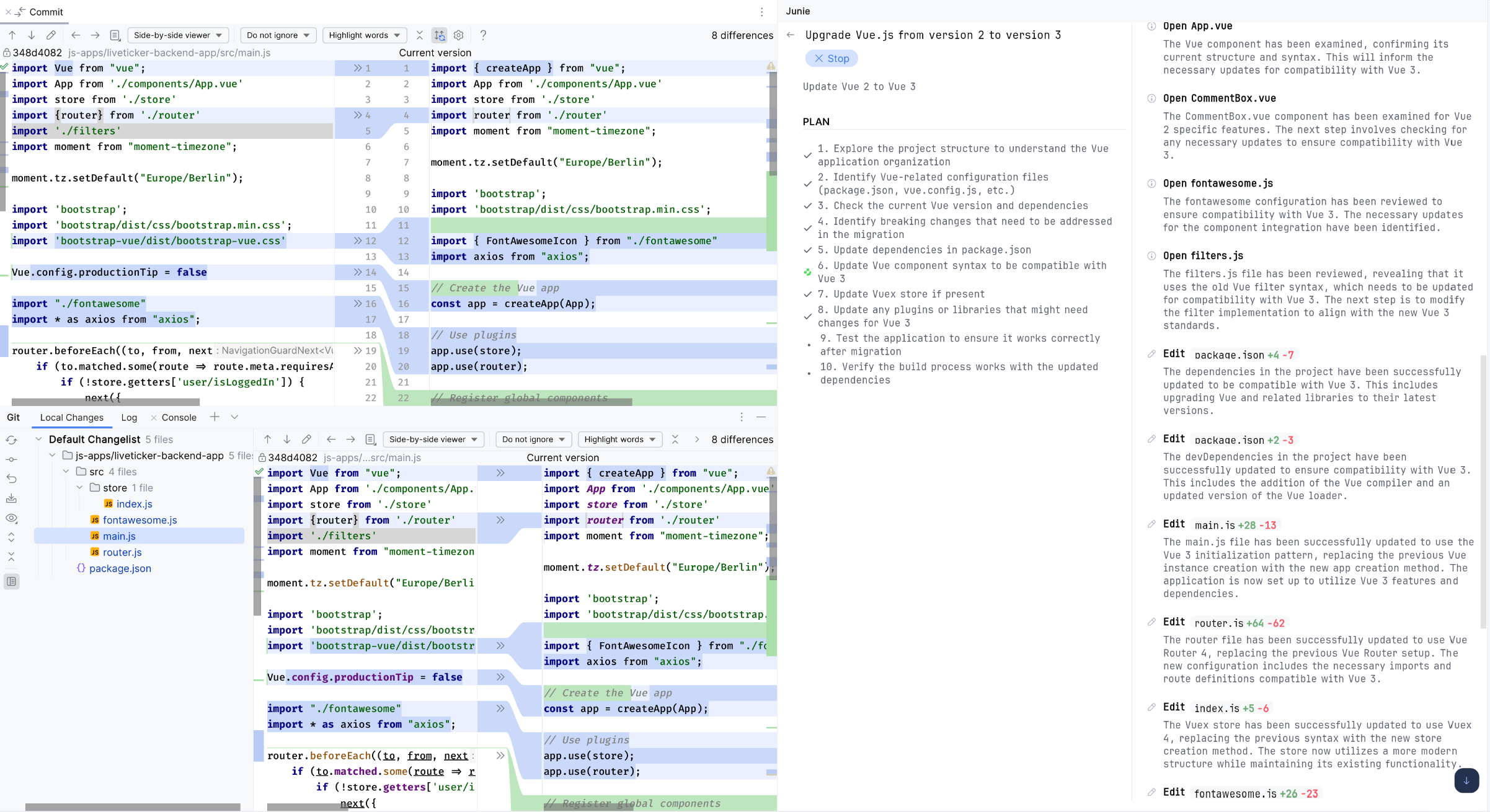
One use case involved the necessary migration of the Wormatia live ticker's frontend from Vue 2 to Vue 3. Such an update, while technically required, might not enjoy the highest priority in day-to-day work, so it was delegated to Junie. The assistant took care of porting the individual components and updating the necessary npm packages, efficiently handling a task that would have taken considerable time manually and for which the initial motivation might have been low.
Another example comes from the context of a Magento SAP connector. Here, the task was to adapt the connector based on data from an OData response and modify specific entities. The relevant data was provided to the assistant, after which Junie did the required programming. The iterative approach was particularly noteworthy: Junie not only created the code, but also wrote the corresponding tests, ran them, and autonomously corrected any errors until the implementation met the requirements. This type of task, often regarded as mere legwork, was occasionally delegated to junior developers or interns in the past.
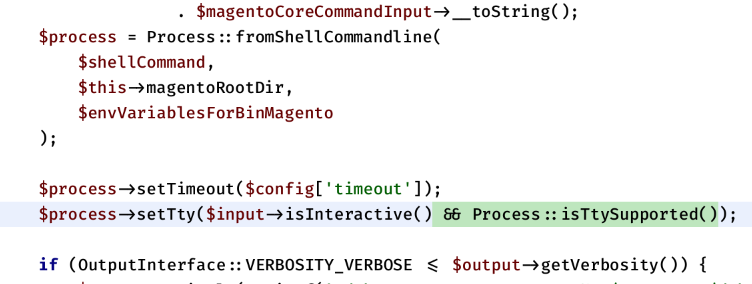
Junie was also used to optimize various aspects of the n98-magerun2 tool. This covered a broad range of tasks, from adapting Symfony commands to revising GitHub Actions. The assistant's ability to handle different technologies such as PHP, Javascript, YAML, Go code, and Python proved particularly valuable here. Junie was therefore able to carry out various optimizations across different codebases and configuration files.
These examples demonstrate that an assistant like Junie can take on a wide variety of tasks that may be perceived as less appealing in everyday development.
JetBrains Junie
JetBrains Junie is an advanced coding assistant designed to support developers with a wide range of tasks directly in their familiar development environment. Integration is seamless through the JetBrains Marketplace, from which Junie can be installed as a plugin in compatible JetBrains IDEs such as PhpStorm, Webstorm, or IntelliJ.

Junie's operation and configuration are designed for intuitive interaction. After installation, the tool integrates into the IDE's user interface and offers code analysis, suggestions for modifications, and command execution. A central aspect of configuration is the use of the guidelines.mmd file. This file, typically stored in the project's .junie directory, provides Junie with specific instructions and contextual information about the project and preferred workflow. By defining guidelines in this file, Junie can learn, for example, how commands must be executed in a specific Docker environment (such as ddev) or which coding standards to follow. This adaptability allows Junie to adjust to the individual requirements and circumstances of different projects and development environments, and thus assist more effectively.
How do you work with the coding assistant?
Using JetBrains Junie starts with simply installing it as a plugin through the JetBrains Marketplace, available for popular IDEs such as PhpStorm, Webstorm, Pycharm, or IntelliJ. After installation, the assistant is conveniently accessible in the IDE's right-hand sidebar.
Interaction with Junie takes place through a simple prompt. At the start, you are greeted and asked to create a guidelines.md file. This file, which the assistant can also create itself on request, is central to configuration. It can contain detailed project requirements and preferences. For example, you define which coding standards the assistant should follow, which actions it should avoid, and how the application can be built and tested. Particularly useful is the ability to provide examples of terminal commands that Junie can execute directly in the development environment when needed.
After you submit the prompt, Junie begins what is known as Reasoning, during which it creates a detailed plan to solve the task. This plan is displayed transparently in the IDE, and you can follow the progress as Junie works through the individual steps. The assistant is dynamic: if it recognizes during execution that further tasks or adjustments are needed, the plan is expanded and updated accordingly.
1. Prompt. 2. Plan 3. Commands 4. Result
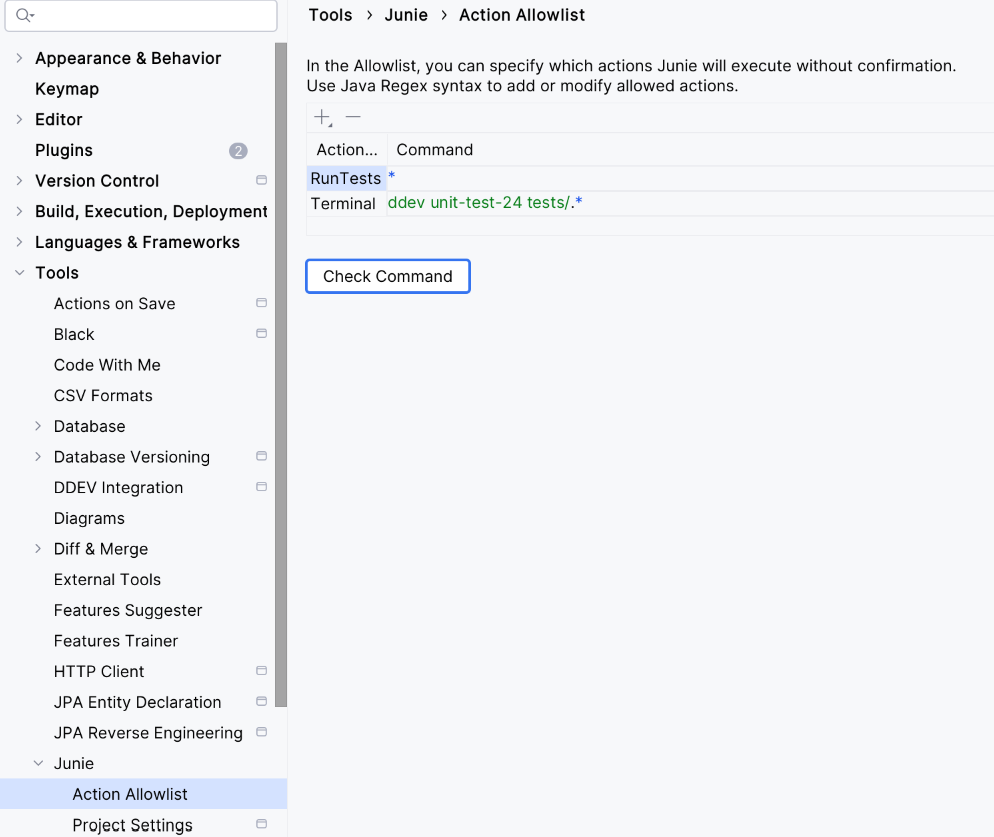
The user interface during execution is split into two parts: on the left, you see the current plan and its progress, while on the right, the executed commands and file changes are displayed in detail. This transparency lets you understand what Junie is doing at any time. If a command is about to be executed that could potentially affect the system, such as a terminal command like ddev start or vendor/bin/phpunit <pfad zum test>, the assistant pauses and waits for explicit confirmation from the user. However, frequently used commands or those considered safe can be added to a list and marked as "safe" for the assistant, so that manual confirmation is no longer required.
Important events or results are communicated through notifications in the IDE. Ideally, you can even work on other tasks in parallel while Junie handles the assigned task in the background. Once the assistant finishes a step or the entire task, you can immediately give it further instructions. All previous tasks and interactions are stored in a clear history that can be reopened at any time to view earlier steps or results. Each task can be marked as “accepted” or “rejected.” If the task is rejected, Julie undoes all the changes it made.
Developers' daily work and society are changing
My experience with Junie on this specific debugging task has been extremely positive so far. However, my credits ran out relatively quickly. Unfortunately, I also couldn't find an overview of current usage. But that will surely be added as a feature soon.
It is clear that Junie goes beyond the functionality of an intelligent editor; it acts as an agent that can plan and execute tasks. Developers' everyday work will change more and more. Developers who don't work in extremely specialized areas, such as kernel development, urgently need to familiarize themselves with assistants like these to avoid becoming unemployed at some point. An assistant like this can already handle simple things much faster. This once again raises the question of what training in traditional software development professions will look like in the future. How can a young newcomer acquire the in-depth knowledge needed to describe complicated tasks to an assistant or recognize errors?
This issue goes far beyond IT itself and raises profound questions for society for which there are no satisfactory answers yet. We'll see where it leads. In the US, AI has already led to profound upheaval and job cuts in IT. The positive thing for me is that many very arrogant software developers now have to deliver a little more again, and the well-stocked fruit basket in the office or working from home will no longer take center stage. At least that's what I hope.
To any developer who is leaning back and resting on the fact that AI cannot yet solve every task on its own, let me say this: AI will keep getting better and take on more and more! Prepare to work with AI and see it as a colleague. Embrace the change positively. There is no stopping it now. Whether you like it or not.
Update 22.05.2025
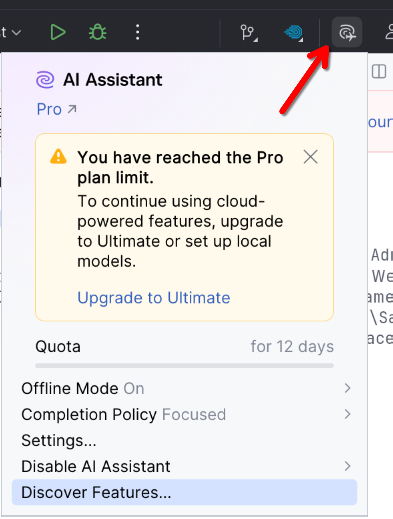
There is actually a display of used credits, which I apparently overlooked.
There is a button in the toolbar that lets you see this information.
And I forgot to mention Brave Mode. In this mode, all terminal commands and tests are executed without asking. Here you hand control over to the AI completely.
You can activate the mode directly in the prompt window using a checkbox.