
Data has always been the be-all and end-all of information technology. Today, we are almost talking about a shortage of data. There seemingly is not enough accessible data to make AI models even bigger and better. That means we have to try to make other data sources accessible to AI models through services. It is also becoming increasingly important for an AI to be able to execute external services in order to start processes.
This is where the Model Context Protocol (MCP) comes into play—an open standard that not only enables interaction between language models (LLMs) such as Claude, ChatGPT, Mistral, ... but also represents a real evolution in the way we use AI applications.
A unified protocol
In the podcast "The Creators of Model Context Protocol," the developers from Anthropic discussed the motivation behind MCP in detail. The protocol was developed with the conviction that a unified standard is needed to simplify the integration of artificial intelligence into different systems. It is like a "USB-C port" for AI, providing a standardized interface for accessing functions and data.
This means we can not only retrieve information, but also perform actions and handle complex tasks—an exciting prospect for developers and businesses looking for efficient solutions. Especially in heterogeneous IT landscapes, where different systems, APIs, and data sources come together, a protocol like this becomes a real game changer.
If you would like a good German-language overview of the protocol, you can also listen to Innoq's very informative podcast episode MCP – Model Context Protocol
The universal connector for AI models.
MCP servers allow an agent to access tools. The MCP server can provide an agent with a standardized list of available tools. The LLM's context is also exchanged between the MCP servers.
MCP in practice: Integration with n8n
An excellent example of MCP's practical implementation is its integration into n8n, an open-source workflow automation tool. With the new MCP Client Tool and MCP Server Trigger nodes, users can now create both MCP clients and servers. This opens the door to developing innovative workflows that interact seamlessly with LLMs and integrate external services.
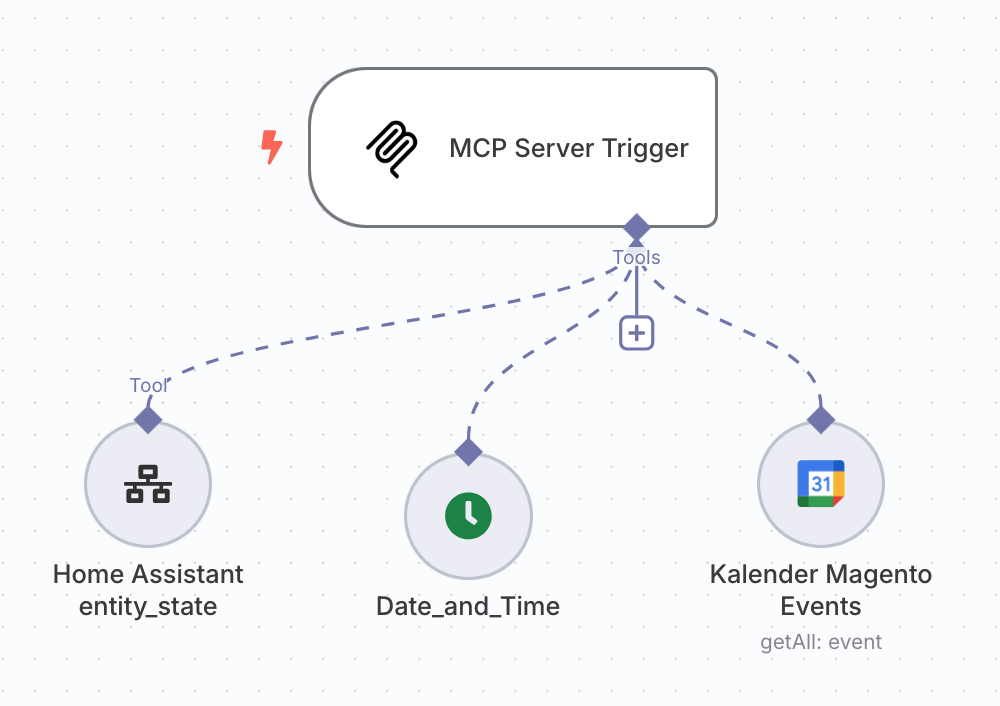
Imagine setting up an MCP server in n8n that accesses Google Calendar. This enables not only the retrieval of appointments, but also the creation and management of events—all automated and without much effort. Scenarios in which an LLM automatically analyzes contracts, aggregates customer data, or intelligently populates ticketing systems are equally conceivable—all orchestrated through n8n and MCP.
A simple MCP server in Python
Anyone looking to develop MCP servers faster and more efficiently will find an ideal framework in FastMCP 2. It offers the ability to create MCP servers and clients with minimal boilerplate code. Developers can thus provide resources and connect components more quickly without getting lost in endless configurations.
This simplicity not only makes getting started easier, but also makes MCP attractive for smaller projects and MVPs. FastMCP can also integrate more complex functionality such as authentication, database connections, or third-party APIs.
A simple example of using FastMCP might look like this. In this example, the API of my own weather station is called:
from fastmcp import FastMCP
import requests

# Create an MCP server
mcp = FastMCP("WeatherStation")

# Add a weather resource
@mcp.resource("weather://current")
def get_current_weather() -> dict:
    """Fetch current weather data from the private Wetterstation API"""
    response = requests.get("https://api.muench.dev/v1/weatherstation/current")
    response.raise_for_status()
    return response.json()

# Add a tool to get temperature in Celsius and Fahrenheit
@mcp.tool()
def get_temperature() -> dict:
    """Fetch the current temperature in Celsius and Fahrenheit"""
    data = get_current_weather()
    celsius = data.get("temperature_C")
    fahrenheit = (celsius * 9/5) + 32 if celsius is not None else None
    return {"temperature_C": celsius, "temperature_F": fahrenheit}

if __name__ == "__main__":
    mcp.run()
It is then run using fastmcp run <script>, or in developer mode using fastmcp dev <script>.
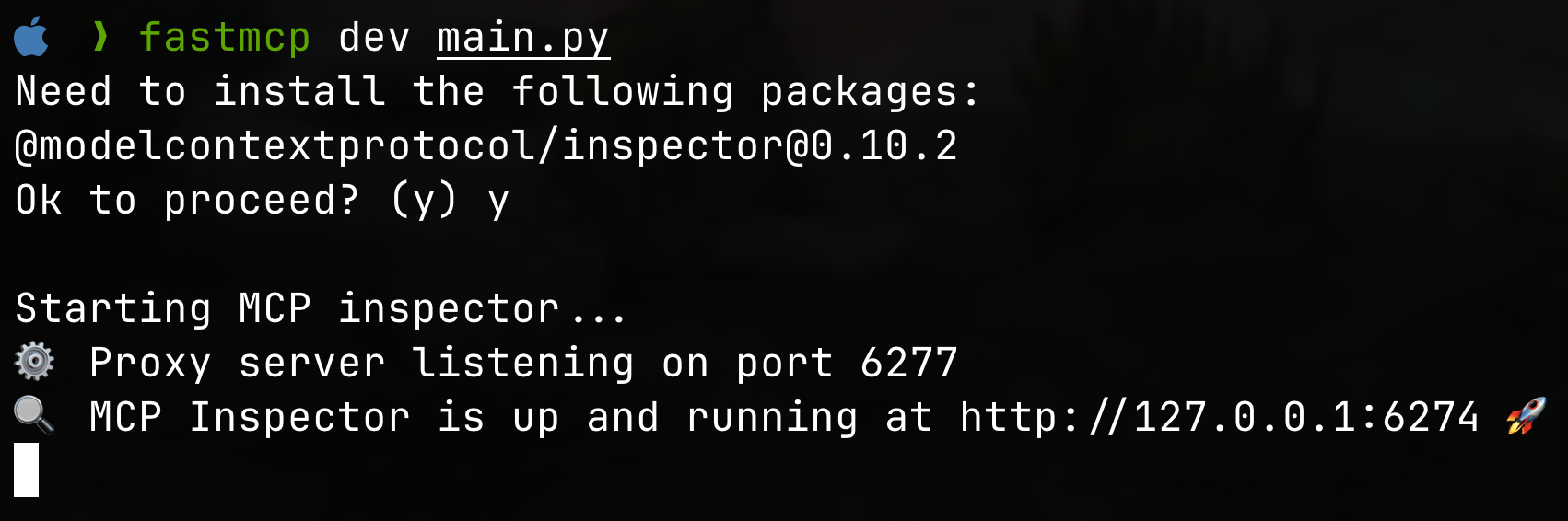
Or, to start an SSE-based server:
fastmcp run --transport=sse --port=8000 main.py
The source code is published here: https://github.com/muench-dev/my-weatherstation-mcpserver-example
Developer tools
For developers, tools such as the MCP Inspector and Multi-MCP offer valuable ways to unleash the power of MCP.
MCP Inspector
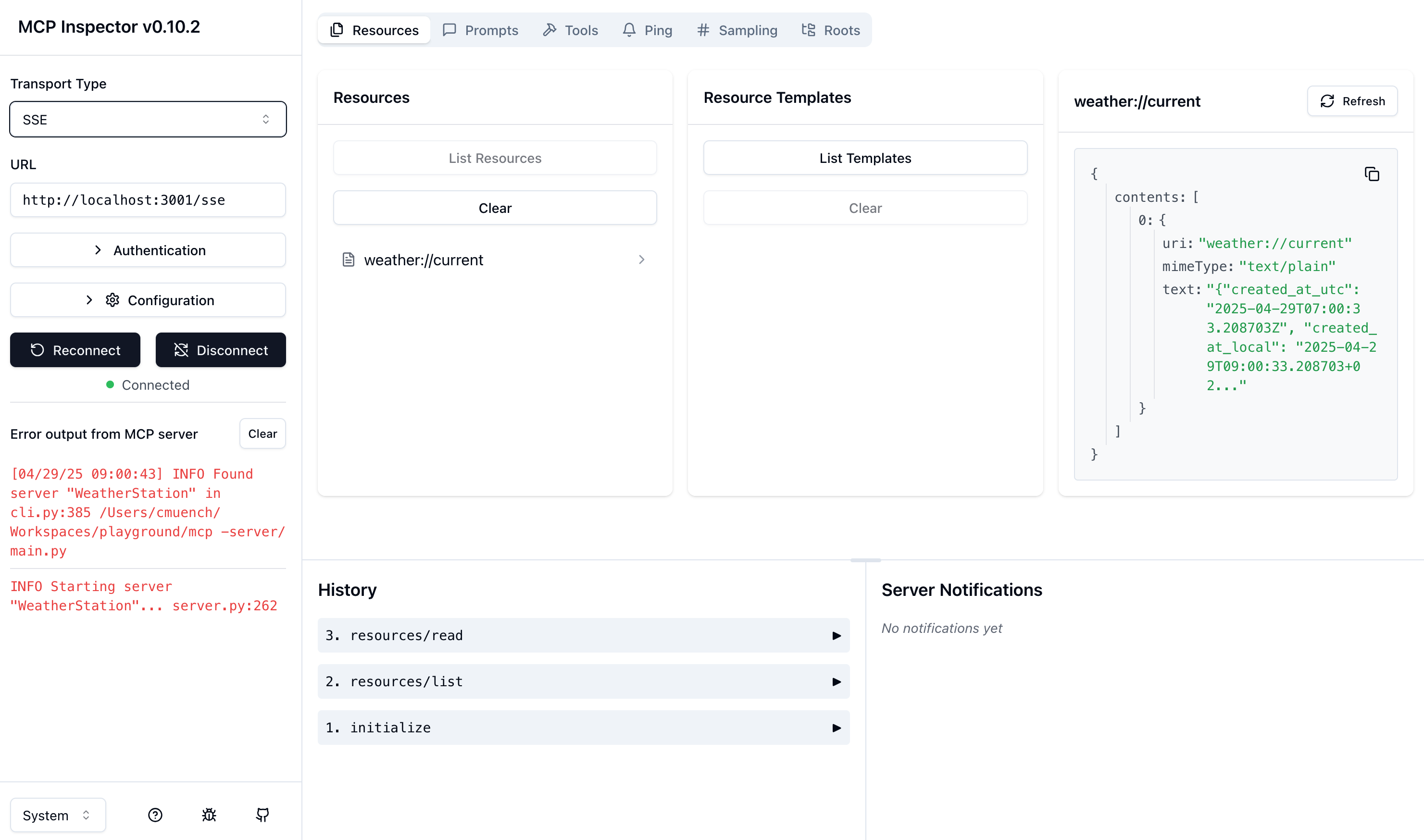
The MCP Inspector is an interactive tool that makes testing and debugging MCP servers easier. With a user-friendly interface, developers can check and analyze their servers' functionality—a must for any developer who wants to ensure their solutions work flawlessly.
Multi MCP / MCP Proxy
Multi-MCP, on the other hand, acts as a flexible proxy server. It can act as a single MCP server while communicating with multiple backend MCP servers. This opens up new dimensions of flexibility—a benefit for any developer who wants to work modularly.
For example, a Multi-MCP setup can be used to route requests to different specialized backend LLMs—one model for legal questions, another for medical information, and a third for creative writing. The end user interacts with just one interface—the complexity remains hidden in the background.
Dive
MCP servers can be quickly tested and integrated using the Dive AI Agen tool, which is available for all major operating systems. A simple configuration lets you quickly integrate MCP servers and test them directly.
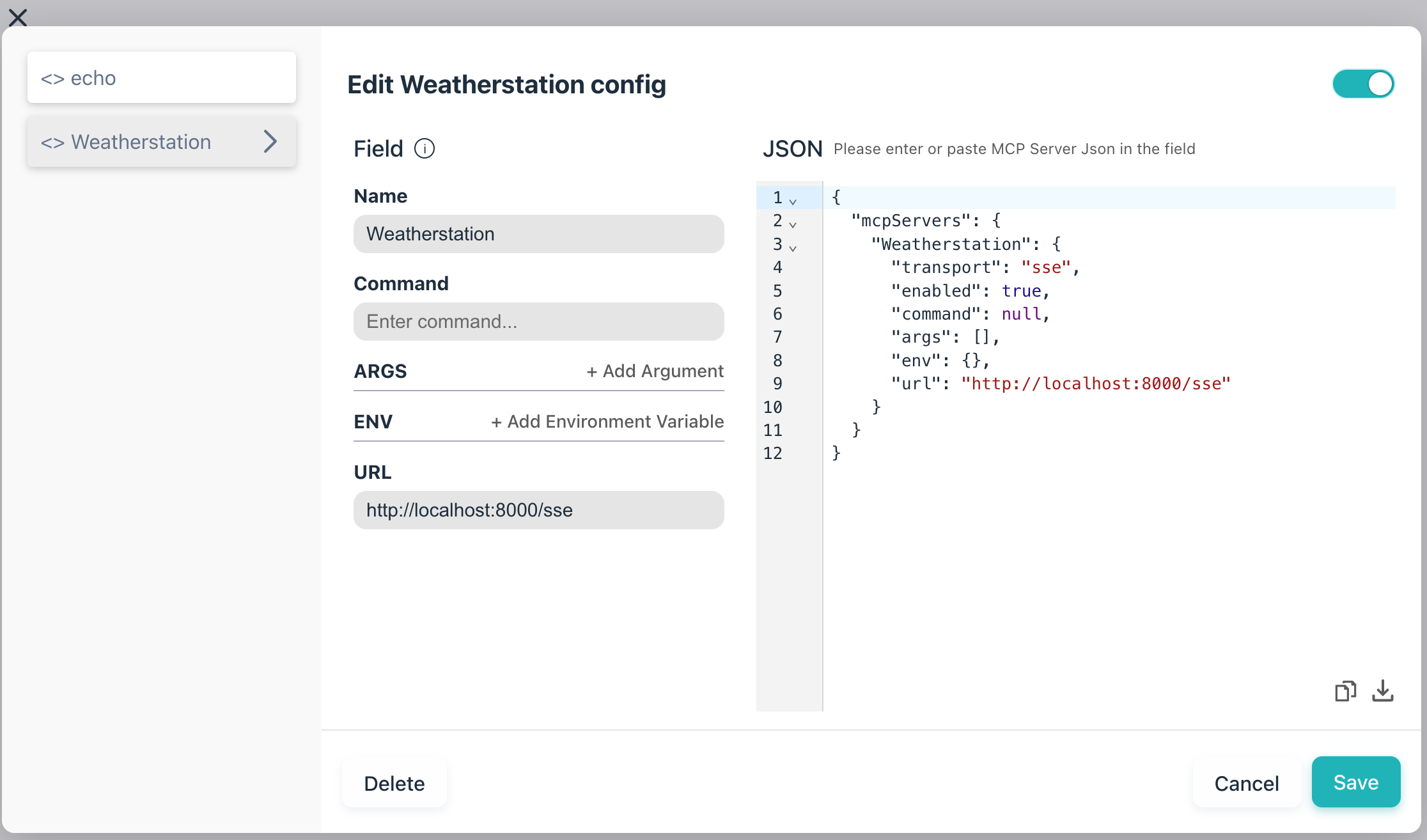
You can then compose prompts through a familiar interface.
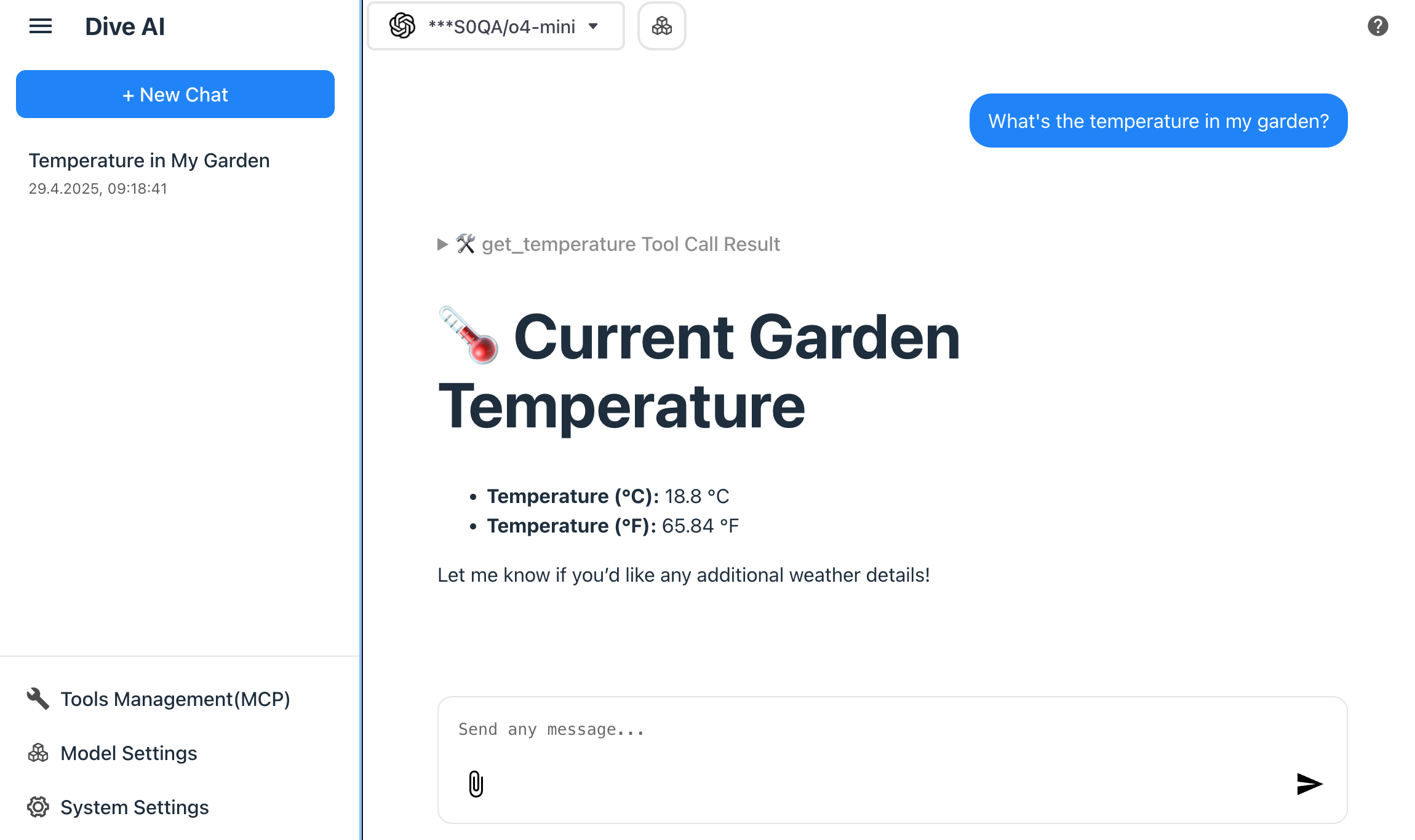
Dive can also display the inputs and outputs of the called tool from the MCP servers being used.
Microsoft Visual Studio Code with GitHub Copilot
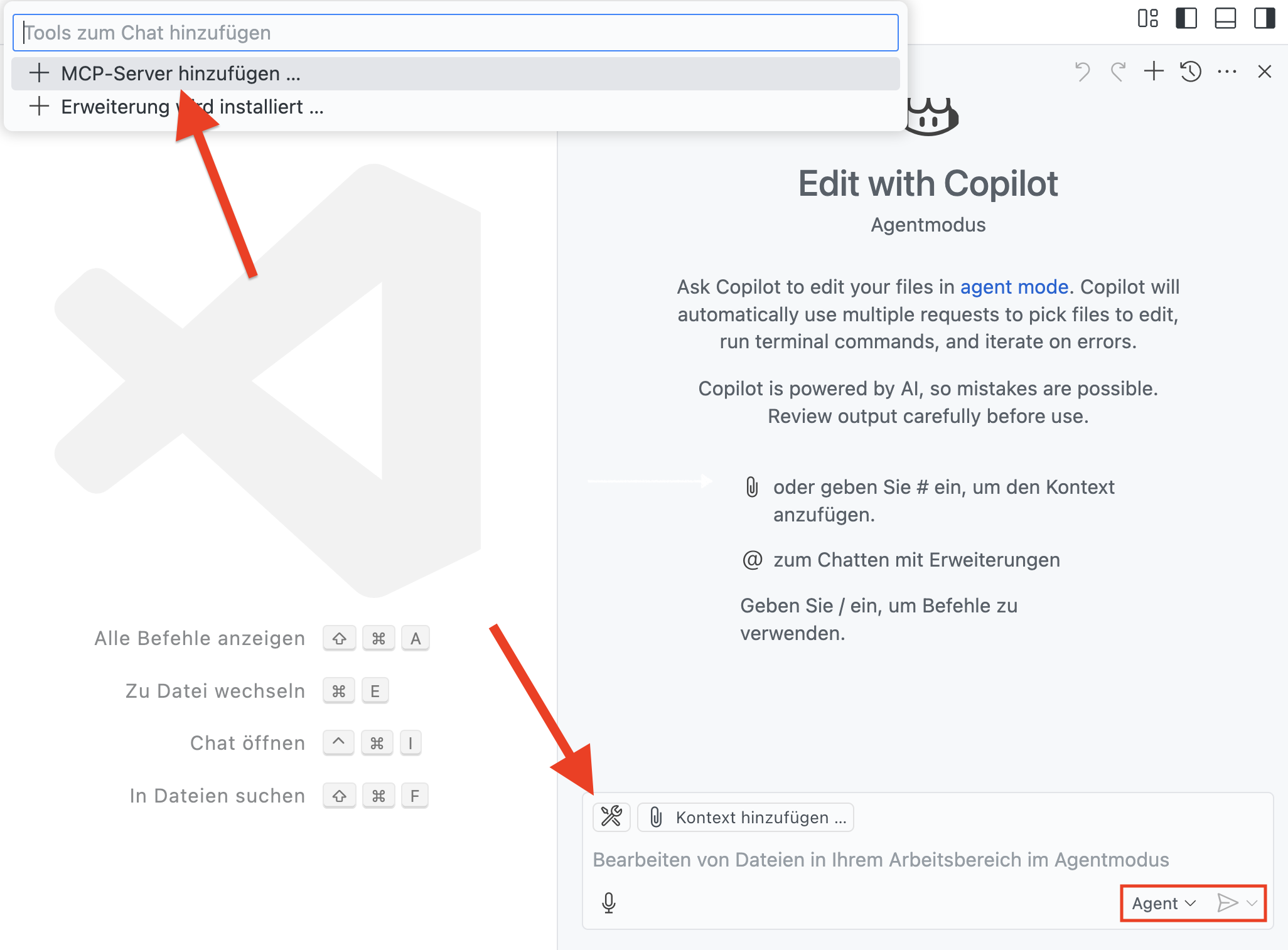
Visual Studio Code (VS Code) is one of the most popular development environments and can be customized through numerous extensions. One of these extensions is GitHub Copilot, an AI-powered programming assistant. By default, Copilot communicates with GitHub's servers. However, it is possible to configure the extension so that it uses tools from your own MCP servers instead. The MCP server can be
Standardization and interoperability
MCP's strength lies not only in the technology itself, but also in the vision behind it. Creating an open standard promotes interoperability—not only between models and clients, but also between companies, platforms, and communities.
In the long term, MCP could even become a central component of modern software architectures—comparable to REST or GraphQL. Imagine a digital ecosystem in which every module, every application, and every AI component communicates through a common protocol. This not only saves time and resources, but also improves the reliability and scalability of systems.
Interestingly, Google has introduced its own answer to MCP with the A2A protocol (Agents-to-Agents). The article "A2A and MCP: Start of the AI Agent Protocol Wars?" (https://www.koyeb.com/blog/a2a-and-mcp-start-of-the-ai-agent-protocol-wars) examines this development in depth. Although A2A pursues a similar ambition, it is already apparent that even OpenAI—despite being a direct competitor to Anthropic—is making efforts to support MCP or build on it. Within the Google community, too, adopting MCP is being discussed. This dynamic suggests that MCP has the potential to establish itself as the dominant standard in the world of AI agent communication.
Conclusion
The Model Context Protocol (MCP) is not just another technical standard; it is a key to a new era of AI integration. With tools that help developers create simpler and more flexible systems, as well as the ability to embed AI into existing applications, the doors are wide open for innovative solutions.
Harness the power of MCP to move your projects forward! Think of all the possibilities it offers and how you can use it to bring your ideas to life. It is time to welcome the next generation of AI integration—and MCP could be one of the decisive steps.
Article updates
- April 30, 2025: Added a section on VS Code GitHub Copilot.