The Homepage Dashboard is my browser-based entry point to my homelab.
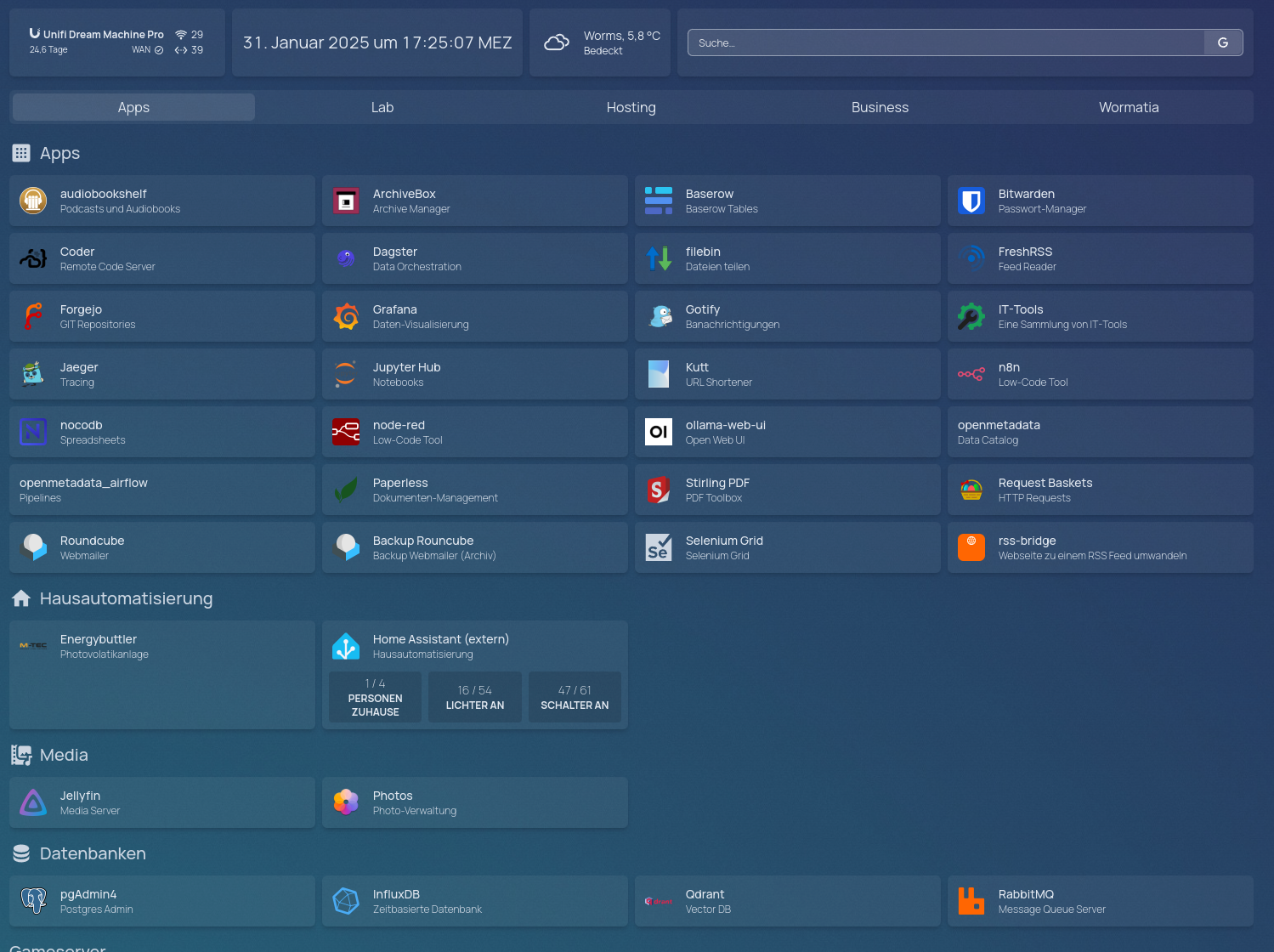
I created the following files:
.
|-- bookmarks.yaml
|-- custom.css
|-- custom.js
|-- docker.yaml
|-- kubernetes.yaml
|-- logs
|   `-- homepage.log
|-- services.yaml
|-- settings.yaml
`-- widgets.yaml
The .yaml files contain the configuration for the individual dashboard components.
Configuration is handled through one or more YAML files. Since you will need to customize this for your own homelab anyway, I will simply refer you to the official documentation: https://gethomepage.dev/configs/
Homepage comes with a large collection of icons. I could find an icon in the library for almost every service I use.
docker-compose.yml
services:
  homepage:
    image: ghcr.io/gethomepage/homepage:latest
    container_name: homepage
    env_file: .env
    restart: unless-stopped
    ports:
      - 80:3000
    volumes:
      - ./config:/app/config
      - ./images:/app/public/images
      - ./icons:/app/public/icons

  nginx:
    image: nginx:latest
    container_name: nginx
    restart: unless-stopped
    ports:
      - 443:443
    volumes:
      - ./nginx.conf:/etc/nginx/conf.d/default.conf:ro
      - ./certs:/etc/nginx/certs:ro
    depends_on:
      - homepage
Nginx Configuration
I also want to use HTTPS on my network, so I placed an Nginx server in front of the dashboard.
server {
  listen 443 ssl;
  server_name homepage.muench.lan;

  ssl_certificate /etc/nginx/certs/homepage.muench.lan.pem;
  ssl_certificate_key /etc/nginx/certs/homepage.muench.lan.key;

  # Consider adding SSL settings for better security
  ssl_protocols TLSv1.2 TLSv1.3;
  ssl_prefer_server_ciphers on;
  ssl_ciphers 'HIGH:!aNULL:!MD5';
  ssl_session_cache shared:SSL:10m;

  location / {
    proxy_pass http://homepage:3000;
    proxy_set_header Host $host;
    proxy_set_header X-Real-IP $remote_addr;
    proxy_set_header X-Forwarded-For $proxy_add_x_forwarded_for;
    # Optionally set the X-Forwarded-Proto header for SSL
    proxy_set_header X-Forwarded-Proto $scheme;
  }
}