
With the magento.watch MCP, you can query important information about Magento Open Source and Adobe Commerce directly from an AI assistant. I have been using the MCP for a while, mainly to check dependencies. The ability to quickly check whether a shop uses the official patches is also handy.
Connect the MCP without credentials
The MCP is documented at magento.watch/mcp. For Claude, for example, you can add it like this:
claude mcp add magento-watch --transport http https://magento.watch/mcp/api
In VSCode / CoPilot, you can do this through configuration, for example:
{
  "servers": {
    "magento-watch": {
      "type": "http",
      "url": "https://magento.watch/mcp/api"
    }
  }
}
Neither a password nor a token is required. That makes getting started straightforward: Once it has been added, Claude can use the tools provided to answer specific questions about releases, support periods, dependencies, security bulletins, and patches.
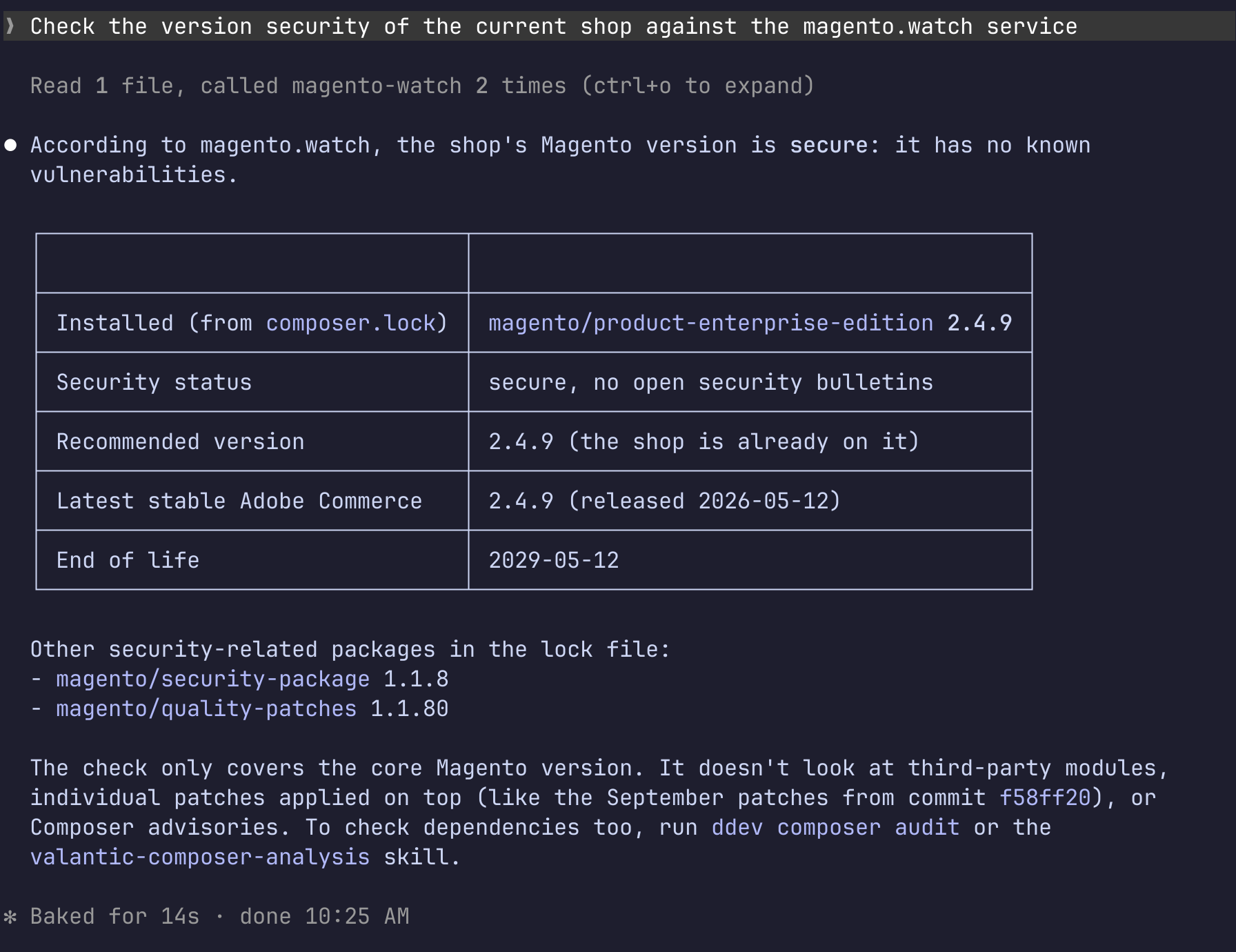
And here you can see the MCP in action:
Release and dependency information
For an overview of versions, the tools include get_all_versions, get_supported_versions, and get_eol_versions. These let you query all recorded versions of a distribution, currently supported releases, and versions that have reached end-of-life. get_version provides details about an individual version, including its lifecycle and system requirements. If you only need the latest stable version, you can use get_latest_version.
For upgrades and maintenance work, check_compatibility is particularly useful. The tool checks whether a specific version of PHP, MySQL, or another dependency is compatible with a release. This lets me compare requirements directly against the shop version in use, rather than manually gathering information from several documentation pages.
Security bulletins and vulnerabilities
Security information is also accessible through dedicated tools. get_security_bulletins lists Adobe and Magento security bulletins, optionally filtered by severity or publication date. With get_security_bulletin, you can retrieve a specific bulletin, its CVEs, severity, and the releases that include the fix.
For a specific shop version, there is check_version_security. This lets you check whether known bulletins affect the version and which version contains the fix. That is helpful for answering a patch question more specifically: Is the installed version affected, and which release should it be updated to?
Check quality patches
For quality patches, find_patch provides a list of patches applicable to a Magento version. The search can also prioritize results based on a described bug. get_patch provides details about an individual patch, such as variants, restrictions, changed files, and documentation.
This also makes it possible to check in practice which official patches are relevant to a shop and whether they have already been taken into account. It is a useful addition to release and security queries, especially during the ongoing maintenance of an installation.
REST API and n98-magerun2
In addition to the MCP, magento.watch also provides a REST API. This API will be used in the next version of n98-magerun2 in a command for checking database compatibility. That means the information is not only available to AI assistants, but can also feed directly into existing command-line workflows.
A community project with practical benefits
magento.watch is developed by Łukasz Bajsarowicz. He has already made many valuable contributions to the Magento community and is a core contributor. I really appreciate his work.
For me, magento.watch is a compelling project because it makes release, compatibility, security, and patch information accessible through a clear interface. The MCP saves time when checking dependencies and helps answer targeted questions about the state of a shop. If you use Claude, you can try the integration with a single command, without any password or token.