
A look back: What is "vibe coding"?
In my recent articles about JetBrains Junie and Google Jules, I introduced the concept of "vibe coding." It describes that almost magical state of peak productivity and creativity that developers know as "flow." All too often, however, this state is interrupted by what I call "vibe killers": repetitive tasks, lengthy debugging, waiting for CI pipelines, or the painstaking process of getting to grips with unfamiliar codebases.
The new AI-powered coding assistants or "agents" promise to eliminate precisely these "vibe killers" and enable us developers to stay in our creative flow longer. They no longer act merely as passive tools that complete code, but as active, (partially) autonomous partners in the development process.
What exactly is the GitHub Copilot Agent?
More than just autocomplete: Copilot's transformation
GitHub Copilot has already fundamentally changed the way we write code. But the Copilot Agent, often mentioned in the context of Copilot Workspace or as extended functionality in VS Code, is a fundamental evolution. It goes beyond simply predicting the next line of code and acts as a genuine, dialogue-based agent that can plan and execute complex, multistep tasks.
Unlike Jules, which works in an external environment, the Copilot Agent is integrated directly into VS Code's chat and terminal functions. It can access the file system, execute terminal commands, and understand the context of the entire workspace.
The agent in detail: How does it work?
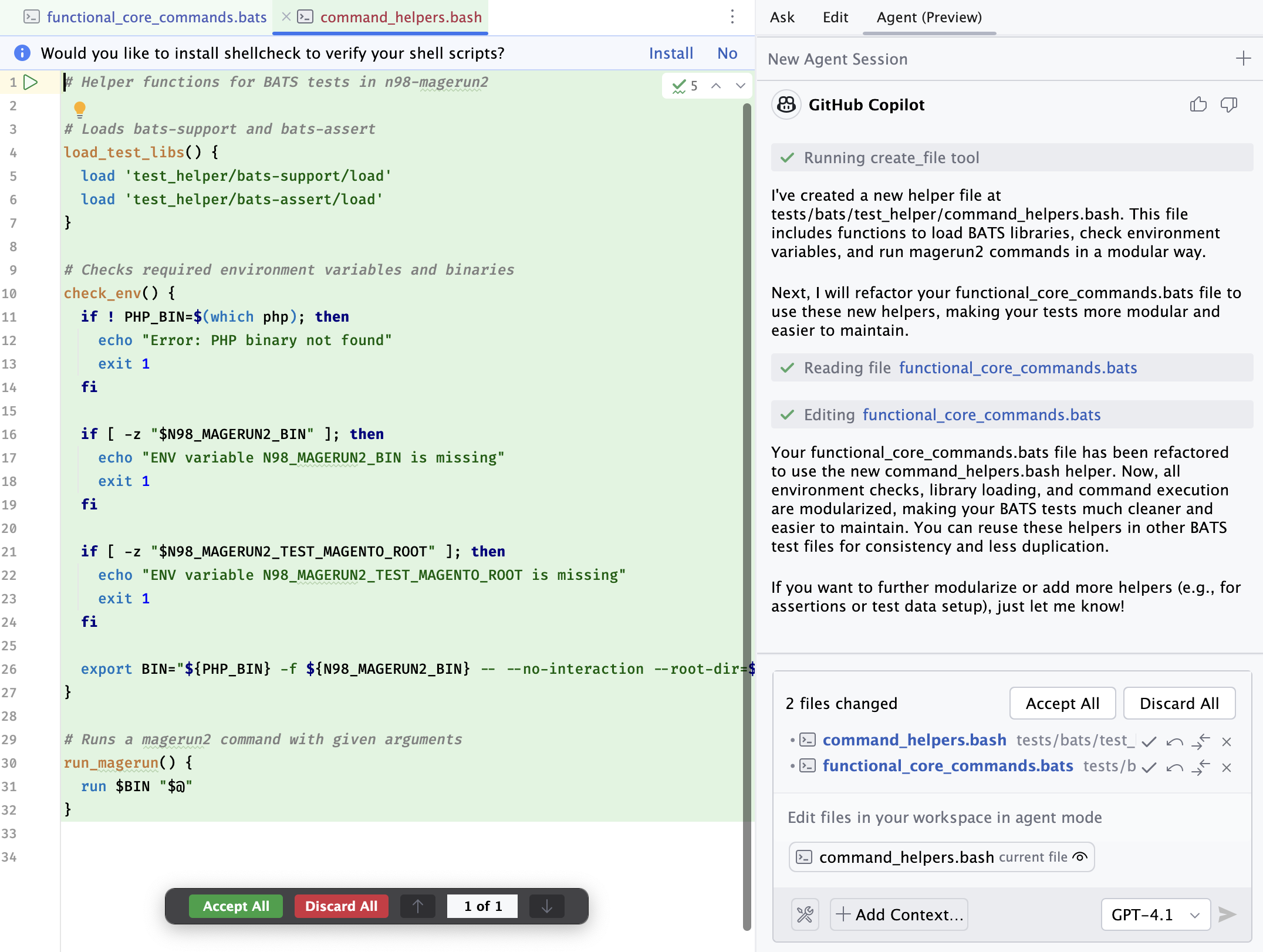
At the heart of the Copilot Agent is a multimodal language model trained by GitHub/Microsoft. Much like Junie, the process begins with a prompt from the developer in VS Code's chat window.
- Planning (reasoning): The agent analyzes the task and breaks it down into a logical plan of individual steps. This plan can include reading files, writing new code, modifying existing files, or executing terminal commands.
- Execution: The agent works through this plan step by step. A crucial feature here is interactivity. Before performing potentially destructive actions (such as running a test or changing a file), the agent often asks for confirmation.
- Iteration and correction: Like a human developer, the agent can also encounter errors. If a test fails or a command returns an error, it autonomously tries to analyze and correct the problem. This iterative approach is a clear advance over simple code generators.
- Completion: Once all steps have been executed successfully, the agent presents the result. The developer has full control and can review the changes, discard them, or give further instructions.
Fine-tuning—your own requirements
Tasks can often be carried out in different ways. Some things, such as code style, are a matter of taste or defined by project requirements.
You can tell the agent where to put its tests, where certain files should be stored, or what format documentation should be created in through a .github/copilot-instructions.md file (example).
In this Markdown document, you simply describe what matters to you. The document then serves as a system prompt for the agent.
Integration into development environments
VS Code
Seamless integration into VS Code is the Copilot Agent's greatest strength. It's not a separate tool or an external website. You stay in your familiar environment. Through special commands in chat (e.g. @workspace or @terminal), you can point the agent directly at the code or command line.
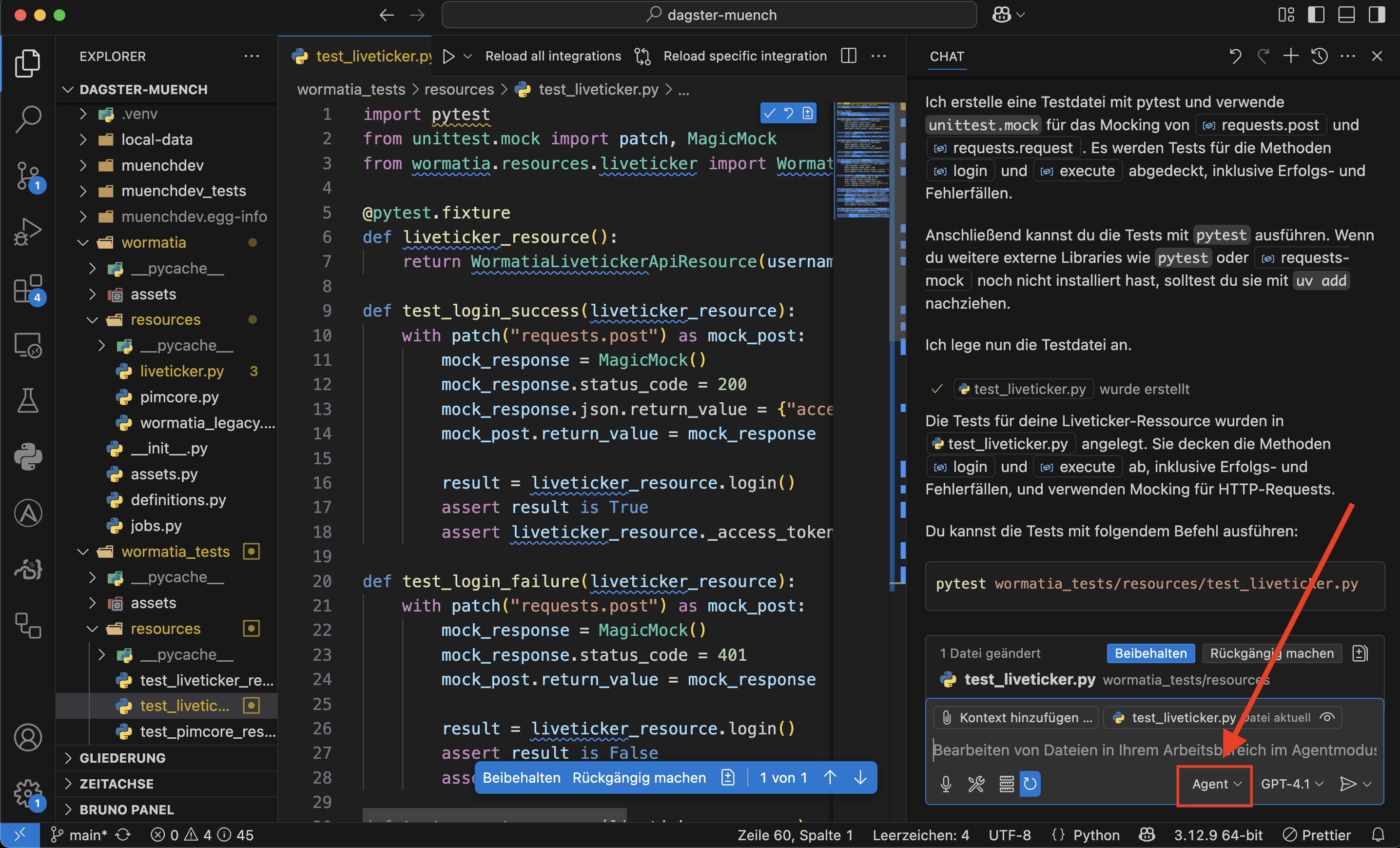
This deep integration allows the agent to capture the entire context: open files, the project structure, dependencies, and even the content of the terminal. This is a crucial advantage because the "vibe" isn't broken by constantly switching between different tools and windows.
Integration into Jetbrains IDEs
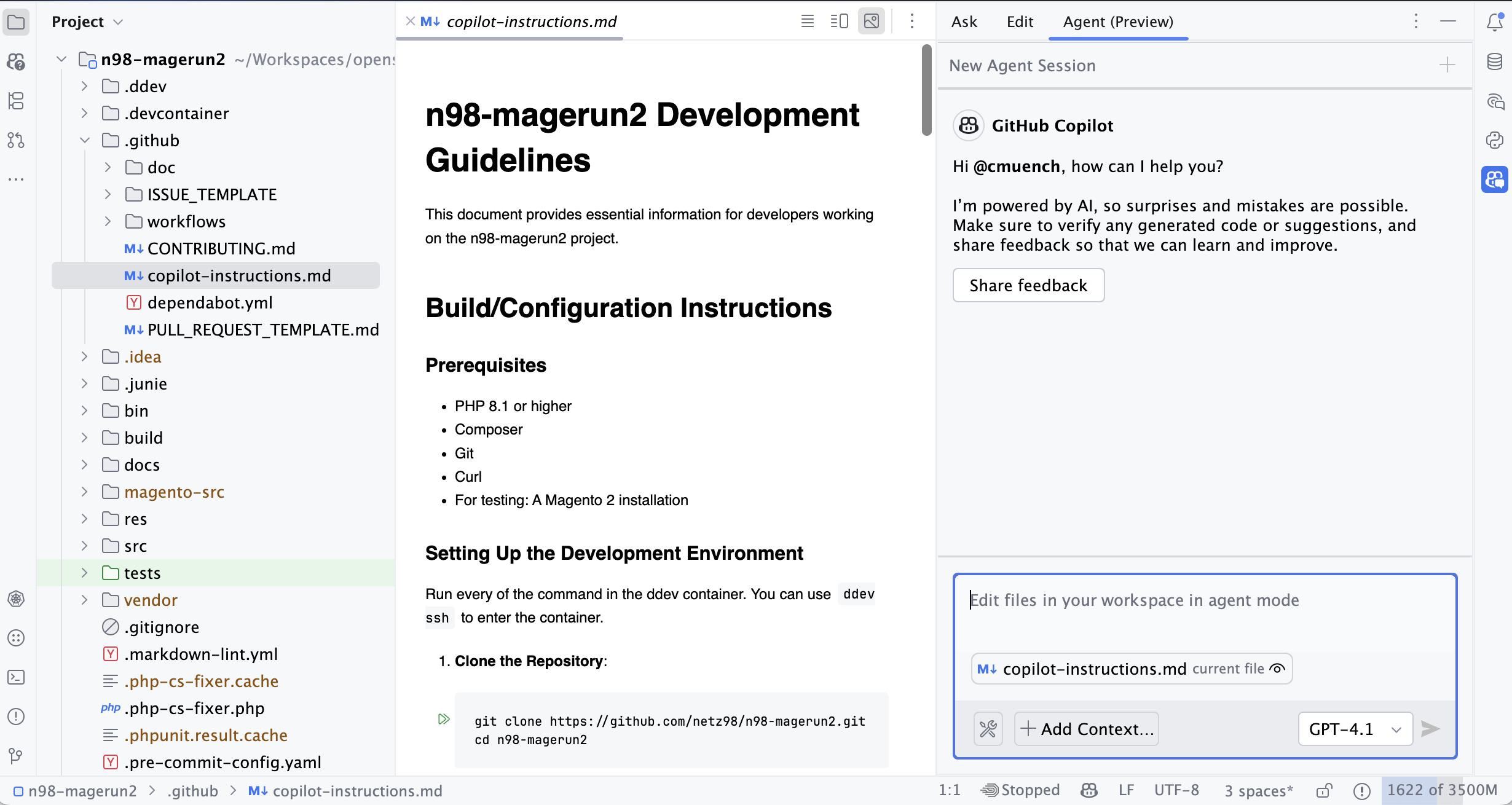
In Jetbrains IDEs, CoPilot can easily be installed through the built-in plugin marketplace.
Since the agent is still marked as a preview version (as of June 8, 2025), installation of preview versions must be enabled in the GitHub organization. Otherwise, the "Agent Preview" tab is missing from the IDE.
What (already) works?
Theory is good, but how does the agent perform on real tasks? Much like Junie and Jules, I let it loose on some typical "vibe killer" scenarios.
Use case 1: Modernizing a legacy codebase
Similar to migrating the Wormatia live ticker from Vue 2 to Vue 3 with Junie, you can give the Copilot Agent a comparable task.
- Prompt: "Analyze this Vue 2 component code, identify the outdated patterns, and migrate it to Vue 3 using the Composition API. Also update
package.jsonto install the necessarynpmpackages."
The agent starts by analyzing the component, proposes a plan (e.g. "1. Update package.json, 2. Run npm install, 3. Rewrite the Vue component"), and executes it after confirmation. It recognizes that v-model works differently in Vue 3, replaces filters with computed properties, and structures the code according to the Composition API. The result is a functional, modernized component that would have taken considerable time manually.
Use case 2: Automated bug fixing and debugging
This is one of its most impressive capabilities. You can give the agent the output of a failed test or an error message from the console.
- Prompt: "The following test fails with this error message: [insert error message here]. Find the cause in the code and fix it."
The Copilot Agent analyzes the stack trace, navigates to the faulty section of code, understands the logic (or its error), and suggests a correction. It can even rerun the tests independently to verify its solution. This ability to correct errors autonomously is strongly reminiscent of the iterative approach I observed with Junie, which also runs tests and corrects errors until the implementation meets the requirements.
Use case 3: Generating documentation and tests
A classic piece of legwork that is perfect for an agent. This is where the strength of context becomes apparent.
- Prompt: "Create
README.mddocumentation for the current project. Analyze the commands inn98-magerun2and document their options and arguments. Also write unit tests for theCreateDiPreferenceCommandclass."
This scenario resembles my test with Google Jules and n98-magerun2. Just like Jules, the Copilot Agent can analyze command-line tools, parse their help output, and create structured documentation from it. At the same time, it can analyze the source code of the CreateDiPreferenceCommand class and generate suitable unit tests using a mocking framework such as PHPUnit.
Use case 4: Complex refactoring and optimization
Here, the agent goes beyond simple tasks. You can give it entire classes or modules to revise.
- Prompt: "Refactor this class to align it with the SOLID principles. Extract the database logic into a separate repository and use dependency injection to resolve dependencies."
The agent understands the abstract concepts of software architecture and applies them to the concrete code. It creates new files, moves code, adjusts constructors, and ensures that the code is cleaner and more maintainable in the end. This is a task that goes beyond the level of a junior developer and demonstrates the enormous potential of this technology.
What doesn't work (yet)?
Despite the impressive progress, the GitHub Copilot Agent is not a cure-all. There are clear limits that continue to make the human developer indispensable.
Complex architectural decisions
The agent is not (yet) able to make far-reaching architectural decisions for an entire project. Questions such as "Should we use a microservice architecture or a monolith for this project?" or "Which database system is best suited to our scaling requirements?" require human expertise, experience, and a deep understanding of business objectives.
Subtleties and project-specific context
An AI model often lacks the "feel" for a project's context that has developed over years. Why was certain technical debt deliberately accepted? Which obscure legacy system still needs to be supported for historical reasons? These nuances, which are often not explicitly documented, are difficult for the agent to grasp. Human review of the generated changes is therefore essential.
Interaction and iterative communication
Communication is not yet as smooth as with a human colleague. Although the agent responds to feedback, the dialogue can still feel stilted. You can't simply say, "Do that again, but a little more elegantly this time." You have to formulate your instructions very precisely.
The holy grail of interoperability
MCP
In my article on the Model Context Protocol (MCP), I explained why an open standard for communication between AI models and external tools is so important. MCP support is already integrated into GitHub CoPilot. Through "Tools," you can add your own MCP servers, which can then run real automations on your own LAN. This lets you integrate not only internal processes but also private knowledge into the agent. It makes it possible to provide the agent with data from internal databases. However, this data is also processed further by the LLM being used. The approach therefore needs to be checked against your company's own policies.
The MCP servers are defined through an mcp.json file. The IDE opens the file as soon as you click the "Tools" icon and indicate that you want to add a tool.
Here is an example of such a JSON file from the GitHub documentation:
{
  "servers": {
    "memory": {
      "command": "npx",
      "args": [
        "-y",
        "@modelcontextprotocol/server-memory"
      ]
    }
  }
}
The MCP server can also be accessed via HTTP as a remote server.
In my tests, the integration worked very reliably.
Copilot's current approach: A closed system?
Currently, GitHub Copilot communicates with GitHub's servers by default. It is deeply integrated into their ecosystem. While it is possible to configure the extension to use tools from your own MCP servers instead, this is not the standard route and requires additional configuration. The focus is clearly on the seamless experience within the Microsoft/GitHub universe.
Conclusion and outlook: Programmer or conductor?
The GitHub Copilot Agent is more than just another tool; it is a paradigm shift. It is an incredibly powerful assistant with the potential to effectively combat the "vibe killers" in our everyday work and take our productivity and creativity to a new level. Its ability to plan complex tasks, execute them iteratively, and learn from errors clearly sets it apart from earlier generations of code completion.
The developer's role is changing inexorably. We are becoming less purely coders and more architects, conductors, and agent handlers. Our main task will be to break complex problems down into precise instructions for AI agents, validate their results, and make the overarching architectural decisions.
The term Task Driven Development is also being used more and more. That sums it up quite well. The more precisely a task is described, the better the result. Once again, experienced developers benefit here.
Overall, I had slightly worse results with GitHub CoPilot compared with JetBrains Junie. However, unlike with Junie, I didn't run into rate limits. At most, the LLM's context was exhausted, and then there was an appropriate error message.
I then split larger tasks across multiple sessions in the GitHub CoPilot Agent and was usually able to achieve my goal that way as well.