
Almost all of us are surely familiar with Postman. It is a very powerful API client that has become something of an industry standard. You can publish API definitions there and easily share collections with example requests.
That is nice, but Postman is increasingly heading down the path of becoming a purely SaaS solution (or is it already?).
Since I have a preference for open source and self-hosting, the lack of control was a thorn in my side. It is also about being aware of what you are actually doing. The following blog post is about how we can regain control! Bruno is a tool that helps with that.
The return of control
We live in a time when many developers run their tools in the cloud. Often, an enormous amount of sensitive data ends up in the hands of third parties. Postman is a popular API client that offers many useful features, but the fact that credentials and API keys are stored there too can be a nightmare for many developers. Bruno, on the other hand, takes a different approach: it runs locally and helps you keep your data in your own hands. There is no requirement to use the cloud (because there is no cloud), and that can be a huge advantage too!
Note: If you would rather run a server as a team, you might also find the tool Hoppscotch interesting.
Imagine you are working on a project and put sensitive data in the cloud. The question of who has access to it and how secure that data is probably will not let you sleep peacefully. Bruno solves this problem by letting you store all collections as a GIT repository. Requests and environments are stored as simple files that can be versioned. This means you always have full control over your API interactions.
Example file tree:
.
├── environments
│  ├── ddev.bru
│  └── production.bru
├── GraphQL
├── REST
│  ├── assets
│  ├── collections
│  ├── forms
│  ├── globals
│  ├── navs
│  ├── taxonomies
│  ├── users
│  ├── folder.bru
│  └── test.bru
├── 'REST private'
│  ├── Collections
│  ├── Entries
│  ├── Taxonomies
│  ├── Users
│  └── Ping.bru
├── bruno.json
└── collection.bru
A .bru file is easy to version.
Here you can see why:
meta {
  name: List Articles (id, title, date)
  type: http
  seq: 1
}

get {
  url: /collections/articles/entries?page=1&limit=10&fields=id,title,date
  body: none
  auth: inherit
}

params:query {
  page: 1
  limit: 10
  fields: id,title,date
}
The missing cloud synchronization is replaced by GIT pull/push, which developers are familiar with.
Postman itself only offers teamwork (>3 people) in its paid version. With Bruno, a missing license therefore does not stand in the way of teamwork.
Some teams working with Postman regularly exported their collections and imported them back into local workspaces. This is error-prone, since it was easy to end up importing an outdated export of a collection. Thanks to GIT, that does not happen with Bruno. And if something does break, GIT helps you restore an older version.
Security through .env files
Another highlight is that Bruno offers the option to move credentials into .env files. This means sensitive information can not only be stored securely but also excluded from version control. That is particularly important to prevent such sensitive data from accidentally ending up in a public repository. A simple .gitignore file helps prevent this.
To make sure I do not forget, I built myself a little Bash script:
#!/bin/bash

if [ ! -f "bruno.json" ]; then
   echo "run this command in the directory of the bruno collection"
   exit 1;
fi

# Create .env.sample only if it does not exist
if [ ! -f ".env.sample" ]; then
   touch .env.sample
fi

# Create .env only if it does not exist
if [ ! -f ".env" ]; then
   touch .env
fi

# Create .gitignore if it does not exist
if [ ! -f ".gitignore" ]; then
   touch .gitignore
fi

# Check if ".env" is already in .gitignore before adding it
if ! grep -q "^\.env$" .gitignore; then
   echo ".env" >> .gitignore
fi

# Initialize git only if the .git directory doesn't exist
if [ ! -d ".git" ]; then
   git init --initial-branch=main
fi
The credentials can then be stored in a .env file:
MY_PASSWORD=super-geheimes-passwort
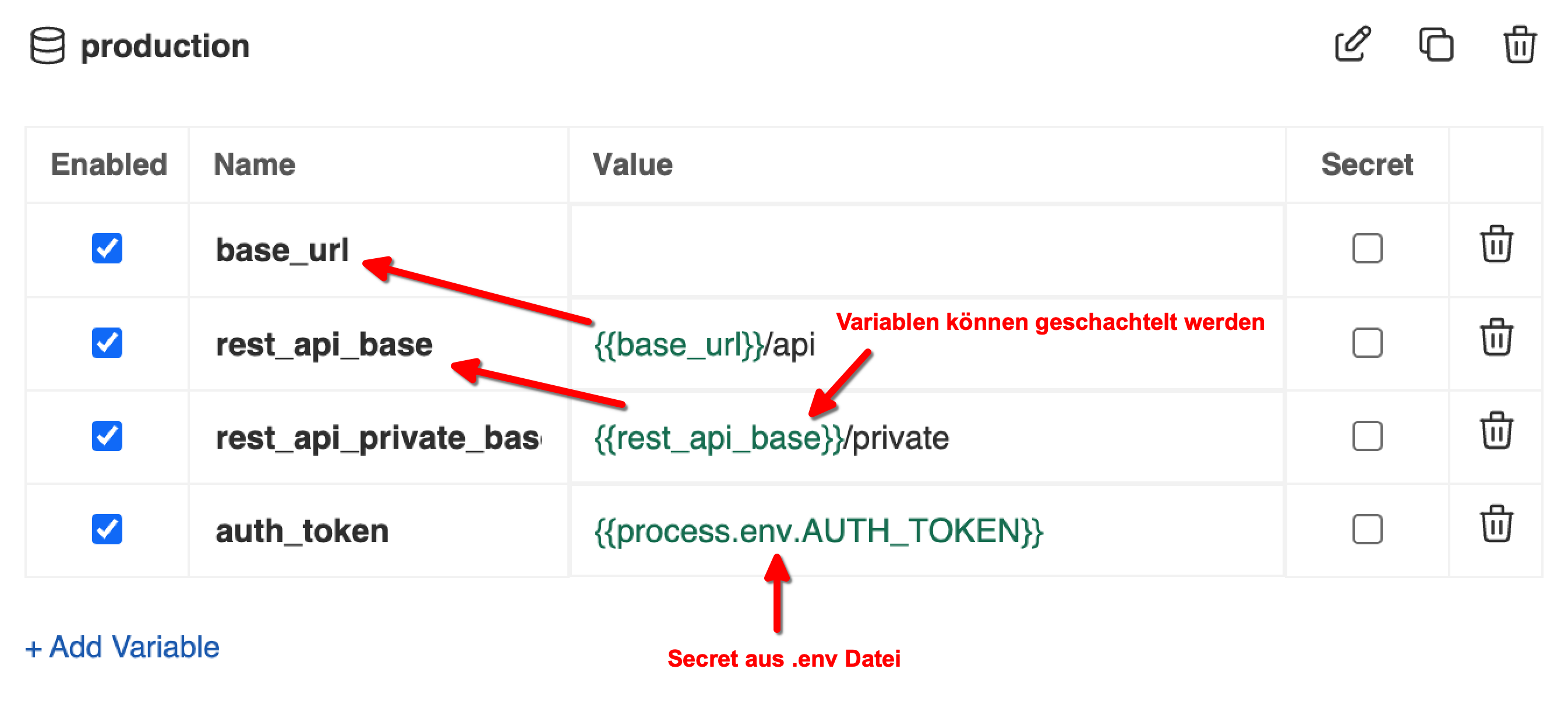
The variables can then simply be referenced in an environment.
In Bruno, the variables (which do not have to be secrets) can now be integrated directly. Here is an example with variable inheritance.
REST, GraphQL, ...
Postman is excellent for communicating with REST and GraphQL interfaces and also for designing them.
Can Bruno keep up here?
To be honest, Postman is still a little ahead in this area. In my view, this mainly concerns the GraphQL client, which is very convenient. But that does not mean Bruno cannot do anything here. Bruno can also load a GraphQL schema and offer the corresponding autocomplete functionality. Documentation for the loaded schema can also be displayed. You can also jump directly from the GraphQL query editor to the right place in the documentation.
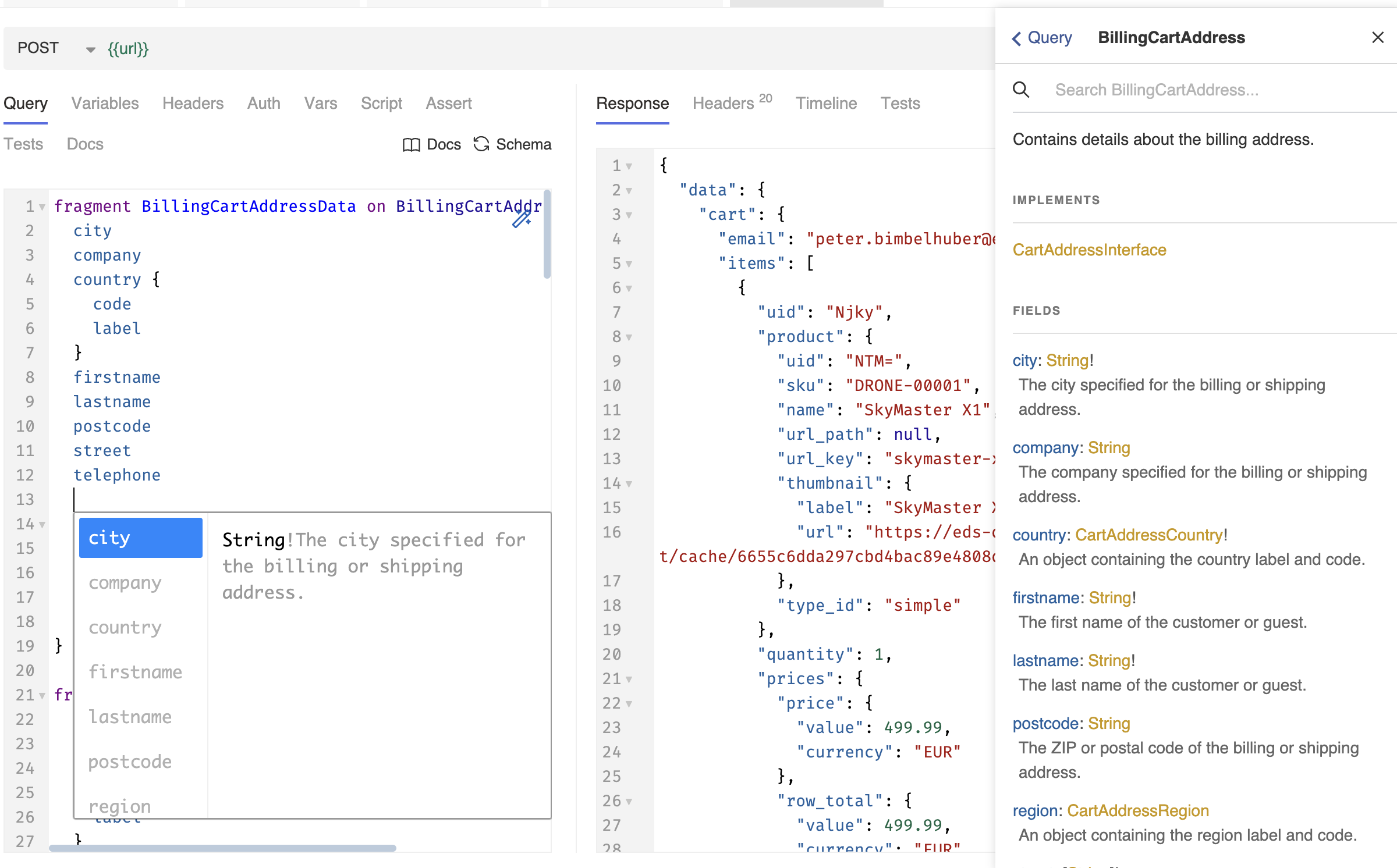
Have you ever created a native GraphQL collection in Postman and tried to export it? If the export link is missing, you do not have a paid team feature. Sharing GraphQL collections is now only possible through team synchronization.
When sending requests to a REST interface, I find it important to be able to use variables in the path, for example. Bruno now supports this well. At first glance, there is not much I miss here. Areas where Postman still has the edge include API design and other types of interfaces. Postman currently still lacks support for gGRPC, WebSockets, Socket.IO, and MQTT.
Flexible scripting and a fast UI
Another advantage of Bruno is the ability to execute JavaScript code within a collection. This means you can design your tests and API interactions flexibly.
Unlike Postman, you can even install NPM packages in your collection. This feature, which you can enable or disable in "Safe Mode" with a simple click, opens up entirely new possibilities for automating your API tests and making them more flexible.
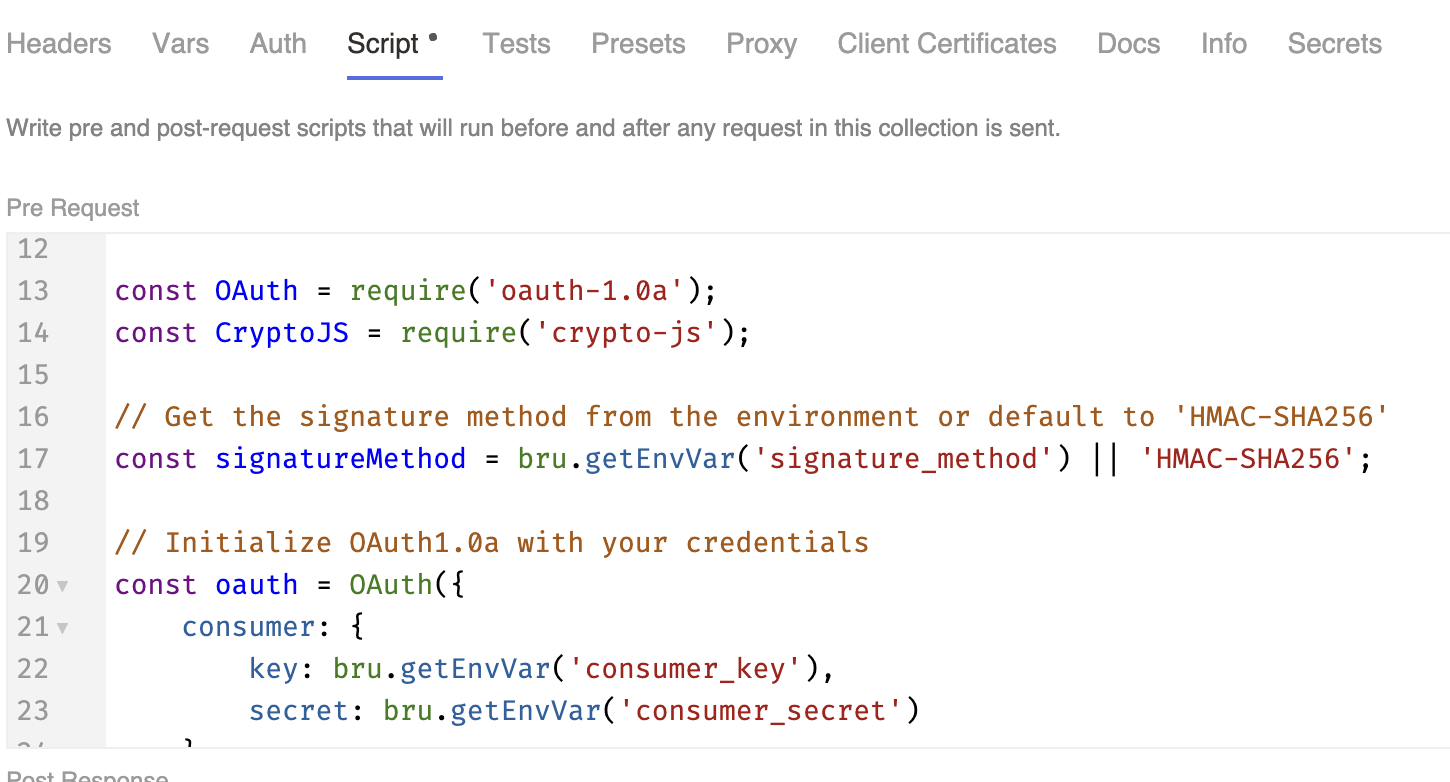
Once again, you have control yourself here, because everything happens on your local machine. No cloud provider stops me from installing a useful package.
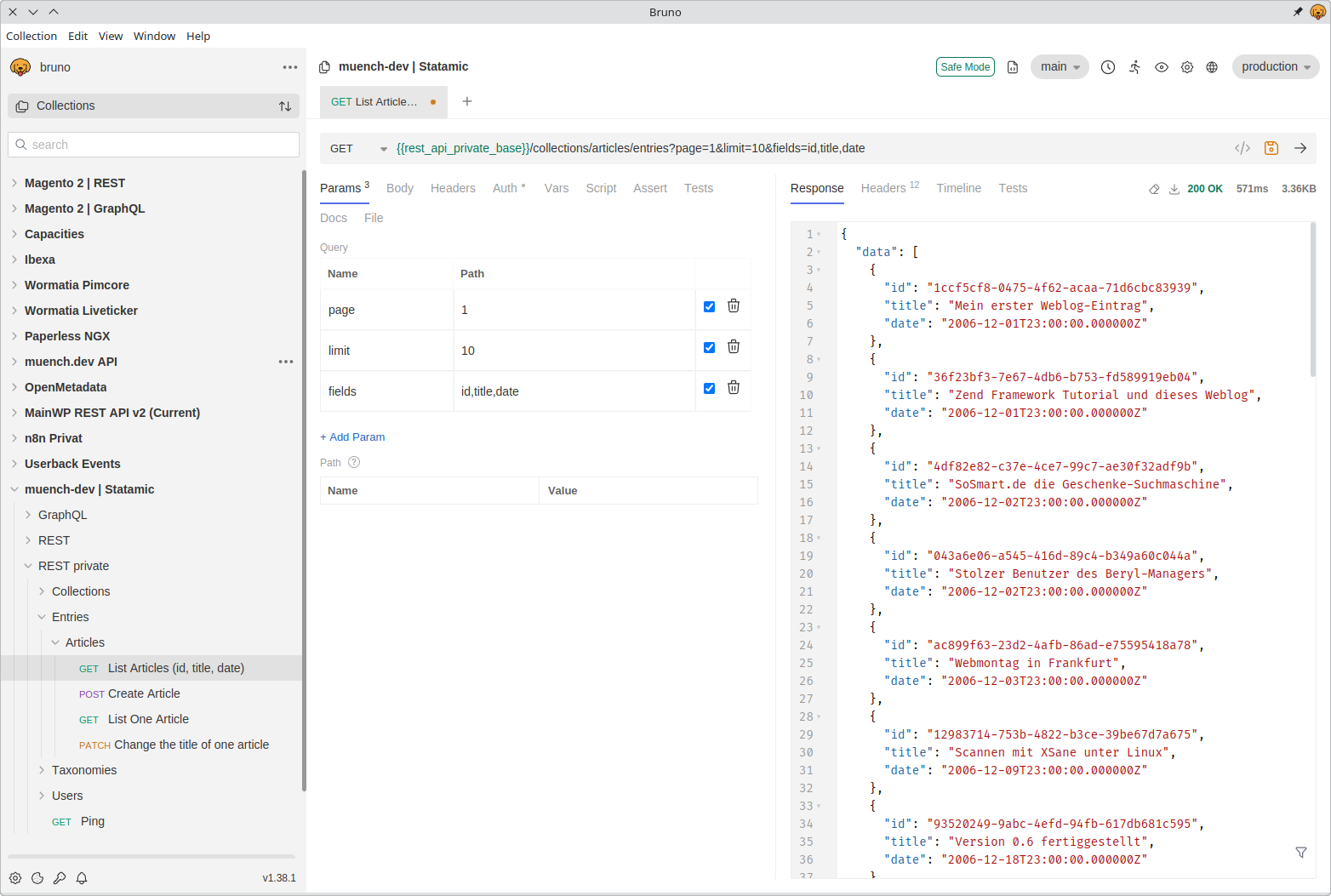
You can add and remove collections in Bruno's user interface. At first glance, that sounds trivial, but it helps keep UI performance high.
If you have lots of collections, you do not need to keep all of them in the UI at the same time.
API tests
Creating assets and proper API tests is also possible in Bruno. API tests can also be executed through a CLI runner.
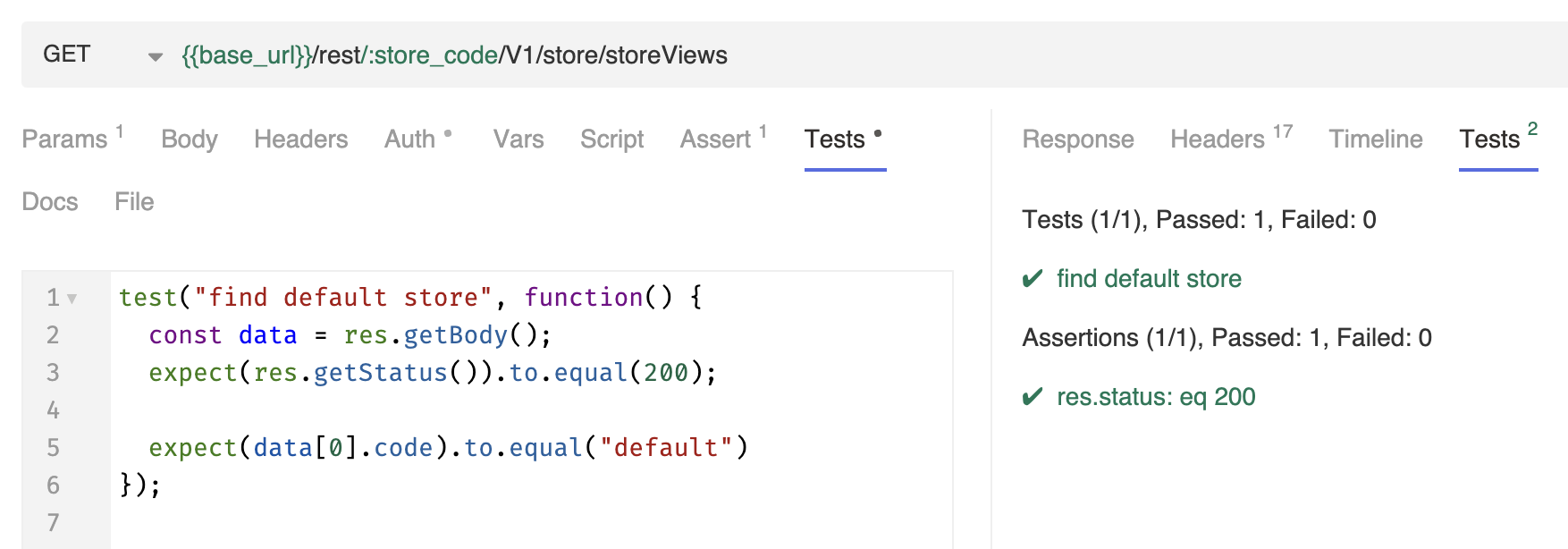
The screenshot shows a simple test case in JavaScript. But you can also create much more complicated tests here.
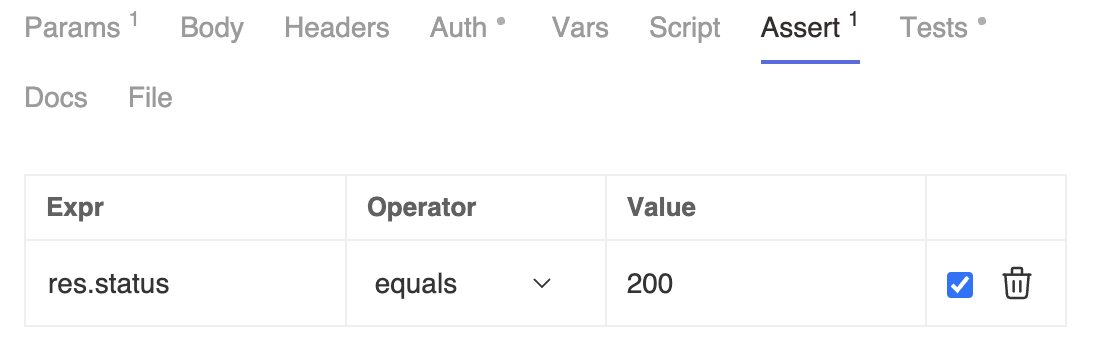
For this simple test, you could also have used the Assert feature.
A look into the future
Another important aspect of Bruno is that the developers from India deliberately aim to build features with developers as their focus at all times. There is therefore no focus on API monitoring, since that generally requires a cloud platform.
But the developers behind Bruno have to earn money somehow, don't they?
To fund the company behind Bruno, there is a paid version that offers additional features such as an integrated GIT client. An enterprise version for large companies, offering features such as moving secrets into a vault, is also available as a way to earn money.
What matters, though, is that all the basic features remain in the free and open-source version — that is a real win for the open-source community!
The developers have also published a manifesto that sets out the core values of the software's development. It aims to prevent external investors from taking control of the project and turning it into a cloud solution. Bruno remains a local tool that serves developers' needs rather than maximizing profits.
Switching is easier than expected
In my view, Bruno is a refreshing change in an API client landscape dominated by cloud systems (the tool Insomnia has a similar story). A billion-dollar market has emerged here that needs to pay for itself. That is exactly why we need a tool like Bruno to avoid becoming too dependent. A tool that brings control back and gives you a sense of security. If you have never worked with Bruno before, now is the perfect time to try it out.
Bruno offers import/export of Postman collections (and other formats too). This works surprisingly well. However, problems can still occur during import if special functions were used in scripts. Or an authentication method was used that has not yet been implemented in Bruno.
I have now moved all of mine (about 50 Postman collections) into Bruno and do not miss Postman at all anymore. If someone sends me a Postman collection (which happens in a professional setting), it already works well with Bruno 95% of the time.
You definitely sleep better when you hold all your credentials yourself.
Conclusion
Bruno may not offer all the features SaaS solutions currently offer. But I often do not need them anyway, because those solutions have frequently lost their focus as API clients. Bruno brings control back to your own machine. Just give it a try.