
As some of you may already know, I really like using ddev to quickly set up a development environment for developing PHP applications.
Every now and then, I also have to wrestle with WordPress. In those cases, being able to automatically set up WordPress locally very quickly is a big help.
Since ddev already supports WordPress itself, full automation is not far off.
For this, I simply created the following script, named it ddev-create-wordpress.sh, and copied it into my local bin directory.
Script
#!/bin/bash

set -e;

if [ $# -lt 1 ]; then
    echo "usage: $0 <directory>";
    exit 1;
fi

DESTINATION=$1;
PROJECT_NAME=$(basename $DESTINATION)

mkdir $DESTINATION

# Work in the new directory
cd $DESTINATION;

# Optional if you have too many SSH keys in your .ssh directory.
# Then create a .ssh/ddev directory and place there only the key you need.
# [[ -d ~/.ssh/ddev ]] && ddev auth ssh -d ~/.ssh/ddev

ddev config --project-name ${PROJECT_NAME} --project-type wordpress

ddev start
ddev exec wp core download

HTTPS_URL=$(ddev describe --json-output | jq '.raw.httpsurl')
WP_CLI="ddev exec php -d error_reporting=E_ERROR /usr/local/bin/wp"

# Automatic installation
$WP_CLI core install \
    --url="$HTTPS_URL" \
    --title="$PROJECT_NAME" \
    --admin_user=admin \
    --admin_password=admin \
    --admin_email="admin@example.com"

$WP_CLI plugin update --all
$WP_CLI --info

echo ""
echo ""
echo "---------------------------------------------------------------------------"
echo "READY! Please change directory to \"$DESTINATION\"                         "
echo "---------------------------------------------------------------------------"
echo ""
echo "Username: admin"
echo "Password: admin"
echo ""
Example invocation
The script can then be made executable with chmod +x and is called as follows.
ddev-create-wordpress.sh <verzeichnis>
The directory name is then used as the project name.
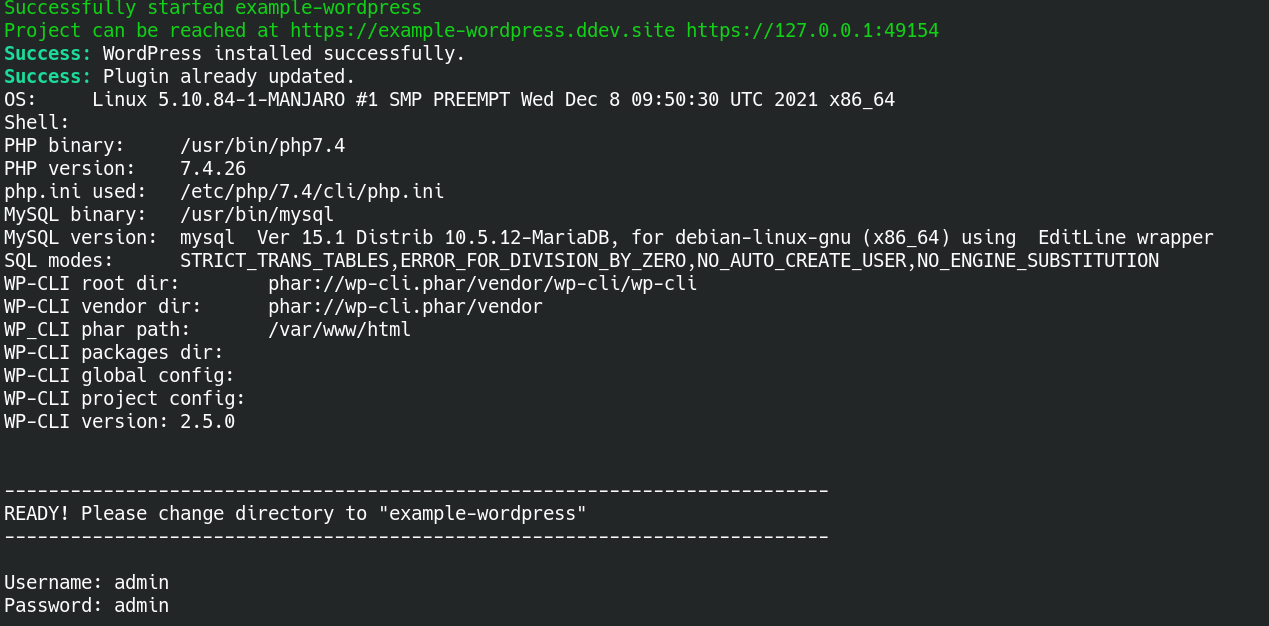
In action, it should look something like this:
Updates
- 30.12.2021 - Script updated following a suggestion from Randy Fay. There is a better way to download WordPress. See also: https://ddev.readthedocs.io/en/stable/users/cli-usage/#wordpress-quickstart