This blog post falls into the quick-tip category. I have been using the program Synergy for several years. Unfortunately, development of version 2 has stalled. It feels as though the version will never leave beta status. Overall, Synergy 2 is very unstable between my MacBook and my Linux workstation.
This week, I found a free alternative. It is a program called barrier. Barrier is a fork of the old Synergy 1, but is being actively developed on Github.
https://github.com/debauchee/barrier
For Arch Linux, there was a corresponding package in the AUR that compiled successfully.
https://aur.archlinux.org/packages/barrier/
I was also able to install Barrier on the Macbook via Brew.
brew cask install barrier
Getting it up and running is relatively easy.
- Start the application on the server. This is the computer with the keyboard and mouse connected. Then configure which side the client computer is on.
- Start it on all the client computers. If the computers are not on the same Vlan, as in my case, it is best to enter the server's IP on the client.
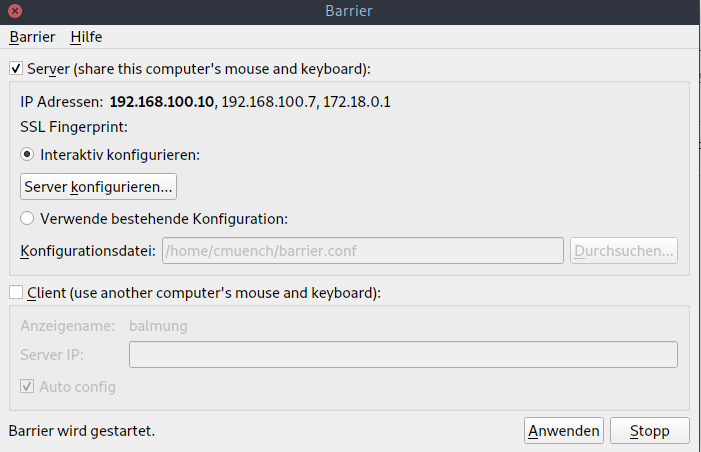

Done. The mouse and keyboard can now be shared.
Update 17.05.2022
On M1 Macs with Barrier 2.4 (installed via Homebrew), an SSL certificate is missing.
It can be generated as follows:
mkdir -p "~/Library/Application Support/barrier/SSL"
openssl req -x509 -nodes -days 365 -subj /CN=Barrier -newkey rsa:4096 -keyout ~/Library/Application\ Support/barrier/SSL/Barrier.pem -out ~/Library/Application\ Support/barrier/SSL/Barrier.pem
https://github.com/debauchee/barrier/issues/231#issuecomment-1117680791