
At the Mage Unconference in Cologne, I spontaneously gave a short talk on knowledge management with Vinai Kopp. It was less about sharing knowledge within a company, as you might do with a company wiki, for example. Instead, the focus was on personal knowledge management.
Why Do You Need Something Like This?
The short answer: because otherwise you lose a lot of knowledge.
We learn new things every day. Unfortunately, our brain is not able to keep presenting all that information back to us in exactly the same way we initially took it in. This is partly because our brain compresses data. In addition, the human brain has different stores, such as short-term memory and long-term memory. For the techies among us... fast and slow cache.
Since the amount of information we encounter each day is very large, we lose some of it without a suitable aid. So it should be in everyone's interest to find a solution that suits them.
My History
Over the last few years, I have tried a great many programs and strategies. The important thing is to find one for yourself. For me, it was clear that it had to be an electronic solution, because I want to be able to copy and back up my data easily.
There are many ideas and tools on the market for tackling this subject. I have already tried tools such as Evernote, Ulysses, Simplenote, Boostnote, Google Note, and a number of others.
Since I need to store different kinds of information, I was looking for the perfect solution for managing all the information in one place. To say it right away.... There is no perfect solution.
But... an 80% solution is fine for me too. In the end, I settled on Trilium Notes. More on that in a moment.
What Kind of Data Do I Have?
When you think about it, quite a few things come to mind that you would like to store. For me, these are mainly source code (source code snippets), blog posts, notes around the office, and minutes. Then there is information on various things such as my home network. So, altogether, quite a lot of information silos.
If you look at each information silo individually, there is a kind of specialized program for each one that is better in that particular area than the solution I found. But since there is no perfect program that meets all my requirements, I eventually stopped looking for one.
My Requirements
My most important requirements were the following:
- It should be possible to store information hierarchically.
- I want to host the data myself. I did not want a cloud-only solution.
- Data should be available offline. So synchronization is needed.
- Platform independence -> Linux, Mac
- Source code must be easy to store.
- Mobile use
- Good search
Trilium
Now let us come to my preferred program, Trilium Notes. The program itself is written in NodeJS. Behind the software is one main developer who has set himself the goal of developing a Personal Knowledge Base. So this is not a collaboration tool. The focus is on a single person. One thing the software does not offer is a multi-user environment. On the other hand, that makes some things easier. Let us look at the features that make the program special.
Tree Structure
The left-hand side of the software contains a prominent tree structure for storing notes in a hierarchy.
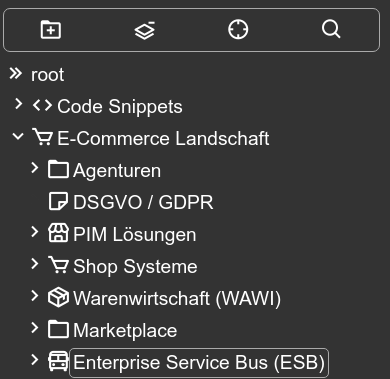
This brings us to the first distinctive feature. No folders are created. Everything is a note. As soon as a note has a child note, the parent note automatically becomes a kind of folder. The screenshot clearly shows what this looks like. You can even assign an icon to a note.
A tree structure always represents a classification. With any classification, you eventually reach a point where you could put a note into two or more branches because its content could fit into several areas. Trilium offers a solution to this problem, called “Node cloning.” You can think of it like a hard link under Unix. The information can exist in two places, but it is always the same information.
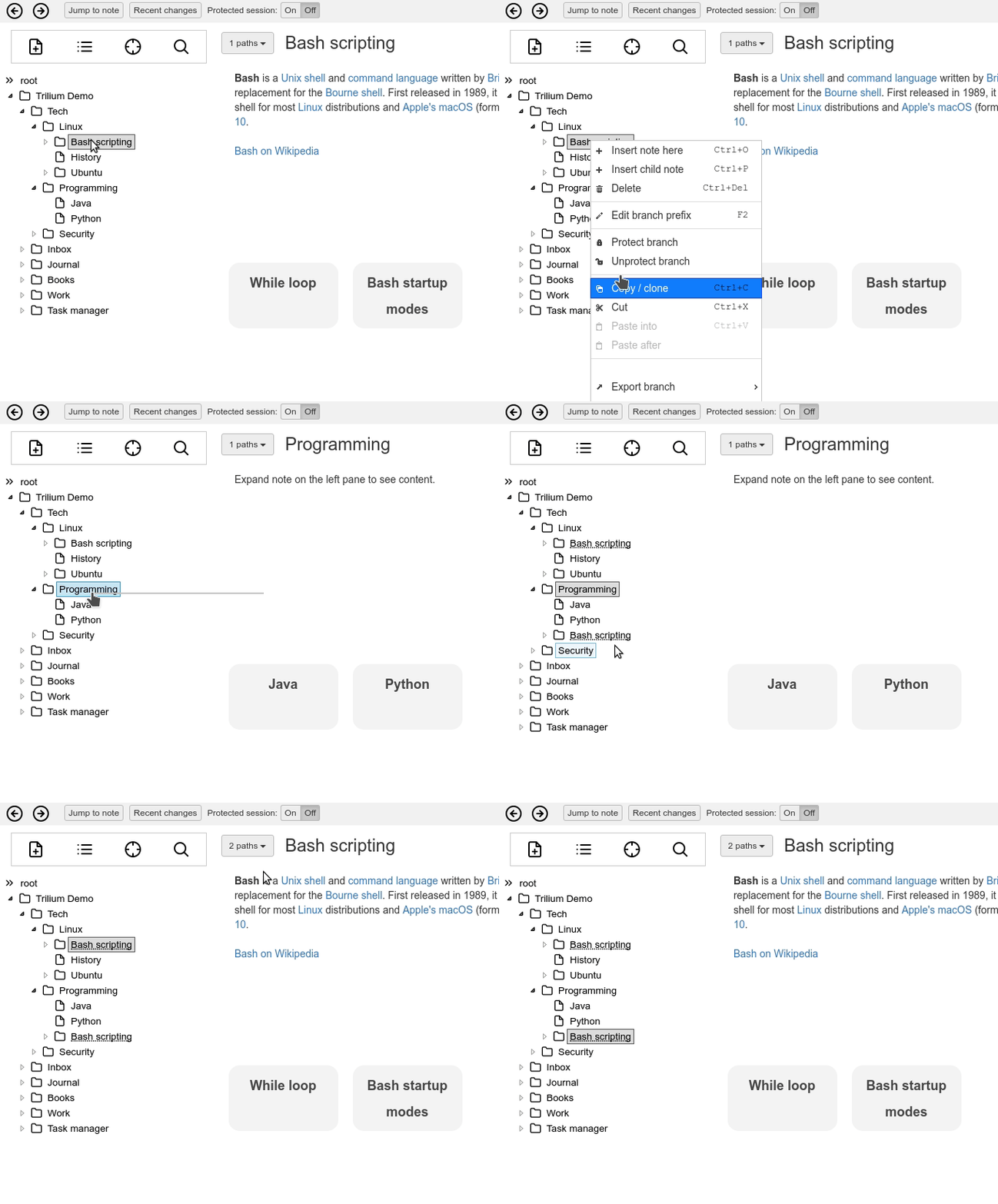
https://github.com/zadam/trilium/wiki/Cloning-notes
Data Storage
Since the application is used by just one person, you do not have to worry too much about concurrent database connections. Trilium therefore uses a simple Sqlite database. What I did not know before is that even large amounts of data can be stored safely in Sqlite databases without too much cause for concern. I can recommend the video by Dr. Richard Hipp, the developer of Sqlite, on this subject. It impressed me a great deal.
Trilium also automatically creates a backup of the database every day, every week, and every month. Backups are very easy to create with Sqlite. You basically copy a single file containing all the data.
Trilium allows you to set up a sync server. This makes it possible to use several clients on different computers that synchronize automatically. The sync server itself can then be used as a web interface.
Snippets, Markdown, Images, Files ...
Each note can have a specific type. There are many different types, including types that represent relationships. Source code is very easy to store, complete with syntax highlighting.

Example XML snippet
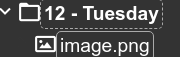
Images and files can also be uploaded as notes. Each uploaded image is a separate note of type Image. Images can then also be embedded in other notes.
Attributes
Storing data in a database rather than a simple filesystem makes it possible to define metadata through attributes. In Trilium, a great many features are implemented through attributes. For example, the tool itself can be extended using notes containing Javascript source code. You only need to give the relevant note an attribute of type Label, with the name run and the value frontendStartup, to run source code automatically when the program starts. Through a script API, a developer can essentially extend the tool to suit their needs.
Other Features
Features familiar from other note-taking programs can also be found in Trilium. For example, navigation can be hidden with a keyboard shortcut so you are not distracted while writing.
A search is available as well. You can even create search folders with conditions. This blog post is not enough to list all the features. The Github page lists the following features:
- Notes can be arranged into arbitrarily deep tree. Single note can be placed into multiple places in the tree (see cloning)
- Rich WYSIWYG note editing including e.g. tables and images with markdown autoformat
- Support for editing notes with source code, including syntax highlighting
- Fast and easy navigation between notes, full text search and note hoisting
- Seamless note versioning
- Note attributes can be used for note organization, querying and advanced scripting
- Synchronization with self-hosted sync server
- Strong note encryption with per-note granularity
- Relation maps and link maps for visualizing notes and their relations
- Scripting - see Advanced showcases
- Scales well in both usability and performance upwards of 100 000 notes
- Touch optimized mobile frontend for smartphones and tablets
- Night theme
- Evernote and Markdown import & export
- Web Clipper for easy saving of web content
Installation
Installing the client is quick. The Github release page has an installation source for every common operating system.
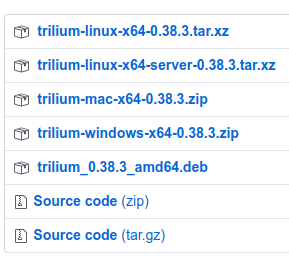
https://github.com/zadam/trilium/releases
For the sync server, I chose the Docker setup.
https://hub.docker.com/r/zadam/trilium
Here is my docker-compose file:
version: '2.1'
services:
  trilium:
    image: zadam/trilium
    restart: always
    environment:
      - TRILIUM_DATA_DIR=/data
    volumes:
      - ./volumes/data:/data
My Conclusion
I have been using the program for a few months now. It is regularly developed further. The growing number of Github stars also shows that I am not the only user.
I used to store a lot of my information in Evernote, but made little use of it. With Trilium, things are different for me. My knowledge base already contains several thousand notes, and I am using the information again. Colleagues often ask me something, and after a short search I can often find the right information in Trilium.
So I am making use of the knowledge I have collected. What more could you want?
Update 28.02.2025 (Fork)
The project's author has put it into maintenance mode because he wants to focus on other things in his private life, and has recommended forking the project.
Meanwhile, the fork https://github.com/TriliumNext/Notes seems to be establishing itself and continuing the project.