
And on we go... After the relaunch of the Wormatia website on July 11, it was now the old Wormatia server's turn. The Linux distribution was showing its age and urgently needed an update.
Most visitors only know the wormatia.de website, which represents the club to the outside world. Behind the scenes, however, the Wormatia website is considerably more varied than some might think. For example, there is a special admin tool for maintaining newspaper articles, match results, club information, player statistics, and so on.
Over the years, a mail server, a Nextcloud server, the live ticker, and an online shop have been added. Until now, all of this ran directly on the host machine under Debian Linux. For us, this meant that all the software we used always had to be compatible with one another. There is now a modern solution to this problem. It is possible to encapsulate each of these applications in a container. And that is what we did. Thanks to our hosting provider Hosteurope making a second server available without any fuss, we could take our time with the move.
Preparation
First, of course, all the applications had to be moved into containers. We chose Docker as our container solution. Moving an application into a container also raises other questions, though, such as:
- Where does the SSL certificate come from?
- What about security?
- How do I update the applications?
- How do I back up the applications?
- How do I monitor operations?
HTTP routing in particular changes fundamentally with containers. Previously, we used an old Apache server. All applications were configured as virtual hosts on the Apache server. With containers, all of that has to work differently. We chose Traefik as our HTTP/TCP router, since it is very flexible and can completely take the tiresome task of updating SSL certificates off our hands. And Traefik is written in golang, making it extremely fast and efficient. Incidentally, Docker was also written in that language.
And then there are the nice logos ?

Golang "Gopher"

Traefik Proxy
Docker "Moby"
The rough plan was as follows:
- Port applications into containers—the largest amount of work
- Book a new server
- Change the TTL of DNS records
- Move websites to the new server one at a time
- Switch over the email server
Welcome to the new Wormatia server
Project Docker Setup
Since we have to watch our budget at a football club, we cannot simply use established technologies such as Kubernetes to handle scaling and distributing containers. The corresponding infrastructure costs a fair amount of money. So everything had to run on the machine we had booked. A rough estimate of the resources suggested that this should be possible, and that turned out to be correct.
Each application was placed in its own directory on the server and started using docker-compose. The individual setups used so-called bind mounts to preserve application state. This mainly affected the databases. When a container is recreated, naturally you want to keep your stored data. The good thing about the current solution is that the configuration can easily be versioned. We now store application configurations on a GIT server. This makes it easy to undo changes if something does not work after all. We have already accumulated 25 Git projects.
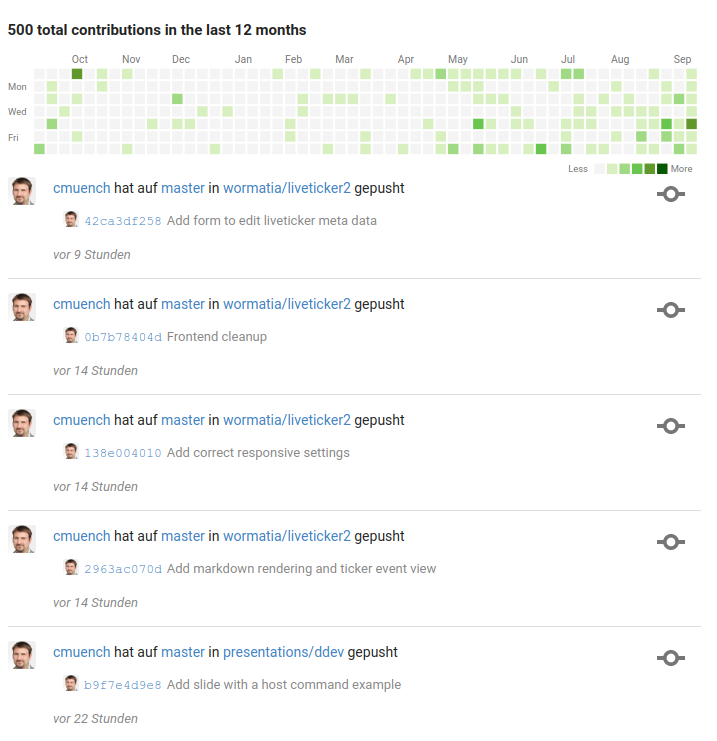
A lot of "commits"
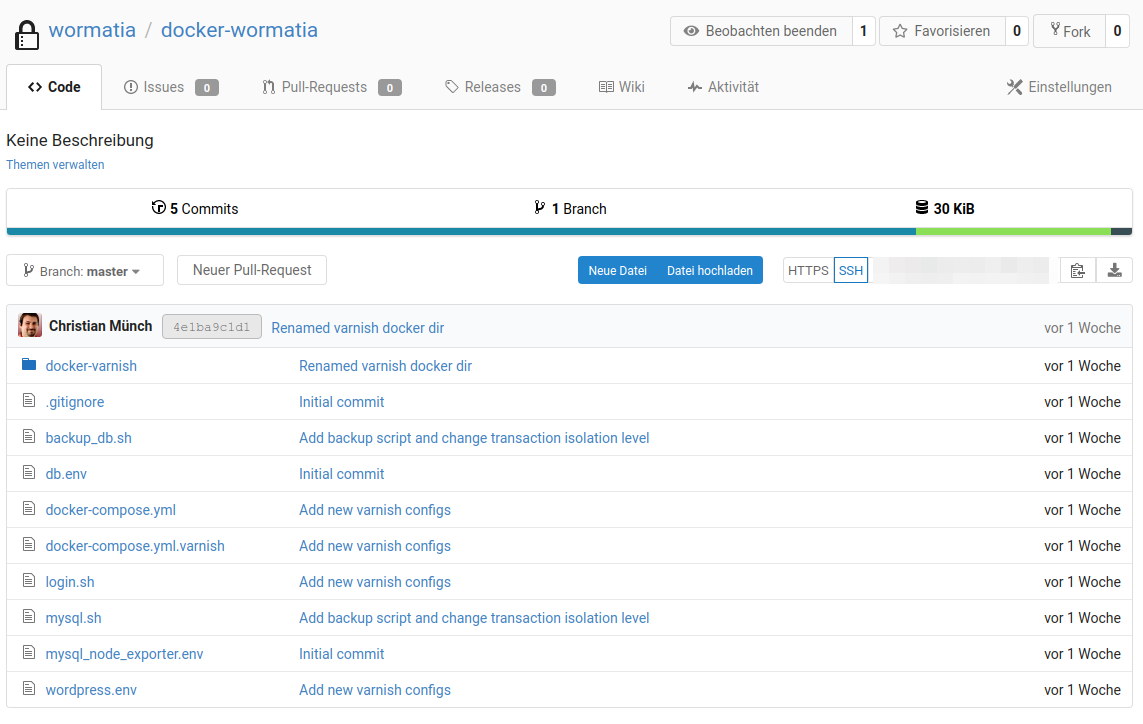
A single project
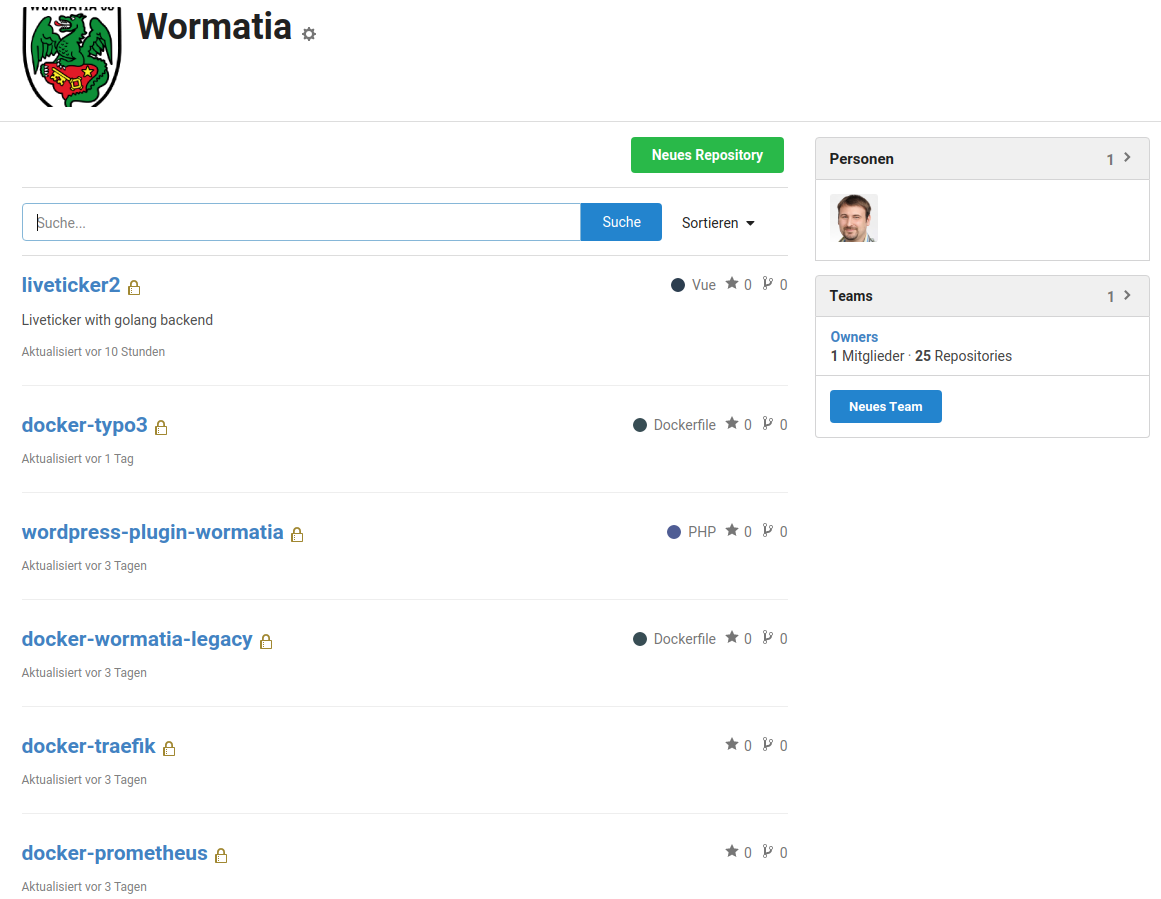
Gitea server - Project overview
The basic installation of Docker and the applications actually needed on the server was also versioned through Ansible and automated on a Drone-CI server.
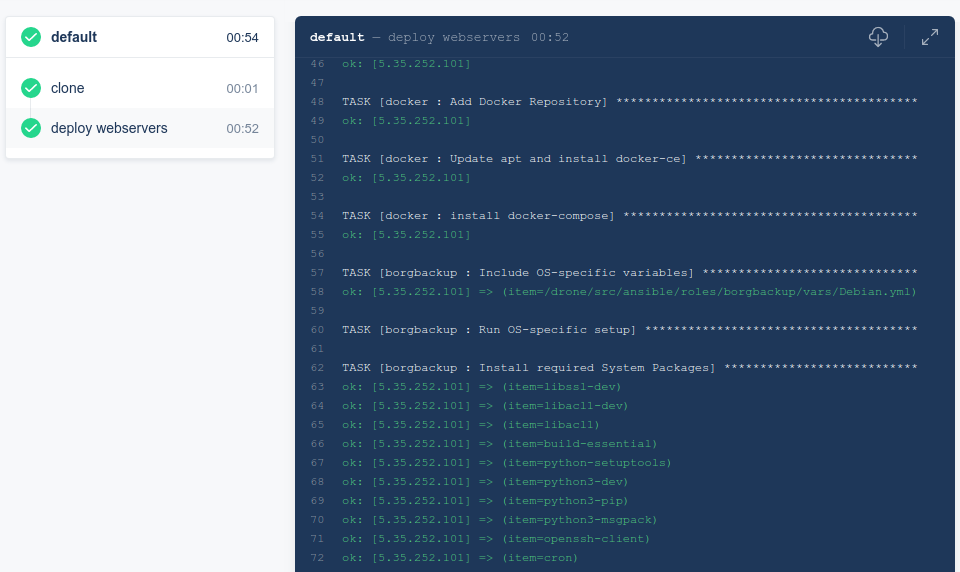
Drone-CI / Ansible
Routing Setup with Traefik
The application containers should not be connected directly to the internet. This has several advantages. With a reverse proxy in front of the applications, you can influence every incoming request and every response. This allows you to route requests to applications flexibly. The great thing about the Traefik server is that it can handle things like encryption, letting you remove that logic from the applications. This enormously reduces setup complexity. It is also possible to insert a middleware component in between. At Wormatia, we do this to restrict access to applications. We also modify requests so that applications can process them. This is important for monitoring, among other things, because the application always expects a particular path that we cannot expose externally for technical reasons.
The diagram gives a good impression of how extensive the infrastructure of a (still) amateur football club can now be. OK... Wormatia has always been a little different.
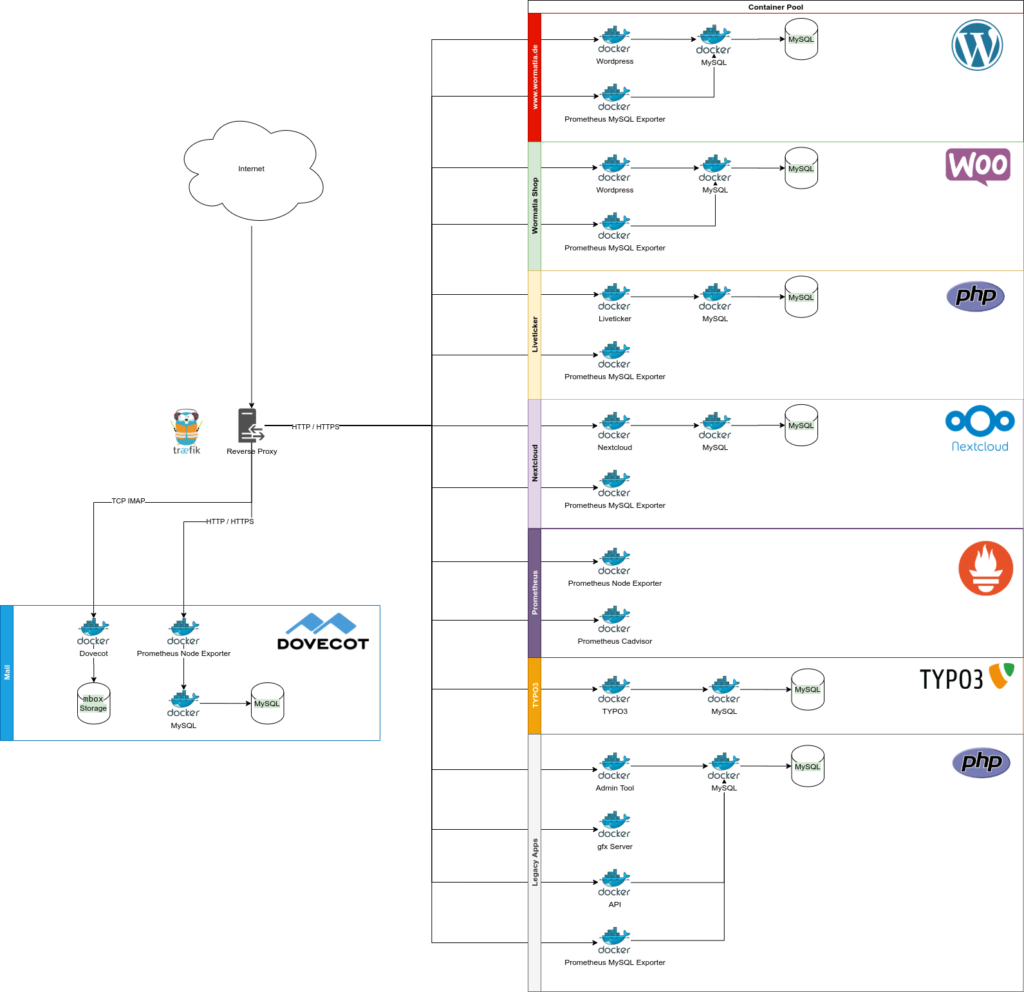
Traefik as a reverse proxy router in front of the entire infrastructure
Since the Traefik proxy itself runs as a Docker container and was developed for exactly this kind of use case, it can be configured very nicely directly in each application's Docker setup. This is done through labels attached to the containers. These are metadata—data about data—and contain information about routing, the TCP ports used, and the selection of middleware components.
Here is an excerpt from the configuration of the Wormatia live ticker as an example:
version: '3'
services:
  liveticker_varnish:
    container_name: liveticker_varnish
    restart: always
    build: ./docker-varnish
    networks:
      - web
    expose:
      - 80
    labels:
      - "traefik.enable=true"
      - "traefik.http.routers.liveticker_secure.rule=Host(`liveticker.wormatia.de`)"
      - "traefik.http.routers.liveticker_secure.entrypoints=https"
      - "traefik.http.routers.liveticker_secure.tls=true"
      - "traefik.http.routers.liveticker_secure.tls.certresolver=letsencrypt"
      - "traefik.http.routers.liveticker_unsecure.rule=Host(`liveticker.wormatia.de`)"
      - "traefik.http.routers.liveticker_unsecure.entrypoints=http"
      - "traefik.http.routers.liveticker_unsecure.tls=false"
      - "traefik.http.services.liveticker.loadbalancer.server.port=80"
Special Handling for IMAP
So far, we have only talked about routing HTTP/HTTPS. However, the infrastructure also runs an email server. This uses IMAP as its protocol. Fortunately, since version 2.0 the Traefik proxy also supports routing TCP data of any kind. That means we do not need to install additional software such as HAProxy. And we can prevent the IMAP server from exposing a TCP port directly to the internet, bypassing the proxy.
Unfortunately, a Docker setup for a standalone IMAP server is relatively unusual, so I first had to work out an entirely new setup. Unfortunately, the Traefik server cannot fully serve the SSL certificate for the IMAP server. The IMAP server needs direct access to the SSL data here. The Traefik server can, however, renew the certificate and obtain it from Letsencrypt. But since the certificate then resides on the Traefik server, the IMAP server does not know about it.
Fortunately, traefik-certs-dumper is a very good third-party solution that can extract the certificate from the Traefik server's certificate store. That is what I did, and I made the files available to the Dovecot IMAP server through a bind mount. In practice, this works quite well.
If anyone is looking for the setup for the Traefik server, the following works well for me.
traefik_certs_dumper:
    container_name: traefik_certs_dumper
    image: ldez/traefik-certs-dumper:v2.7.0
    restart: always
    depends_on:
      - traefik
    entrypoint: sh -c '
      apk add jq
      ; while ! [ -e /data/acme.json ]
        || ! [ `jq ".letsencrypt.Certificates | length" /data/acme.json` != 0 ]; do
          sleep 1
      ; done
      && traefik-certs-dumper file --version v2 --domain-subdir --crt-name=fullchain --key-name=privkey --watch
        --source /data/acme.json --dest /data/dumps'
    volumes:
      - ./volumes/letsencrypt:/data
    labels:
      - "traefik.enable=false"
Switching over the mail server was what worried me the most, since it is very important for the club's communication, even more so during the coronavirus period.
Here, I reduced the domain's TTL to 5 minutes very early on, so that I could switch over—and switch back in an emergency—very quickly. In the end, no user noticed anything, and the switch happened without noticeable downtime. That was a huge weight off my shoulders. I waited until the end to switch the mail over. With that, the migration for the club was complete.
Data Backup
We already have a server backup through our provider. But since I am a little paranoid about this, I set up an additional backup using Borg. It runs every night and can deduplicate data.
The backup includes the Docker bind-mount directories containing ordinary files, such as images from the Wormatia website. Databases are exported every day and then also placed in the Borg backup archive.
The software deduplicates the data. This allows us to retain data going back several months.
By now, quite a bit of data has accumulated.

Backup Summary
Monitoring
We already use Prometheus to monitor our servers. Fortunately, Prometheus is very well designed for monitoring containers. There are so-called node exporters that collect data and can pass it to Prometheus. The data exports are also made available through the Traefik server. Here we use middleware to expose a whole list of node exporters. This is also clearly visible in the diagram. Each MySQL database, for example, has its own exporter. But we also collect other information, such as CPU usage, and notice when the disk is filling up.
HTTP and IMAP ports are also monitored externally through a blackbox exporter, which queries every application on the server once a minute so we can detect outages quickly.
Updates
There is always something to do. Of course, the entire infrastructure still needs to be operated and updated. But we are trying to automate as much as possible. This includes software updates. Here we use Unattended Upgrades to apply important security updates to the server automatically. If necessary, the server is even restarted automatically at night when a new Linux kernel has been installed on the host system.
The Docker containers and the software inside them also need to be kept up to date. This is now considerably easier, though. For example, I was able to update the Nextcloud application by three major versions, something that had previously failed because of dependencies on other applications.
What Comes Next?
The infrastructure is already in good shape. I think we can be proud of what we have accomplished so far. The new infrastructure now lets us explore new directions. There are still some old PHP applications. These will now be updated or replaced one by one. Specifically, there are plans to rewrite the live ticker in Golang. After that, the Wormatia API and the old admin tool will follow.
These plans involve a lot of work that could easily fill a whole year or more. But there is no longer quite so much time pressure.
If you have questions or comments... feel free to leave a comment here.
On that note - Alla Wormatia!
Update July 29, 2022
The Watchtower tool is a good choice for automatically updating Docker images.